

Legal matter management is the controlled record of a legal matter from intake through closure, linking the responsible lawyer, client, deadlines, documents, tasks, and cost.
The popular advice is to put everything in one place. That's useful, but it isn't enough. A shared database can still contain an unverified service date, an abandoned assignment, or a document link that nobody can open.
Trust comes from controls, not centralization alone. Lawyers need to know what requires judgment. Assistants need clear update responsibilities. IT needs to know which system owns each field and what happens when a connection fails.
What Legal Matter Management Covers
Legal matter management is the structured process of keeping a controlled, searchable record of legal work throughout its lifecycle. It connects the matter's identity, people, activities, records, and financial information so someone outside the immediate team can understand its position.
The word matter is broader than a court case. A contract negotiation, intellectual property assignment, advisory request, or dispute can each have a matter record. The work differs, but the management questions remain recognizable: Who's responsible? What's outstanding? What has happened? What did it cost?
What each matter stage must record
Use this table to test an existing file. The owner is the person or team responsible for keeping the information current, not necessarily the person who enters every field.
| Stage | Minimum record | Owner |
|---|---|---|
| Intake | Client, conflict result, matter type, jurisdiction | Intake or conflicts team |
| Opening | Matter number, responsible lawyer, status | Matter owner |
| Active work | Tasks, events, documents, time entries | Assigned lawyer and assistant |
| Reporting | Status, cost, workload by client, lawyer, or office | Legal operations |
| Closure | Outcome, final bill, retention date | Matter owner |
A populated field isn't automatically a reliable field. For example, a conflict result should identify the completed review, rather than contain an unexplained checkmark. A retention date should follow the applicable policy and any preservation obligations, rather than an assistant's best guess.
Status also needs a shared meaning. If one office uses active to mean work is underway and another uses it to mean the file hasn't been archived, leadership can't compare their reports sensibly.
An operating discipline, not a new app label
The history predates today's cloud platforms. According to Virtual Legal Assistants' history of legal matter management, Equitable Life's legal department worked with CompInfo on Corporate LawPack in 1978, and matter databases expanded into reporting and legal-operations tools during the 1980s and 1990s.
Modern practice adds workflow automation, electronic billing, communications coordination, analytics, and risk checks. But the underlying purpose remains practical: preserve enough context to manage work without reconstructing it from scattered records.
Contract work offers a useful comparison. The devPulse insights on contract workflows provide context for thinking about agreements as work that moves through defined stages, rather than as isolated documents. Matter management applies that lifecycle view across legal work.
Practical rule: A calendar tells you when something happens. A document folder stores the work product. Neither, by itself, explains the whole matter.
That distinction answers the common question, what is legal matter management? It's the operating record connecting those separate pieces, with responsibility attached.
How One Matter Record Holds the Work
Consider a hypothetical file, Northwind Supply v. Harper Parts. A firm with offices in different cities opens the federal commercial litigation matter after conflicts clear. The intake record identifies Northwind as the client, captures the district, and classifies the work consistently.
At opening, the matter owner assigns a matter number, names the responsible partner, and sets the status. That identity follows the work. Staff shouldn't have to decide whether Northwind litigation, Harper dispute, and Supply case refer to the same engagement.
Follow the file through active work
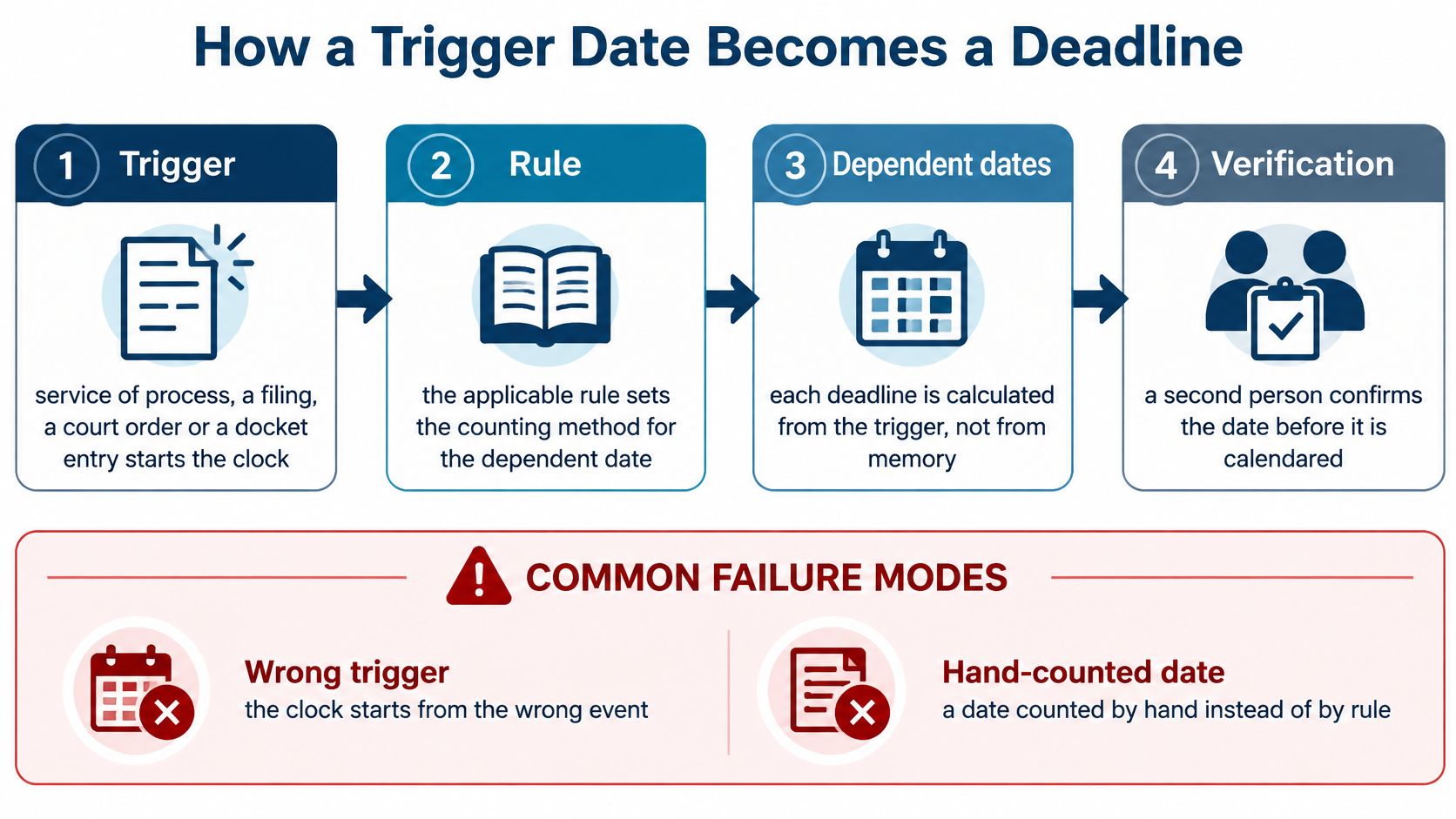
Service occurs on a Tuesday. The docketing clerk records the service evidence and calculates the proposed answer deadline using the applicable rules. Another reviewer confirms the triggering event and date before the deadline is published.
The complaint PDF links directly to the answer event. An assistant opening that event can reach the document that explains why the obligation exists. There's no need to search a general downloads folder for a file named complaint-final.
The relationship between the trigger, rule, dependent dates, and review should be visible to the team.
The partner owns the answer obligation. An associate receives the drafting task, while an assistant receives the filing task. These are distinct responsibilities. Assigning the draft doesn't transfer the partner's responsibility for ensuring the response is handled.
When the associate changes practice groups, the manager reassigns open work and obtains acceptance from the replacement. Changing the team roster alone wouldn't fix an orphaned drafting task.
Useful notes record decisions and the next action, not just conversation fragments. A case management notes template can help staff capture the event, decision, responsible person, and supporting record consistently.
In this scenario, drafting time is billable under the engagement terms, while an internal training review is non-billable. Both belong to the matter's work history, but they shouldn't enter the same billing category. The Friday workload report shows an overdue task and hours by timekeeper, allowing the partner to distinguish a staffing problem from a missing update.
A scheduling order later introduces discovery, motion, and trial obligations. Each receives an owner and a connection to the order. Staff preserve the order itself, rather than relying on a calendar description that paraphrases it.
Decide which record wins
The firm doesn't need to move every underlying record into the matter platform. Accounting can remain authoritative for invoices, and the document management system can remain authoritative for document versions.
For this hypothetical firm, the field ownership agreement looks like this:
| Information | Authoritative record | How to resolve a disagreement |
|---|---|---|
| Client name | Approved client master in accounting | Validate the correction before updating linked displays |
| Deadline | Reviewed docketing record | Check the governing source and preserve the correction history |
| Document | Document management system | Use its controlled version, not an emailed attachment |
| Time entry | Approved timekeeping record | Correct the entry there before refreshing reports |
| Court notice | Court-issued notice or docket record | Compare the original notice with the imported summary |
Authority belongs to a defined record, not whichever screen was updated last. A newer Outlook entry shouldn't override a reviewed court deadline.
At settlement, the owner records the outcome, completes billing checks, and applies the retention process. Any continuing preservation obligation must remain visible even though active legal work has ended.
And if a related state case opens, staff establish its own jurisdiction and rule context. They don't copy the federal calculation merely because the parties and underlying dispute are familiar.
How a Trigger Date Becomes a Deadline
A deadline is only as reliable as the event and rule used to calculate it. Service, a filing, an order, or a docket entry may start a clock. The governing rule determines which event counts and what obligation follows.
A calculation can be mathematically correct and legally wrong. The wrong trigger, rule, or controlling order can produce a precise but unusable date. A matter system does not create trust on its own. Trust depends on required intake information, a named owner, a verified trigger date, and a record of changes, even when documents and email remain in other systems.
Apply the counting rule before publishing the date
For periods stated in days, Federal Rule of Civil Procedure 6 provides the basic sequence: exclude the triggering day, count intermediate days, include the final day, and adjust a final day that falls on a weekend or legal holiday.
The example below uses a hypothetical 14-day period. It does not establish the deadline in every federal case.
| Step | Rule | 14-day example |
|---|---|---|
| Start | Exclude the trigger day | Day 1 is the next calendar day |
| Middle days | Count Saturdays, Sundays, and legal holidays | Weekend days inside the 14 still count |
| Last day | Include the final day | Day 14 is the deadline if it is a weekday and not a legal holiday |
| Weekend or holiday landing | Move to the next day that is not a Saturday, Sunday, or legal holiday | A Saturday landing moves to Monday if Monday is not a holiday |
An intermediate weekend remains part of the count. A weekend or holiday landing changes the last day to act.
Before publishing the date, the reviewer should verify the counting method, holiday calendar, and any local rule or court order that affects the obligation. Filing cutoffs and exceptions also need review. A calculator cannot establish these legal inputs.
Protect the calculation and the handoff
An automated docketing workflow should preserve evidence of the trigger, identify the selected rule, and record who reviewed the result. The assigned owner then acts on reminders, while escalation brings incomplete work to someone able to intervene. The audit trail should show both the basis for the date and any later change.
Access controls protect that record. If an unauthorized user can change a reviewed date without a trace, the calculation and handoff controls can fail together. Guidance on building a cybersecurity compliance program provides context for documenting responsibility, access, and evidence around sensitive operational processes.
Verification should establish why a date is correct, not merely that someone saw it.
Why Calendar Errors Become Claims
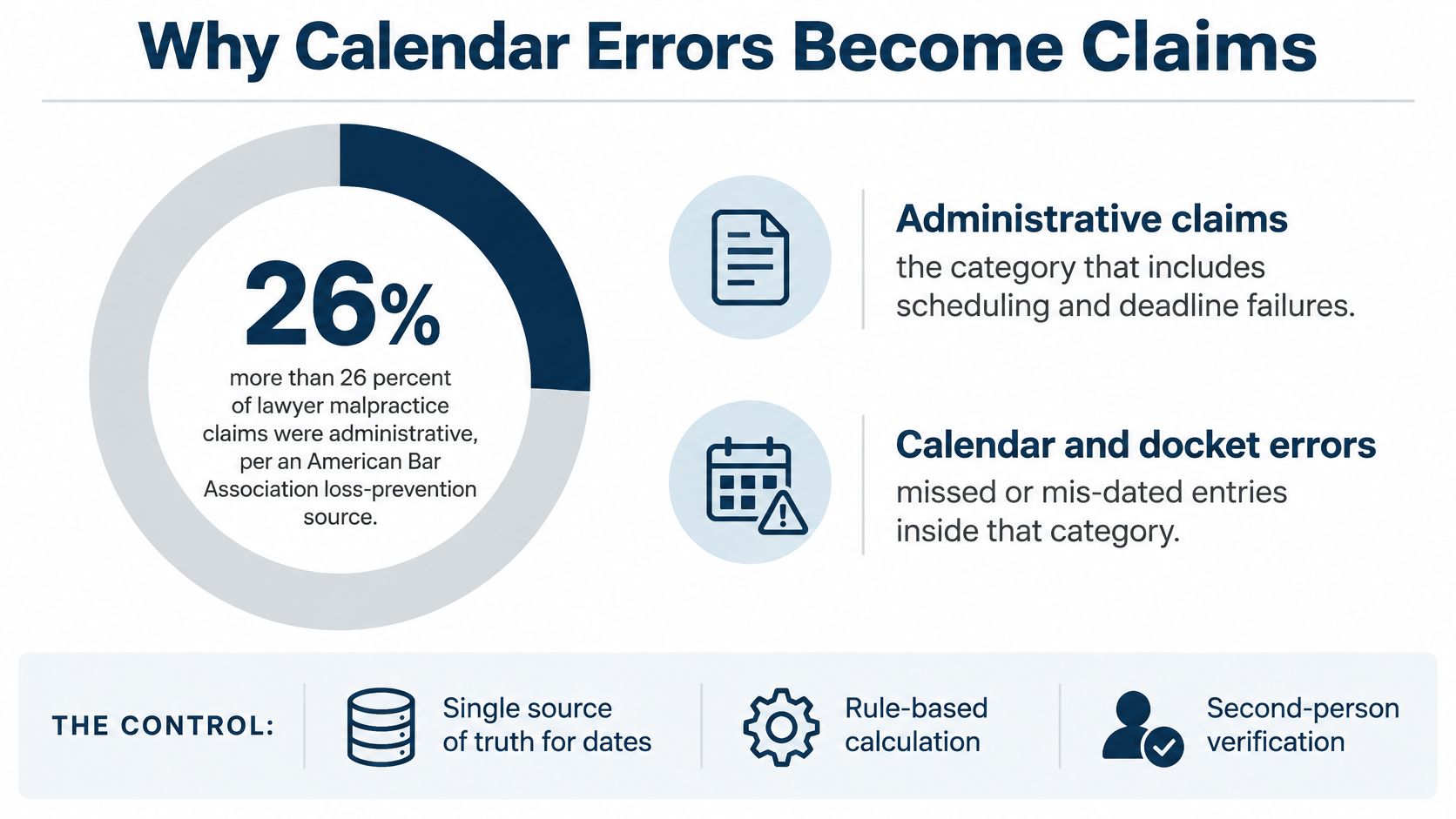
Calendar controls can fail in two distinct ways: an obligation is never recorded, or it is recorded but no one acts. The American Bar Association loss-prevention source reports that more than 26% of lawyer malpractice claims were administrative. Within that category, 19% were tied directly to calendaring mistakes, including failures to enter dates and failures to react after entry. The calendaring figure describes a share of administrative claims, not all claims.
Separate missing entries from missing action
A failure to enter means an obligation never reaches the controlled calendar. Reconcile incoming notices, service records, and orders against recorded obligations so missing entries can be found.
A failure to react means the date exists, but the required work is not completed. More calendar entries won't fix an ownership gap. The assigned person needs to acknowledge the task, receive useful reminders, and have overdue work escalated to someone who can intervene.
Deadlines for limitations periods, discovery closure, trial, and appeal all need explicit review. Otherwise, the team may assume someone else recorded or owns the obligation.
Measure the controls that can fail
A practical control report should show where the process breaks:
- Trigger-to-deadline accuracy. Check whether the recorded event and selected rule support the published date.
- Overdue-task rate. Separate incomplete work from completed work whose status was not updated.
- Acknowledgment latency. Track how long an assignment waits before its owner accepts it.
- Reassignment completion. Confirm that replacement owners accept outstanding obligations after staffing changes.
- Audit-log completeness. Check whether edits retain the previous value, editor, time, and reason.
Don't measure success by calendar volume. A crowded calendar can still hide an unverified trigger, duplicated reminders, or a filing without a named owner.
These checks help partners identify which obligations need intervention, while assistants spend less time reconstructing events from email. A reliable audit trail should show who changed a date and why, even when documents, email, and accounting records sit in other tools. Trust depends on required intake fields, named owners, verified trigger dates, and records that remain usable across those systems.
When Connected Systems Still Disagree
A connected system can move information without making that information trustworthy. In a 2025 survey of 300 senior legal-operations practitioners, 57% said their organizations used matter management, but only 25% described their legal-technology stack as fully integrated, according to Tonkean's legal-operations technology-stack survey. Integration is a technical connection. Trust depends on what each system accepts, who owns the record, and whether changes remain traceable.
A dashboard may bring documents, invoices, email, and calendar events into one view while those items remain controlled in other systems. That can work, provided the matter has a required intake schema, named owners, verified trigger dates, and an audit trail that survives across those connections. Without those controls, a successful sync can carry an error just as easily as a correct update.
Write rules for disagreement
Before enabling write-back between systems, legal operations and IT should decide what happens when records conflict. Automatic synchronization does not resolve an underlying disagreement.
- Route failed updates. Send failures to a monitored queue and assign a person to resolve them.
- Preserve review status. An unreviewed external change should not replace an approved obligation.
- Log both contexts. Keep event-level changes alongside enough matter history to show their effect.
- Close delegated access. When staff leave, remove their shared-calendar access, service connections, and delegated permissions, not only their main application account.
A connection test confirms that information moved. It does not confirm that the correct information moved or that only the right people could change it.
Security controls belong in the same discussion. Rather than relying on unsourced percentages, focus on the controls the firm can verify: whether ethical walls hold across connected workspaces, whether integrations have only the access they need, and whether protected backups can be restored. Confirm that sensitive client and court information remains within approved permissions.
Calculation is not observation
Rules-based calendaring calculates an obligation from a trigger and rule set. Docket monitoring checks the court record for activity, including changes the team did not expect.
The two functions answer different questions. A calculated answer date cannot show that a judge moved a hearing. A new docket entry does not, by itself, establish every deadline that may follow.
Assign someone to review incoming court activity and decide whether it changes existing obligations. Otherwise, the firm may receive the correct notice while its matter record continues to reflect yesterday's calendar. The control that fails is the review and update process, not necessarily the connection itself.
Standardize Ownership Before You Automate
A matter system does not create trust by itself. Trust depends on required intake fields, named owners, verified trigger dates, and an audit trail that still works when documents, email, and accounting live in separate tools. Set those controls before choosing what to automate.
Set the minimum operating rules
- Require intake fields. A matter shouldn't open without the client, conflict result, matter type, and jurisdiction.
- Use a shared taxonomy. Keep matter types short and consistent across offices.
- Name accountable owners. Every task and date needs a responsible person, not just a notification list.
- Define escalation. Specify who receives incomplete work and what action they must take.
- Complete closure and retention. Record the outcome, billing position, and applicable preservation requirements.
- Select outcome measures. Start with overdue tasks and missed trigger reviews. Choose measures the team can act on.
The 2025 Legal Insights report from Checkbox found that 76% of legal departments still used manual processes to manage matters, 44% manually created, assigned, or updated legal work, and 77% performed at least some reporting manually. These figures point to practical control gaps: work can remain unassigned, updates can be missed, and reporting can depend on manual effort.
Software availability varies, too. The ABA's 2024 Practice Management TechReport reported case or practice-management software availability at 53% of surveyed firms, compared with 63% in 2022. In both years, 65% budgeted for technology.
Pilot the process before expanding it
Automation follows the intake rules you configure. If required fields are missing or no one owns trigger-date review, software can reproduce those gaps at scale. Use guidance on creating a workflow to turn operating rules into assignments, review points, and exception paths.
Apply the same discipline when deciding whether to build or buy custom automation. Internal Systems on AI tooling decisions offers context for weighing ownership and maintenance before adding another tool.
MatterAlert is a matter-centered docketing and calendaring product by PaayaTech Inc. Its customizable litigation, IP, family law, and client-specific templates automate task, event, and document creation. The platform combines CalendarRules deadline calculations across 2,200+ court rule sets in the US and Canada with PACER and UniCourt docket access, audit logs, and Outlook synchronization.
Start with a practice group. Verify that trigger dates have an owner, test an exception such as a failed connection, and confirm that reassigned work reaches the right people. Train lawyers, assistants, and IT on those decision points, not only routine screen navigation. For each matter, the trust test is whether the intake is complete, responsibility is clear, and the history remains visible across connected systems.