

A hearing notice arrives while you're clearing yesterday's filing emails. The attorney expects it on the calendar. The assistant assumes docketing has it. Your system shows a new document, but you still need to know whether anyone checked what it changes.
Automated docketing should turn that notice into a checkable chain of actions, not just another notification. Each step needs an output you can inspect: the matched matter, the identified trigger, the calculated date, the assigned task, and the calendar event.
What Automated Docketing Does With a Court Filing
Say a notice sets a hearing for Friday. Your platform retrieves the docket entry and matches it to a matter using the case number and court, rather than a party name alone. That distinction matters when the firm represents the same client in unrelated proceedings.
Next, the system identifies the event. A hearing notice may require a calendar entry, preparation tasks, or a response deadline. But the hearing date isn't necessarily the trigger for every related filing. If the governing rule measures a response period from service, the system needs the service date.
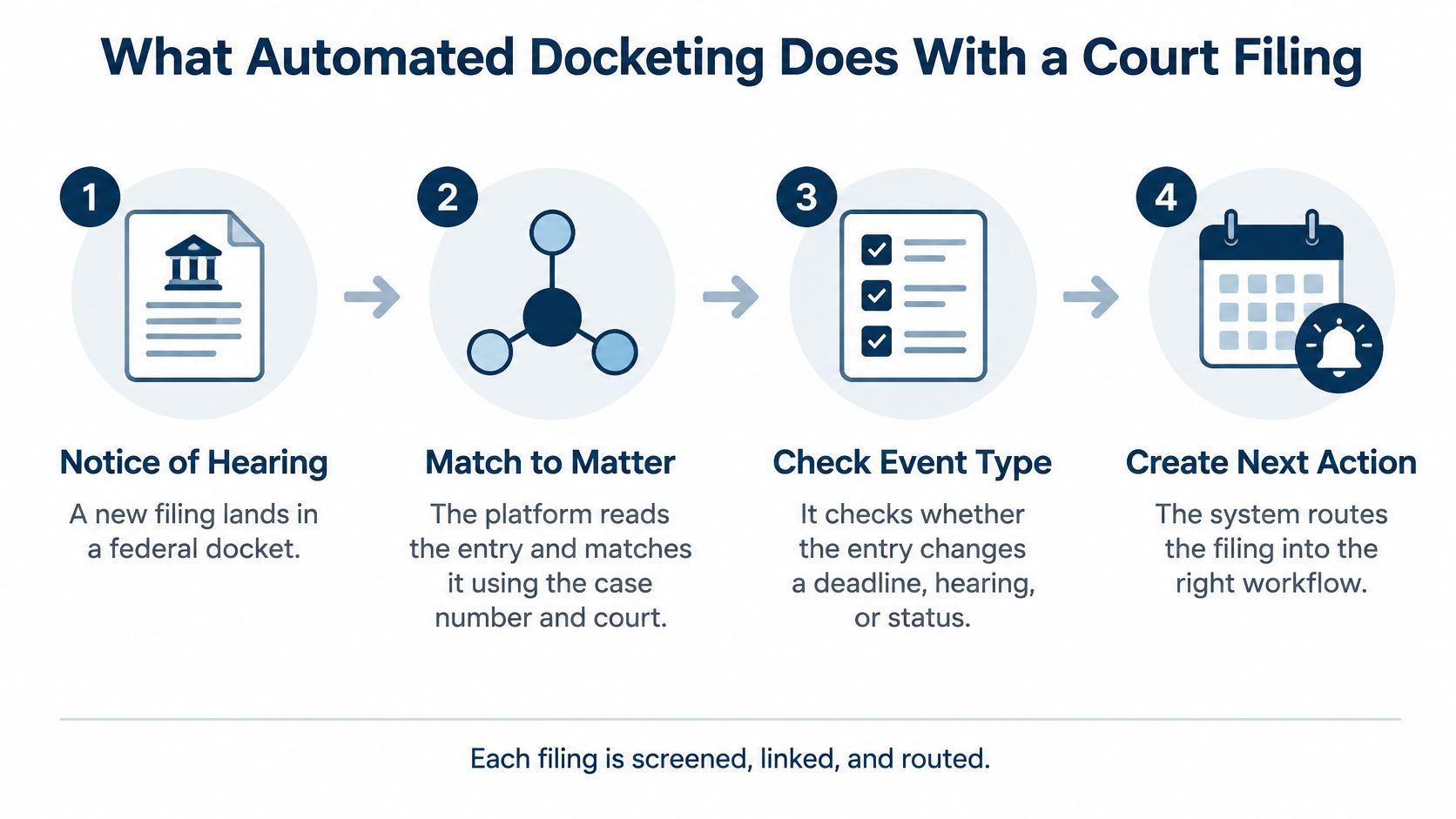
Once a reviewer confirms the trigger, the applicable rule set calculates the due date. The workflow creates a task, assigns responsibility, sends the appropriate reminder, and places the confirmed event on subscriber calendars. An entry that creates no action should still remain available in the matter history.
The electronic records infrastructure makes this possible. As the U.S. Courts' history of PACER and electronic filing explains, PACER and CM/ECF moved federal case information and filings into electronically accessible records.
Practical rule: A document appearing in the matter doesn't prove that its consequences reached the team.
Follow the handoffs
The useful question isn't whether the platform received the notice. It's whether the platform matched, interpreted, routed, and delivered it correctly.
Think about your last missed notice. Did retrieval fail? Did someone select the wrong trigger? Or did a valid task reach an unattended inbox? Find the broken step before adding more reminders.
The Four Parts Behind Every Automated Deadline
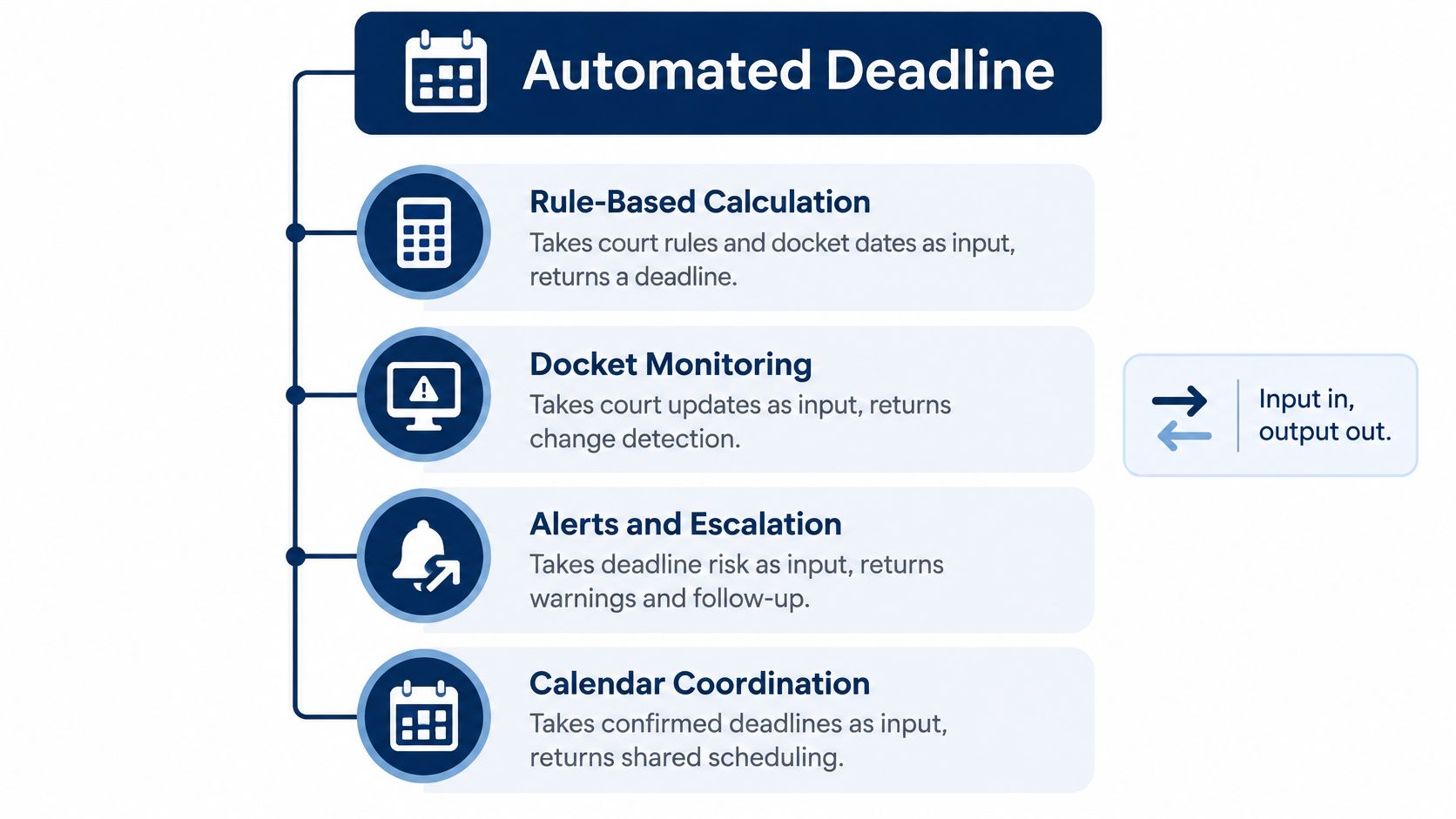
Automated docketing works as a chain: rule-based calculation, docket monitoring, alerts and escalation, and calendar coordination. Each part has a different job, and each should leave behind an output someone can inspect. A firm can license all four and still lose a date if one link produces a plausible but wrong result.
Automated docketing parts, inputs and outputs
| Part | Main job | Input | Output |
|---|---|---|---|
| Rule-based calculation | Turns a trigger into a due date | Trigger date and court rule set | Due date with counting method |
| Docket monitoring | Finds new court entries and documents | Case identifiers and court source | New docket entries and retrieved documents |
| Alerts and escalation | Tells the right person and flags stalled work | New event or overdue task | Notice to assignee and escalation to a supervisor |
| Calendar coordination | Keeps every calendar showing the same date | Due date and assignment | Synchronized events for each subscriber |
PACER carries federal case activity at national scale, so no team can read every new entry by hand. Structured filtering is what makes electronic access usable: the monitor has to narrow the stream to the matters, courts, and document types a team follows. The same logic applies inside the platform. Retrieval, interpretation, assignment, and delivery are separate steps, and each one can fail without the others noticing.
Test a date backward
Pick a deadline from a working calendar. Trace it back through four checkpoints: the source docket entry, the rule that produced the due date, the assignment that created responsibility, and the calendar event that reached the subscriber. The table gives you the expected output at each stop.
A stored PDF proves the document was saved. It does not prove the rule was applied to the correct trigger. A sent email proves an alert left the system. It does not prove anyone accepted the task.
Each function needs a visible success state and a visible failure state. Without both, bad input can produce a due date that looks reasonable, an alert that goes to the wrong person, and a calendar that appears current. A clean calendar is not evidence of a complete workflow. It is only the last link in a chain you still have to test.
How Docket Monitoring Catches Court Changes
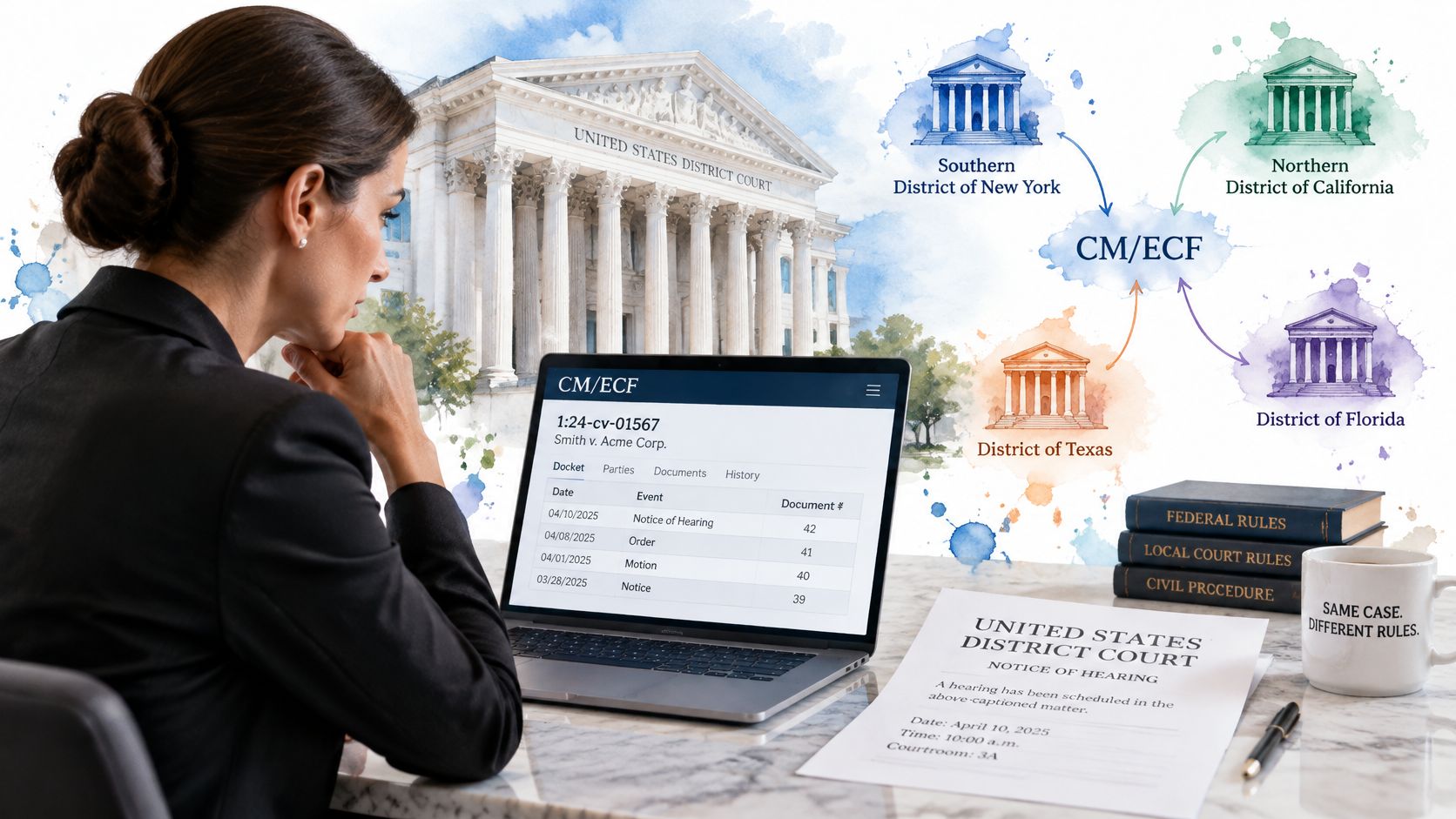
Federal dockets aren't a single standardized feed. PACER's developer resources explain that individual courts modify CM/ECF for local needs and provide separate tools for automated authentication and nationwide case location. Those tools help establish access and find cases. They don't remove differences between court implementations.
A workable monitor therefore needs court-specific handling. An adapter should map local entries into consistent fields, such as entry date, document type, and event label. Duplicate detection should recognize when an electronic notice and a later docket retrieval describe the same filing.
Preserve the evidence
Keep the underlying record beside the interpreted event:
- Source entry: Preserve the docket text, not just the system's label.
- Retrieval timestamp: Record when the monitor obtained the information.
- Court identifier: Keep the jurisdiction attached throughout processing.
- Document: Retain the retrieved filing when access permits, or flag that it wasn't obtained.
Court terminology deserves attention too. Teams handling circuit court dockets should identify the actual court and jurisdiction before configuring a monitoring workflow. A familiar court name isn't enough to select the right adapter.
A blank field can be harder to catch than an error message. Don't let missing information count as successful processing.
Test an adapter against a month of real entries from a court your firm uses. Compare the court's record with the imported events, including amended entries and linked documents. Count omissions, duplicates, and incorrect labels separately. Fixing a duplicate notice won't repair a missing hearing change.
What Docket Monitoring Costs and How to Limit It
PACER charges arrive when someone retrieves a page, document or report, not when a monitor sends an alert. That distinction matters for budgeting: the subscription buys the monitoring workflow, while court access produces its own line items. The table below gives the standard PACER rates and caps to check against your invoice.
| Charge type | Rate or cap | Notes |
|---|---|---|
| Case information | $0.10 per page | Standard rate for pages viewed or downloaded |
| Single document | $3.00 maximum | Equals 30 pages at the standard rate |
| Docket report, creditor listing or claims register | $3.00 maximum | Case-specific reports only |
| Name-search results | No cap | Cap does not apply |
| Transcripts of federal court proceedings | No cap | Cap does not apply |
| Quarterly fee waiver | Waived at $30 or less | Quarters run January to March, April to June, July to September and October to December |
These rates, caps, and waiver terms come from PACER's pricing guidance; the cap also excludes non-case-specific reports.
Repeated docket checks and document downloads have different cost patterns. A long eligible document has a cap, while repeated report requests can create separate charges. A low charge per request does not make a monitoring policy economical. Treat each charge as a checkable output: a retrieval timestamped against a matter, a page count, a report type. If the output cannot be tied to a matter and a reason, it deserves a second look.
More frequent checks do not automatically raise the bill. Cost appears when a check triggers a retrieval. A monitor that scans docket text and pulls documents only on configured triggers keeps retrieval tied to purpose. A workflow that refreshes full dockets on a schedule creates repeat charges even when nothing changed.
Set retrieval rules before rollout
- Prioritize active matters: Give urgent proceedings closer monitoring than closed files.
- Limit the query: Request relevant date ranges rather than repeatedly retrieving the entire history.
- Cache processed entries: Use stored records to avoid unnecessary repeat requests. Caching doesn't make a new PACER request free.
- Retrieve selectively: Download documents when an entry matches a configured matter need or rule trigger.
Keep three cost lines separate: the platform subscription, optional modules such as court docketing and PACER access or CalendarRules, and per-page court charges. Fixed platform fees and usage-based retrieval costs behave differently under load. When you compare a fixed platform charge with per-page retrieval, a hybrid pricing model helps separate the predictable line from the variable one. Rankozo's guide to understand hybrid software pricing models explains that structure.
Compare the previous quarter's invoice with active matters and docket activity. If charges increased without a corresponding workload change, inspect repeated full-docket pulls and duplicate retrievals. A larger bill is a reason to investigate, not proof that the system is over-polling. Confirm PACER's current bulk-access guidance before scheduling large retrieval jobs.
How Deadline Calculation Counts Days and Hours
For a deadline stated in days, exclude the triggering day, count every intermediate day, and include the last day. If the final day falls on a Saturday, Sunday, or legal holiday, move to the next qualifying day under the applicable rule.
The federal counting framework appears in the published Rule 6 text, which also distinguishes periods stated in hours from those stated in days. Hour-based counting begins immediately after the triggering event and includes intermediate weekends and holidays. Don't confuse counting those hours with ignoring the rule's final-day adjustment.
Deadline counting rules by type
| Deadline type | Counting method | Weekend and holiday handling |
|---|---|---|
| Days, federal rule | Exclude trigger day, count every day, include last day | Move to next day that is not a weekend or legal holiday |
| Hours, federal rule | Start counting right after the triggering event | Weekends and holidays count; apply the governing final-day adjustment |
| Local rule or court order | Follow the rule text or order | Apply the stated exclusions and adjustments |
Check the calendar and the cutoff
The federal holiday list includes New Year's Day, Martin Luther King Jr.’s Birthday, Washington's Birthday, Memorial Day, Juneteenth, Independence Day, Labor Day, Columbus Day, Veterans Day, Thanksgiving Day, and Christmas Day. The applicable rule can recognize additional holidays in specified circumstances, so a generic office holiday calendar isn't a substitute.
Say service triggers a response period. The system needs the actual service event, the correct counting method, the relevant holiday calendar, and the required adjustment logic. Confusing court days with calendar days can change the result before anyone checks the arithmetic.
Electronic filing doesn't extend the underlying deadline. Check the Notice of Electronic Filing for receipt by the clerk before the applicable cutoff, rather than relying on when someone started uploading.
Pull the governing text before approving a critical calculation. Federal counting rules provide a framework, but the applicable court rule, order, filing method, and time zone still need review.
Keeping Rule Sets and Holiday Calendars Current
A rule set should identify the trigger types, counting method, holiday calendar, and adjustment logic it uses. Build it from governing rules and orders, not from an unexplained date in an old matter template.
Assign responsibility by jurisdiction. The docketing lead might own the federal civil configuration, while a designated paralegal maintains a particular state or local court set. Record a backup too. Ownership means checking amendments and approving changes, even when an external rules service supplies updates.
Handle an amendment as a controlled change
Say a judge issues a standing order that adds a filing step before a motion deadline. The responsible reviewer should read the order, determine its scope, and identify which open matters it affects. Don't apply a judge-specific requirement to every matter in the district.
- Document the revision: Record the effective date, source, reason, and approver.
- Retain the old version: Preserve enough information to explain calculations made before the change.
- Recalculate affected matters: Review moved dates and newly generated tasks before releasing them.
- Check the workflow: Confirm that the added filing step has an owner, not merely a calendar label.
Change-control check: An updated rule library isn't the same as a reviewed set of affected matters.
Keep a small collection of test matters for rule maintenance. Include ordinary triggers and edge cases that exercise holiday handling and order-specific requirements.
For a practical test, alter a holiday calendar in a test matter. Confirm that the due date and its dependent alert shift as the governing rule requires. If the date moves but the preparation task stays behind, the update hasn't finished its job.
How Alerts and Calendar Sync Keep Teams Current
Use each notification channel for a distinct purpose. Dashboard alerts suit people already working in the system. Individual emails suit items that need direct attention. Consolidated digests give supervising attorneys a manageable review list without burying urgent work among routine notices.
Test the distinction with actual roles. A partner may need a digest, while the assigned assistant needs an actionable task. Check that urgent events don't disappear into the digest because that's the recipient's default preference.
Escalate unresolved work
An assigned task can sit untouched even when every notification was delivered correctly. Escalation should identify the next responsible person when work remains open, rather than sending the original assignee the same message indefinitely.
- Define the condition: Specify what makes the task require follow-up.
- Name the backup: Route unresolved work to a person with authority to act.
- Test completion: Close a test task and confirm that unnecessary escalation stops.
Calendar coordination needs a different test. Change a test event and inspect every subscribed calendar. Confirm that the system updates the existing event rather than creating a duplicate. For firms using Outlook, the Microsoft 365 calendar integration is a useful place to check how that connection fits the workflow.
Include staffing changes
When an attorney leaves, reassignment must cover open tasks, appointments, and events across the affected matters. Removing account access alone won't transfer responsibility.
Run a departure scenario before it becomes urgent. Assign the work to a replacement, inspect subscriber calendars, and check delegated access. Old reminders addressed to a former team member aren't a handover.
Validating Automated Deadlines Before You Rely on Them
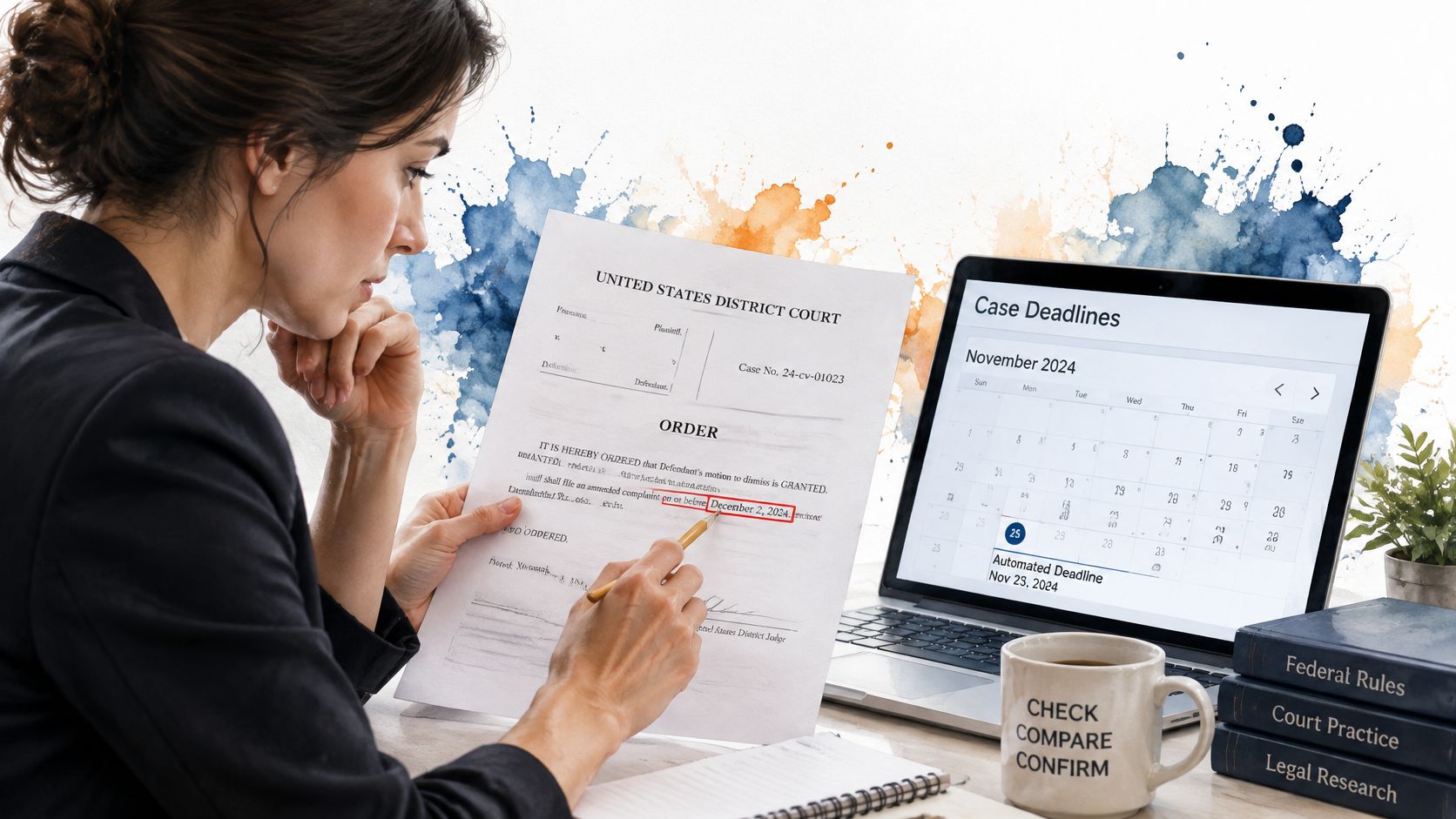
A calculation can be mathematically correct and operationally wrong. An amended order, a moved hearing, a rejected filing, or an overlooked standing order can invalidate the assumptions behind a settled-looking date.
A 2025 Justia legal analysis states that missed deadlines account for approximately 40% of malpractice claims and notes that docketing vendors generally don't publish error rates or independent accuracy metrics. Treat that as the analysis's reported finding, not a measured error rate for any particular platform.
Require evidence, not an accuracy promise
Ask how your team would prove that a date remained correct after the matter changed.
- Verify the trigger against the source document. Read the operative language. Don't approve a service-based date using the docket entry date merely because it's available.
- Require dual review for high-risk deadlines. Have another qualified reviewer independently check hearings and filing cutoffs, including the governing authority and trigger.
- Route uncertainty to an exception queue. Ambiguous entries need an owner and a disposition. They shouldn't disappear because the system couldn't classify them.
- Keep an audit trail. Record who changed the trigger, rule, date, or assignment, when they changed it, and why.
- Test against sample court orders on a fixed schedule. Include amended orders and rejected filings, not just routine examples that are easy to calculate.
Make this a release rule: a docket entry changing a hearing, filing date, or service-related trigger receives human review before its changes reach the calendar. Hold proposed changes visibly so the reviewer can compare them with the current schedule.
Keep AI review separate
AI-assisted summaries and event classification aren't date arithmetic. A correct counting engine can still produce the wrong deadline if an upstream summary misidentifies the operative event.
Set separate policies for approved AI tools, confidential matter information, retention, and human verification. Preserve the source text alongside any proposed interpretation. Don't let a fluent summary stand in for the order itself.
Confirm Your Docketing Setup Before You Switch
Use a written acceptance list rather than a feature checklist. Each item should produce evidence your docketing team can inspect.
Confirm court and rule coverage. List the courts and proceeding types your matters use. Test MatterAlert against this list and ask us to run your own matter through the checks. Our docket availability and rule coverage vary by court and jurisdiction, especially in Canada.
Inspect a live docket. Choose a court from your workload, not a prepared demonstration case. Our live-docket integrations use PACER and UniCourt. Confirm that the selected court and required documents are available.
Run a past matter end to end. Start with a customizable matter template, generate events through CalendarRules, and follow docket activity through the connected court sources. Our setup synchronizes events to Outlook within one minute. Check the trigger, deadline, task, alert, and resulting calendar entry.
Inspect the audit evidence. Require an identifiable source for each transition. A reviewer should be able to distinguish an imported event from a manual correction without reconstructing the history from email.
Confirm notification ownership. Write down who receives alerts for each matter type and who covers absences. Test those assignments using the people who will operate the system.
Run a calendar change test. Edit a date in a test matter and verify every intended subscriber's calendar. Include delegated calendars and check that the superseded event no longer appears as current.
Finish with a 30-day pilot involving one team. Agree on a written pass-or-fail list before it starts, including how unresolved exceptions will affect the decision. Don't retire the existing control process until the designated reviewers accept the pilot results.
MatterAlert brings rule-based deadline calculation, live docket access, tasks, audit logs, and Outlook synchronization into a matter-centered workflow. Visit MatterAlert to arrange a demonstration using your own court list and a past matter, then test each handoff before committing to a switch.