Matter Templates
Custom templates for litigation, IP, family law, or specific clients. Automate tasks, events, and document creation. Enforce the collection of required information and standardize workflows.
Everything your docketing team needs in one web-based platform – court rules-based deadlines, court dockets, Outlook sync, task escalation, ethical walls, audit logs and more.
Comprehensive docketing and calendaring with no installations required. Explore the tools for court deadlines, matter workflows, and team collaboration.
Custom templates for litigation, IP, family law, or specific clients. Automate tasks, events, and document creation. Enforce the collection of required information and standardize workflows.
Integrated with CalendarRules for 2,200+ rule sets covering all 50 US states plus select Canadian jurisdictions. Events auto-create at matter setup.
Centralized view of all matter data: client info, jurisdiction, events, tasks, key dates, documents, and timelines. Integrated with accounting and document management.
Multi-channel alerts: in-dashboard, individual emails, daily/weekly consolidated digests, and Outlook calendar reminders. Customizable per user and per matter.
Dates auto-adjust as limitation periods and court dates change. Updates sync to all subscriber calendars within one minute. Weekends and holidays automatically handled.
Covering all U.S. federal jurisdictions plus 40+ state courts. Automatic court notice retrieval, email alerts on new dockets, and document downloads.
Log billable time directly from tasks and events. Track billable, non-billable, and pro-bono hours. Detailed reports by date, matter, user, or status with task code support.
Define specific timekeepers in templates to be notified when tasks are due and incomplete. Provides a failsafe ensuring critical tasks are addressed within allotted timeframes.
Synchronize with your in-house ethical wall. New matters auto-restrict to approved users. Workspace-level and document-level permissions honored. Role-based access controls.
Direct back-end sync with Microsoft 365 and Exchange (no add-ins needed). Create Teams meetings from events. Works with New Outlook, OWA, and mobile.
Assign tasks to entire teams or departments. When staff changes, bulk-reassign events across matters in clicks. All changes auto-sync to subscriber calendars.
Assistants can manage attorney calendars and maintain their own. Full ability to create, modify, and assign tasks. Time entry delegation for attorneys.
iManage and NetDocuments integration with workspace-level permissions. Link documents to events and tasks. Template creation, bulk operations, and electronic signatures.
Calendar or detailed list views. Sort, filter, and search by matter, tags, assignees, dates, and metadata. Customizable color coding by status, type, or user.
Every change logged and auditable at event and matter levels. Comprehensive reports by timekeeper, matter, client, or office. Custom report formats and dashboard analytics.
Include external contacts as event attendees with automatic invites and reminders. Dedicated client portal for external visibility.
AI features to enhance productivity and streamline workflows. Smart automation for repetitive tasks and intelligent insights for matter management decisions.
No desktop installations. Browser-only access with clean, modern, responsive design. Works on any device. SSO via Microsoft 365. Automatic user provisioning from Azure AD.
MatterAlert is web-based with zero installations needed. Typical implementation takes 4–6 weeks including data conversion, training, and pilot rollout.
Set up matters using customizable templates for different types – litigation, IP, family law, or client-specific. Templates automate task, event, and document creation.
MatterAlert connects to CalendarRules to automatically generate calendar events, reminders, and deadlines based on 2,200+ court rule sets across the US and Canada.
Use integrated UniCourt and PACER connections to find live court dockets, case information, and documents. Add cases directly within MatterAlert.
All events, tasks, and deadlines sync automatically to Outlook within one minute. Multi-channel notifications ensure no one ever misses a critical date.
A clean, modern interface designed for the way legal teams actually work.
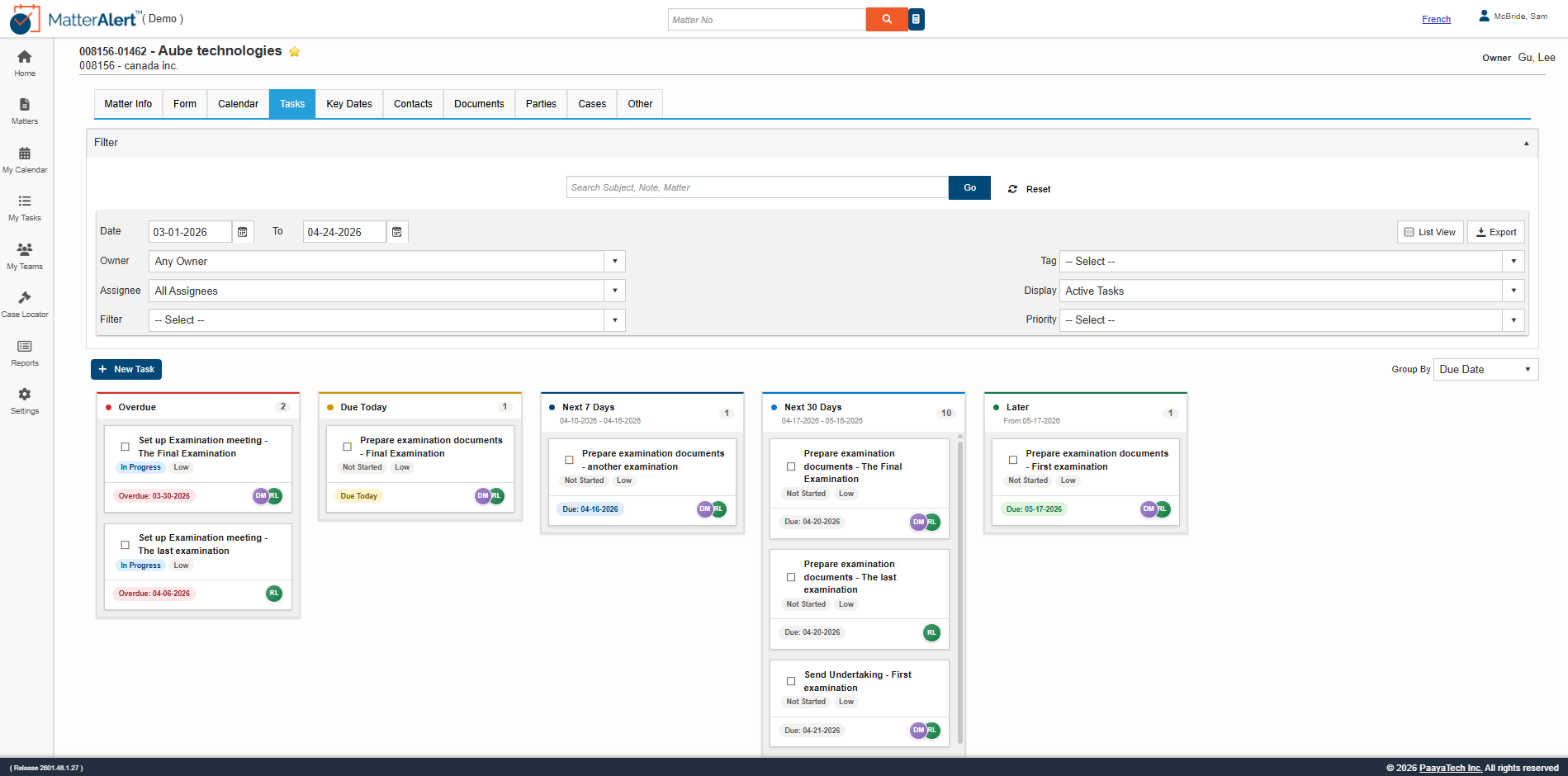
Visual task management with drag-and-drop cards organized by status. See overdue, in-progress, and completed tasks at a glance across all matters.
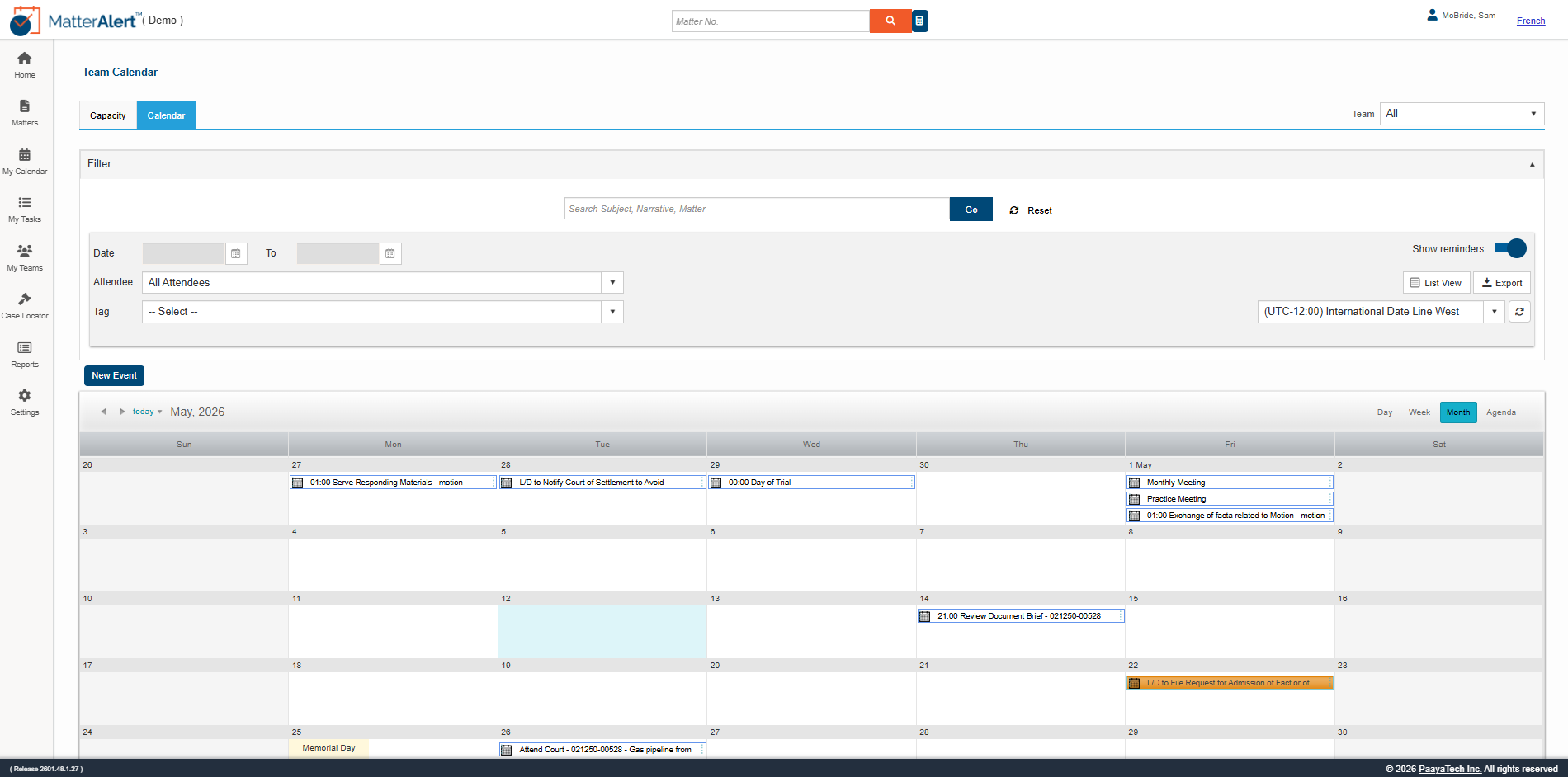
Color-coded calendar showing all team events, deadlines, and appointments. Filter by matter, team member, or event type for instant visibility.
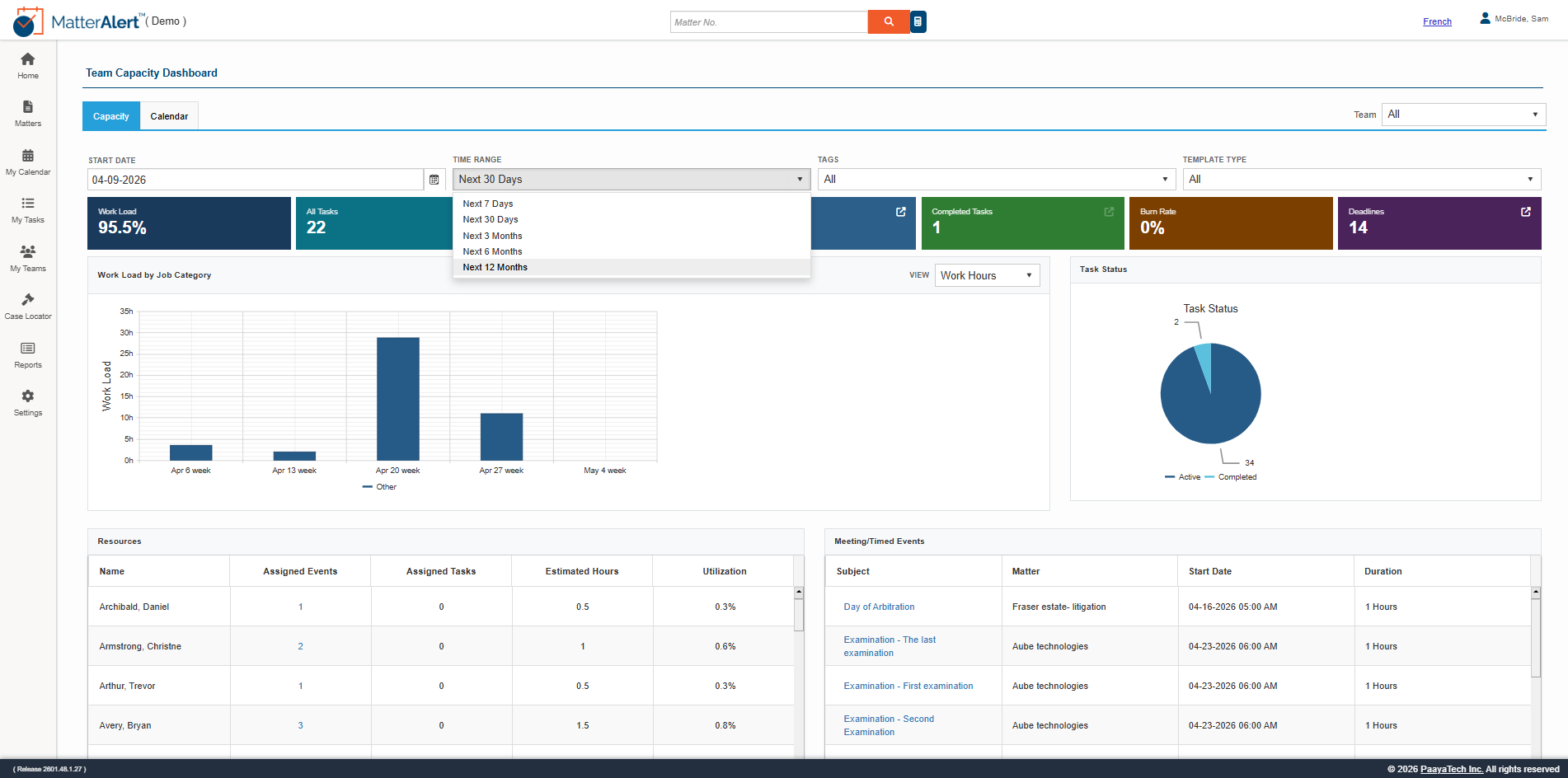
Analytics dashboard showing team workload, capacity percentages, and resource allocation. Make informed staffing decisions based on real-time data.
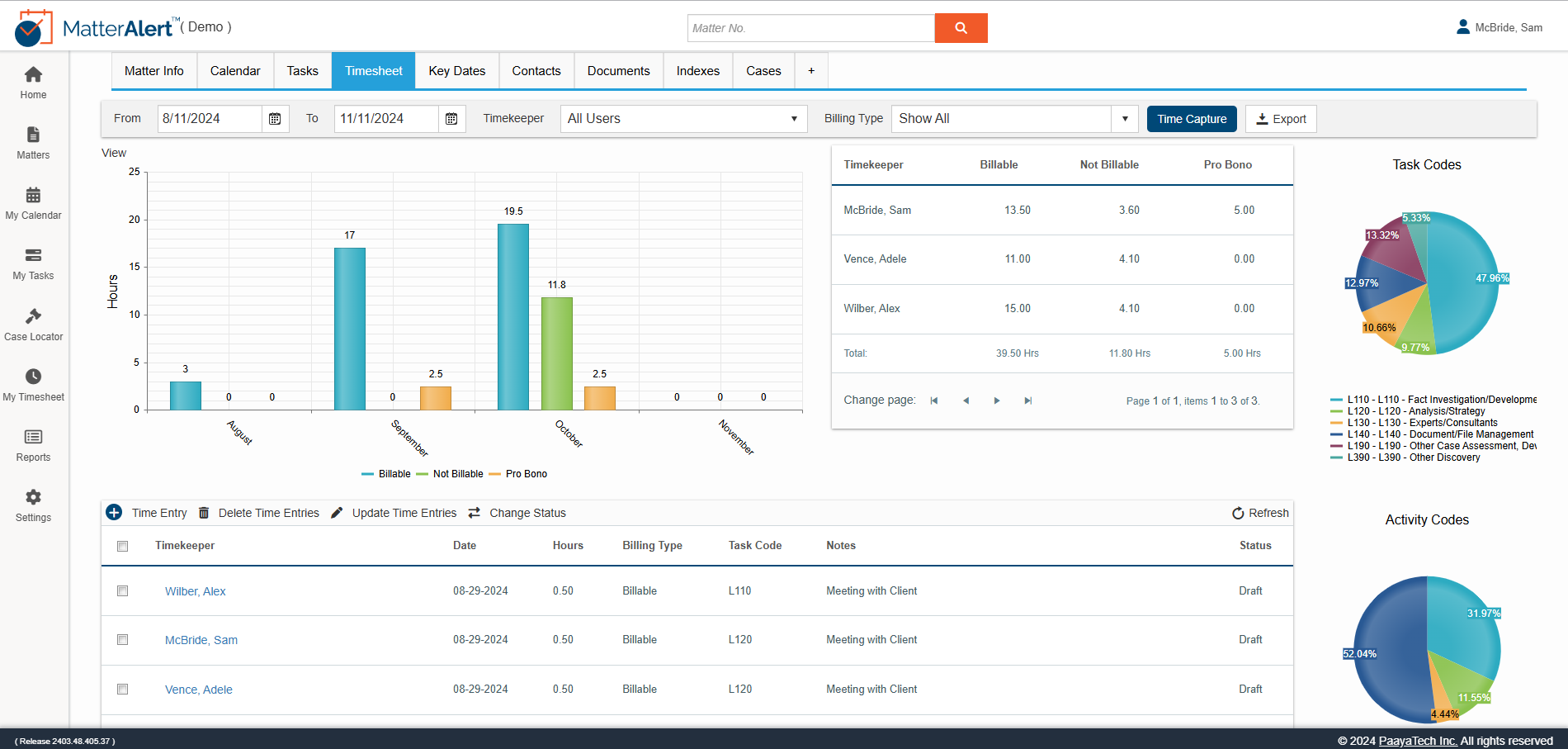
Track billable hours with visual charts and detailed time entry reports. Categorize by task code, billing type, and status for effortless timesheet management.
MatterAlert is integrated with CalendarRules for 2,200+ rule sets covering all 50 US states plus select Canadian jurisdictions. When a matter is set up, rules-based events are created automatically, with weekend and holiday adjustments.
Custom templates for litigation, IP, family law or specific clients that automate tasks, events and document creation, enforce collection of required information and standardize workflows across the firm.
Smart notifications reach users in the dashboard, by individual email, through daily or weekly digests and as Outlook calendar reminders, and task escalation flags work that has not been completed on time.
No. MatterAlert is 100% web-based, and calendar changes sync to Outlook on the back end without an add-in.
See how MatterAlert helps firms eliminate missed deadlines, streamline matter management, and keep the entire team in sync. Book a personalized demo today.
In short – everything your firm needs to stay ahead of every critical date: