

You know the Friday version of this. A complaint lands at 4:40 in the afternoon, a paralegal types the service date into a spreadsheet, and somewhere between the intake form and the attorney's calendar, the answer to "when is the response due" lives in three inboxes and one sticky note. Monday arrives. Nobody is quite sure who owns the calculation.
Most firms respond by buying software. That's the wrong first move. The thing that fixes this isn't a platform, it's an element page, an exception map, and a baseline you can pass or fail. Build those three and the software decision gets easy. Skip them and you'll pay for automation that confidently produces the wrong date.
The Elements Every Law Firm Workflow Needs
Say a firm signs a three-year contract for a matter management platform in March. By June, deadlines are still slipping and nobody can explain why. The software works. The problem sits one level up: nobody wrote down what the workflow needs to know before a tool can help. What starts the clock. Who owns each step. What data must exist before work begins. What order things move in. How long each step should take. Where judgment is required. What happens when something breaks. What finished looks like.
Business process management grew out of exactly this gap. Workflow management started as manufacturing-style process automation, then widened during the 1990s as business-process reengineering pushed demand for systems that could coordinate work across functions, and the discipline now spans process modeling, analysis, improvement, operations management, and organizational work design, as the Springer review of business process management traces. The takeaway is blunt. A workflow isn't a task list. It's the complete movement of work through defined stages, with assignments, decision points, data requirements, and measurable outcomes.
Firms skip that step and buy the automation first. In a 2020 McKinsey global survey, 66% of business leaders were piloting automation for at least one business process, up from 57% two years earlier. In a separate survey cited in the same NetSuite automation statistics roundup, 62% of organizations had modeled no more than 25% of their processes, and only 2% had modeled all of them. Spending runs ahead of documentation. That's the gap in one line.
Measure what you write down. Process research scores performance on three dimensions, time, cost, and quality, and asks for a KPI on each. Every row below should trace to a clock, a cost, or a quality check.
| Element | What to define | Docketing example |
|---|---|---|
| Trigger event | The event that starts the work | Complaint filed or notice received |
| Responsible role | Who owns each step, and who covers when they are out | Docketing clerk, with a named attorney as backup |
| Required inputs | Data that must exist before work can start | Court, case number, trigger date, proceeding type |
| Sequence | Ordered steps and handoffs between roles | Intake, rule calculation, attorney review, calendar publication |
| Time target | Expected duration for each step | Calendar entry within one business day of notice |
| Decision points | Steps that need human judgment | Whether a deadline is contested or needs an extension |
| Exception route | What happens when data is missing or a date changes | Escalate to the supervising attorney within the same day |
| Completion output | What a finished matter record looks like | Calendar events synced, documents linked, task closed |
Practical rule: if two partners can't fill in the same element page the same way, no tool will reconcile them.
Write those eight rows on one page per matter type, by hand, before anyone opens a demo. The page becomes the specification your pilot is tested against, and it surfaces gaps while they're still cheap. When you do reach the comparison stage, a law firm software shortlist from TopToolAdvisor saves you a demo marathon, but only after the page exists.
How to Map the Current Process Before You Design It
A map built from memory misses the steps that take the longest. Start with closed matters, not the procedure manual, because the manual describes the process someone wished they had.
Use this sequence.
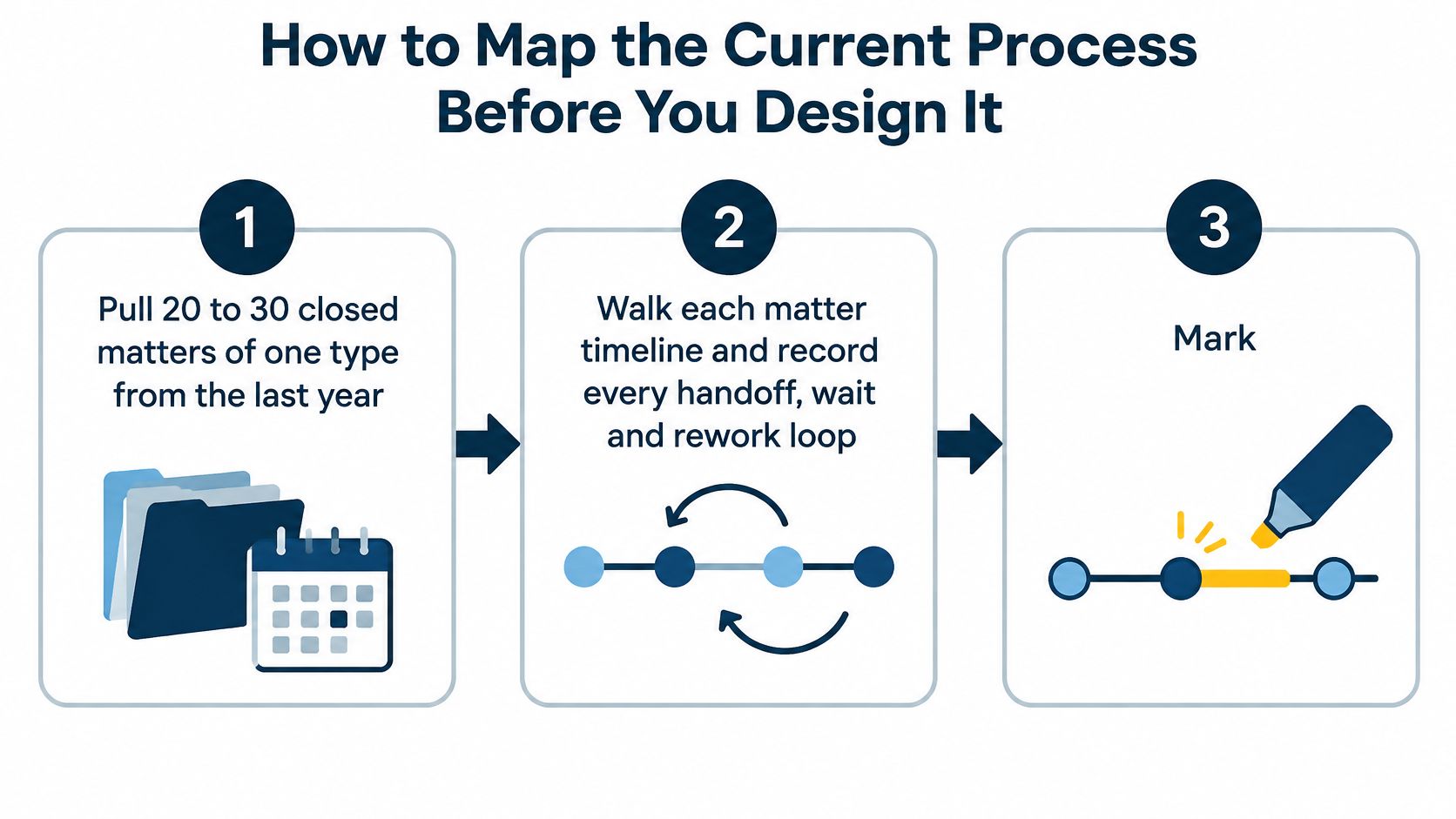
- Pull 20 to 30 closed matters of one type from the last year. Include matters with a clean outcome and a messy one, because the messy file carries the exceptions you need to model.
- Walk each matter timeline and record every handoff, wait and rework loop. Timestamps from email, calendar entries, and document versions beat recollection every time.
- Mark decision points and exception paths as they appear. A continuance request, a missing service date, and a second jurisdiction all count.
- Note where ownership goes blank. If a task sat with a paralegal who left in month two, treat it as a design defect rather than bad luck.
- Compare the mapped path with the written procedure and list every gap. Each gap is either a stale procedure or a workaround someone invented under pressure.
- Draw one swimlane per role. Readers should see who acts at each stage and where the baton drops.
- Check the map with the people who do the work. Include the assistant who hunts down trigger dates, because that person knows where the process really bends.
Records show what happened. Memory describes the happy path.
The Two Numbers That Tell You the Map Is Good
Precision asks how many modeled steps occur in practice. Recall asks how many material steps the model captures. A map with high precision and low recall is a tidy diagram of a fraction of the work, which is the most dangerous kind because it looks finished.
Process-mining researchers warn that redesign work is cognitively demanding, time-consuming, labor-intensive, and error-prone, and that choosing the wrong event-log granularity can hide multi-level patterns, as the DTU process-mining study documents. In plain terms, if your records only capture matter-level events, you will never see the internal handoffs where the delay lives.
When the map is done, it should hand you four baseline figures: handoff count per matter, rework loops per matter, exception frequency, and the number of steps with a blank owner. Those are the pass-fail numbers your pilot gets measured against later. Without them you will have opinions about whether the new workflow helped.
Once the map shows which loops repeat, workflow optimization tips for SMBs can help rank which low-judgment loops are worth trimming first. Test the cuts on paper before anyone touches production.
Designing Exception Paths for Changing Court Dates
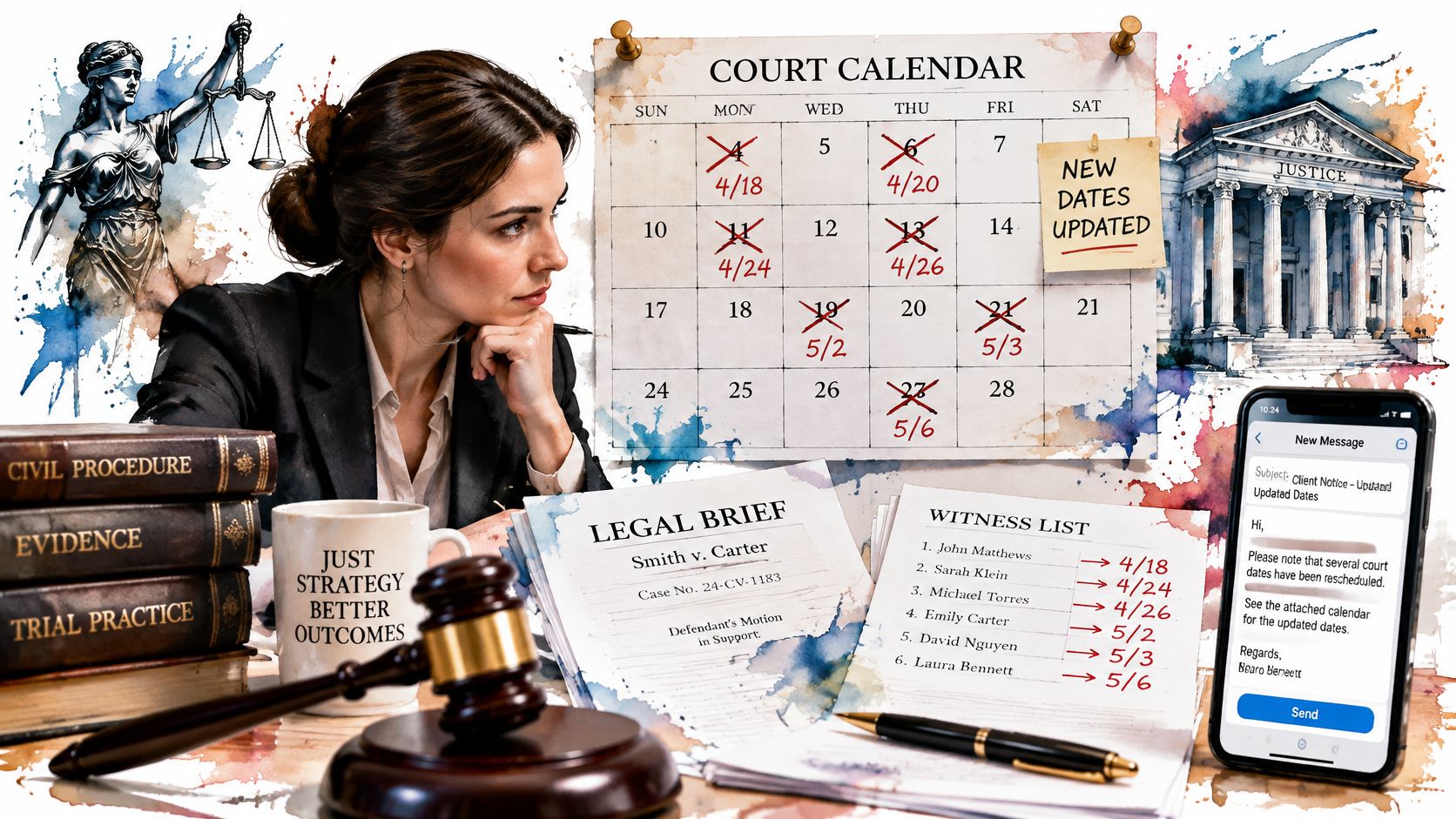
A continuance moves a hearing from March to June. The calendar entry updates. Everything downstream doesn't: the brief deadline, the witness preparation schedule, the client notice, the expert deposition window. The workflow now looks current and is wrong.
That's the failure mode most guides skip, because most guides draw the happy path. Workflow reliability depends less on the standard process than on the controlled exception path: escalation thresholds, substitute owners, approval gates, audit trails, and rules for recalculating downstream work. The cost of ignoring this is measurable. In a Forrester report published by Thomson Reuters, 61% of governance and compliance leaders report excessive tracking time caused by disjointed workflows, 45% report excessive follow-up with other departments, and 42% spend too much time searching for or requesting data.
A Completed Run Is Not a Correct Result
Here's the assumption worth challenging: a workflow that finishes on time produced a good outcome. Not necessarily. A run that completes automatically while carrying an outdated trigger date creates false confidence, and false confidence is worse than a visible mess, because nobody investigates it.
| Failure | Control | What good looks like |
|---|---|---|
| Moved hearing | Recalculate downstream dates, with attorney review on high-risk items | Brief deadlines, witness prep, and client notices sit on the new date |
| Missing trigger date | Stop the calculation and escalate the same day | A supervising attorney owns the gap before any date is published |
| Departed owner | Named substitute for each role | Tasks do not stay assigned to a person who has left |
| Stale inputs | Audit trail of who changed what and when | A finished run is not treated as correct if the source date is old |
| Past-due task | Escalation threshold | The substitute or supervisor is notified when the threshold is crossed |
Tools can carry the mechanical load. MatterAlert generates calendar events from court rule sets, tracks dockets through UniCourt and PACER, and syncs every event to Outlook within one minute, which handles retrieval and recalculation. It does not decide whether to seek an extension. Staff own that call, and the workflow should route it, not resolve it.
Run three failure scenarios on paper before go-live: a moved hearing, a missing trigger date, and an attorney who left last month. Write down what each step does. If a step has no answer, you've found a gap while it's still free to fix.
Counting Court Deadlines the Way Courts Do
Adding 21 days to a date is arithmetic. Calculating a federal deadline is not.
Federal Rule of Civil Procedure 6(a) sets a counting method that most spreadsheet formulas get wrong. The Federal Rules of Civil Procedure spell out the mechanics, and each one becomes a check your workflow has to perform.
| Counting point | Rule under Rule 6(a) | What the workflow checks |
|---|---|---|
| Trigger day | Excluded from the count | Counting starts on the day after the trigger |
| Intermediate days | Every day counts, including weekends and legal holidays | Weekends do not pause the period |
| Final day | Included in the count | The period ends on this day unless it is an excluded day |
| Final day on weekend or holiday | Moves to the end of the next day that is not excluded | A Sunday final day moves to the next allowed day |
| Electronic filing | Generally ends at midnight in the court's time zone | Confirm any statute, local rule or order that changes the time zone |
Work the Example Once by Hand
Take a 14-day period triggered on a Monday. The trigger day is excluded, so counting starts Tuesday. Every intermediate day counts, including the weekend in the middle. The period ends on the Monday two weeks later. If that Monday is a legal holiday, the deadline slides to the next day that isn't excluded. Same trigger, different answer, and only one of them is right.
That's why a single general formula fails. State courts and local rules differ from the federal method often enough that the workflow needs a rule set per jurisdiction, not one shared calculation. If you want the fuller comparison between counting conventions, this explanation of court days versus calendar days covers where the two diverge.
The Four Things Every Calendared Date Should Carry
- The trigger date and its source document. Without the source, nobody can verify the chain later.
- The rule citation. "21 days under Rule 12(a)" is auditable. "21 days" isn't.
- The time zone of the governing court. Electronic filing generally closes at midnight in that zone unless a statute, local rule, or court order says otherwise.
- The weekend and holiday adjustment applied. So a reviewer can see the deadline wasn't pushed one day out of habit.
Run a check this week. Take five past deadlines, recalculate each by hand against the table, and compare every result with the date that was calendared. If two disagree, you have a rule set problem or a data problem, and you'll want to know which before you automate anything.
Decide Which Steps Are Safe to Automate
Legal teams are adopting AI faster than they're measuring it. In a 2025 LawNext survey summary, 38% of legal teams were already using AI and another 50% were exploring it, yet 60% named lack of trust or output quality as the leading implementation challenge and 57% cited data privacy concerns. Only 7% used specific KPIs to track AI value.
That last number is the one that should slow you down. Automation without a baseline is a belief system.
So make the decision per step, with a scored test.
- Mark each step as fixed-rule or judgment. Rule-based date calculation, weekend and holiday adjustment, reminder generation, and calendar publication are fixed-rule. Whether to seek an extension, whether a deadline is contested, whether a filing is complete: judgment, attorney-owned, always.
- Record the baseline from the mapped matters. Cycle time, overdue-task rate, manual touches, rework. A step with no baseline can't prove it improved anything.
- Name the data each step may see. Block client content the step doesn't need. Privacy review happens before configuration, not after the first incident.
- Set one KPI before launch. Deadline-match rate or hours saved per week. Review it on the same schedule as the pilot, weekly, so a bad result shows up in week two rather than quarter four.
- Price retrieval before you automate it. The federal PACER system charges $0.10 per page for electronic access, caps a single document at $3.00, and waives fees when a user's total quarterly charges stay below $30. A workflow can pull new docket activity and link it to the matter, but only inside those rules. Monitor usage by matter, and separate case documents from broad searches.
The test: if a step fails on trust, privacy, or a named KPI, it stays manual. Automating it doesn't create value, it creates a category of error nobody is watching.
Teams that sequence this well start with automated docketing because retrieval is mechanical and verifiable. Teams that sequence it badly automate the judgment call first, then discover the output quality problem after the pilot budget is spent.
Piloting the Workflow and Measuring the Results
One matter type. One jurisdiction. One team. Four to six weeks. That's the scope, and resisting the urge to widen it is most of the discipline.
The sequence that holds up is three parts, not one: automation, process redesign, and role-specific training. In Deloitte's 2025 global process-mining survey, 57% of organizations focused on process automation, 46% implemented redesign initiatives such as standardization or simplification, and 39% pursued process-specific training. The reported benefits leaned toward visibility over speed: process optimization at 49% and reduced throughput time at 46%.
Buy the software first and you'll discover in week two that the problem is unclear ownership, not missing integration.
Review Weekly and Classify Every Failure
Once a week, sit with the pilot team and go through every miss. Label each one as a data defect, a rule defect, an integration defect, a configuration defect, or a training defect. The label decides who fixes it. A rule defect belongs to whoever owns the rule set. A training defect belongs to whoever owns onboarding. Without the label, everything lands on the IT queue and nothing gets fixed.
| Metric | How to measure it | Warning sign |
|---|---|---|
| Deadline calculation accuracy | Compare each calculated date with a manual check | Any mismatch that traces back to a rule or data error |
| Tasks completed before due date | Share of tasks closed on time, reviewed weekly by role | A falling trend for one role |
| Notice-to-calendar time | Median time from notice receipt to calendar publication | A rising median that points to a bottleneck |
| Exception resolution time | Days from exception flag to closure | A long tail of unresolved items |
| Rework rate | Share of tasks reopened or corrected after closure | Repeated corrections on the same step |
| Adoption by role | Active users in each role during the pilot | Low use by one role, often a sign of training gaps |
The comparison numbers come from the mapping stage. If you skipped it, you have nothing to measure against and the pilot becomes a vibe.
Pass rule: the pilot passes when the team trusts the output enough to stop checking every item by hand, and every open exception has a named owner. Anything less is a soft launch, not a pass.
Every revision goes through documented change control. A dated log, the reason for the change, and the name of the person who approved it. That log is what lets you scale across jurisdictions without losing the thread, and it's the difference between legal operations management and a set of unrecorded edits to a live calendar.
Start This Week and Keep the Workflow Accurate
You don't need a budget approval to start. You need a week and one matter type.
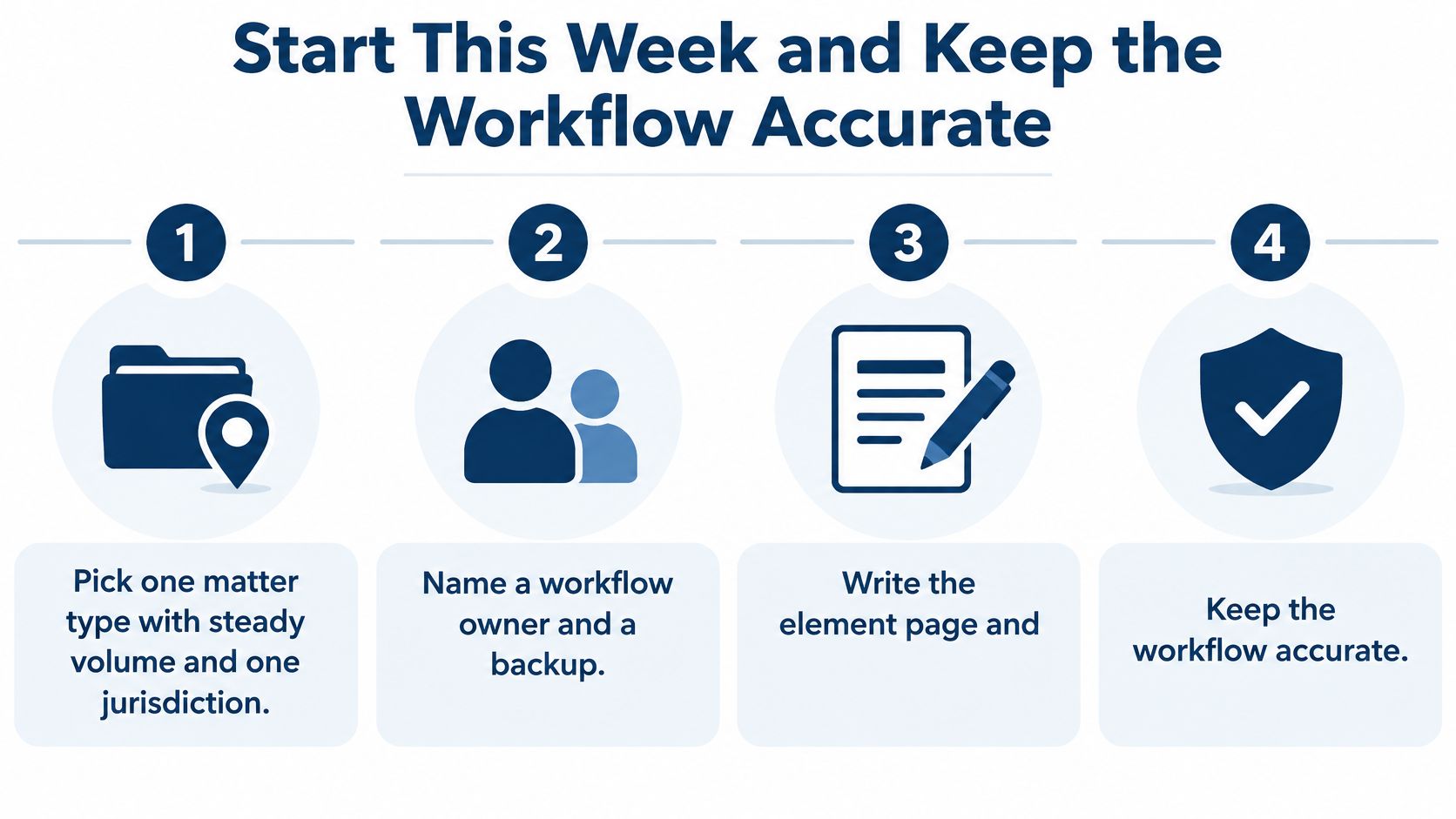
- Pick one matter type with steady volume and one jurisdiction. Steady volume gives you enough repetitions to see patterns. One jurisdiction keeps the rule set small.
- Name a workflow owner and a backup. A workflow with two owners has none.
- Write the element page and the current-state map, and share both with the people who do the work. Not just the partner. The assistant will find the row you got wrong.
- Set a go or no-go rule. Move ahead only when calculated deadlines match a hand check on every test matter. Not most of them.
Once that design holds, the day-to-day mechanics get easier. MatterAlert notifies specific timekeepers when a task is due and still open, so the escalation isn't someone's memory. And when an attorney leaves, a docketing manager can reassign events, appointments, and tasks across one matter or many in a few clicks, with changes syncing to subscriber calendars, which closes the ownership gap that breaks more workflows than bad rules do.
The Habits That Stop Drift
Rules change. Courts amend them, standing orders appear, a jurisdiction reorganizes its calendar. Review the rule set when that happens, not at the annual retreat. Test each backup once a quarter by having them run a real matter end to end. Keep a version log with the date, the reason, and the approver, because a template edited with no log leaves you unable to say which open matters use the old version, and that question is painful to answer under pressure. Train by role too: a paralegal needs task steps and escalation thresholds, a partner needs the exception queue and the audit trail. And keep a rollback that undoes a bad change within one working day.
Name one person to confirm each habit on a set schedule. An unchecked habit drifts within months, and drift in a docketing workflow is the expensive kind.
MatterAlert brings this together for firms that need the design to survive contact with a real docket: rule-based deadline calculation across thousands of court rule sets, matter templates that create standard tasks and events on setup, and calendar sync to Outlook within a minute. If you're building your first element page or replacing a spreadsheet that's been wrong for a year, visit MatterAlert and see how the template, rule set, and escalation layers map to the workflow you just sketched.