

Docketing is the process of recording a court case's events, filings, orders and deadlines, then acting on them in time.
If your team calendars a response deadline today, who checks whether the court changes it tomorrow? That's the gap between keeping a list of dates and actively monitoring a case.
What Docketing Means in Plain Terms
Think of a ship's logbook. Each entry records something that happened, when it happened and what the crew needs to know. Corrections remain visible rather than replacing the history.
A case docket works much the same way. But the docket and docketing aren't interchangeable terms. The docket is the court's running record. Docketing is the work your team performs to understand that record and respond.
Say a legal assistant opens a newly filed order. Saving the PDF preserves the document. Reading the order, identifying a response obligation, assigning the attorney and checking later entries turns that document into managed work. The PACER overview describes the federal system through which users locate cases, review docket activity and retrieve filed documents.
The people behind the record
Paralegals, docketing specialists, attorneys and legal assistants may share this work. Their responsibilities should be explicit. An assistant might collect notices, a specialist might calculate dates, and an attorney might resolve an unclear instruction.
The handoff matters as much as the calculation. If everyone receives a notice but nobody owns its review, delivery hasn't produced action.
Practical rule: Receiving a court notice isn't the same as reviewing it, and reviewing it isn't the same as completing the required work.
Docketing deserves that discipline for practical reasons:
- Rights can be lost. A missed deadline can jeopardize a claim, defense or opportunity to seek review.
- Schedules can change. An entered date needs continuing attention, not just an initial calculation.
- Teams work across locations. People in different offices need the same authoritative record and a clear assignment.
So, what is docketing in everyday practice? It's maintaining a reliable connection between what the court records and what the legal team does next. The calendar is part of that connection, not the whole job.
Where to Find a Docket and Read It
For federal cases, start with PACER, Public Access to Court Electronic Records. Search the court where the case was filed, or turn to the nationwide case index when you do not know the court. A case number narrows the search fastest. A party name works when the number is not on hand.
Access costs little. PACER charges $0.10 per page, caps most single documents and case-specific reports at $3.00, the equivalent of 30 pages, and waives quarterly bills totaling $30 or less, according to its document-access fee guidance.
Read a docket sheet the way you would a table of contents. Each line points to a filing and fixes its place in the sequence.
Docket sheet fields and what they tell you
| Field | What it tells you | Why it matters |
|---|---|---|
| Case number | Identifies the matter across filings | Ties every notice to the right file |
| Parties | Names who is on each side of the case | Helps identify service and action responsibilities |
| Entry number | Orders events in sequence | Lets you cite the exact filing |
| Date filed | When the entry was recorded | Check it against the notice before counting any deadline |
| Docket text | Short summary of the event | Often the first sign of a new order |
| Document link | Opens the filed PDF | Save a copy, since access can change |
Now read past the summary. In a hypothetical matter, entry 14 might describe an order setting a response deadline. Open the PDF before counting anything: confirm whether the order requires a response within 14 days, what event starts that period, and which party must respond. The docket text is a summary. The order is the authority.
For broader procedural context, this guide to federal civil cases walks through how a matter moves from filing forward. State courts run their own access systems and procedures, so locate the official court source for each jurisdiction rather than assuming a PACER-style portal exists.
Condensing a long order into a case note uses the same skill researchers apply to dense source material, and Documind's literature review examples across disciplines show techniques for pulling key points out of documents into structured summaries.
A docket keeps moving after you read it. Courts add entries around the clock, so the sheet you reviewed on Monday can carry a new order by Friday. Going back to check is part of the reading, not an extra step.
Docketing and Calendaring Compared
Calendaring holds dates the team has identified. Docketing identifies and evaluates the events that create or change those dates. The distinction becomes obvious when a new order arrives after everyone has organized their work around an existing deadline.
Federal electronic filing generates notices for registered participants, as the U.S. Courts' CM/ECF FAQs explain. Someone still has to decide what each notice means for the matter.
Docketing compared with calendaring
| Criterion | Docketing | Calendaring |
|---|---|---|
| Core question | What happened in the case, and what must happen next? | When is the next date, and who needs to know? |
| Starting point | Court notices, docket entries and orders | Trigger dates and rule-based calculations |
| Work after filing | Monitors new entries, orders and corrections | Updates events when a date changes |
| Typical output | Assigned tasks, documented review and an updated case record | Calendar events, reminders and deadline alerts |
| Main risk | Missing a notice or an order | Entering the wrong date or the wrong rule |
Start with the core question. An attorney looking at a calendar wants to know when the response is due. A docket reviewer asks whether the latest order changes the response, cancels it or adds another obligation.
The starting point differs too. A calendar operator needs a verified trigger and counting rule. A docket reviewer begins with the notice and underlying document, then decides whether a calculation is necessary.
And the outputs serve different purposes. A reminder prompts action. A review record explains why the action is required and who accepted responsibility.
A calendar without docket monitoring can become stale. Docket review without assigned calendar events can leave required work without a useful reminder.
Try a practical ownership test: who checks the docket on the team's review schedule, and who updates the calendar after a date moves? Different people can perform those jobs successfully. The gap appears when there's no documented handoff, no acknowledgment or no backup when either person is unavailable.
How a Docket Entry Becomes a Monitored Deadline
Suppose a federal order requires a response within 14 days of a specified event. That's a hypothetical instruction, not a universal response period. Your job is to preserve the instruction and turn it into accountable work.
PACER's pricing and access guidance reflects the underlying information-management task: teams retrieve case information and documents, not merely dates. The record must support both an explanation of past activity and control of upcoming obligations.
Capture, calculate and keep checking
In district and bankruptcy matters, the Notice of Electronic Filing, or NEF, identifies electronic filing activity. Appellate matters use a Notice of Docket Activity, or NDA; PACER's electronic-service guidance explains these notices and their document links.
- Save the source materials. Preserve the notice text, receipt information and filed order. Keep the order alongside its notice so a reviewer can distinguish the court's event timestamp from the time your team received it.
- Record the court's filing conditions. Include its time zone and applicable cutoff. Don't substitute the filing attorney's local clock for the court's requirements.
- Identify the authority. Is the obligation created by a federal rule, local rule, court order or statute? For the hypothetical response, record the order and the precise triggering event it names.
- Calculate and verify. Apply the governing counting method and holiday calendar. Have the designated reviewer check both the trigger and the resulting date.
- Create an internal safe date. Set a preparation target a few business days before the legal deadline when practical. Label it clearly so nobody mistakes it for the court's deadline.
- Assign an owner. Create the calendar event and reminders for the responsible attorney and supervising attorney. Confirm who handles the filing itself.
- Monitor subsequent activity. Review later orders, extensions and corrections for their effect on the response obligation.
- Document changes. Log the reviewer, review time, revised calculation and notifications sent to affected people.
Trace test: A reviewer should be able to follow the calendar date back to the notice, document, triggering event and authority that produced it.
Keep completion evidence too. A task marked done should lead to the filing confirmation or other record showing what the team completed.
How Federal Rule 6 Counts Deadline Days
Consider a hypothetical 14-day period triggered on Monday, March 2, 2026. Exclude the trigger day. Tuesday, March 3 is the first counted day, and Monday, March 16 is the last, assuming no applicable additional holiday or contrary governing provision.
That calculation follows Federal Rule of Civil Procedure 6: exclude the triggering day, count intermediate weekends and legal holidays, and extend a final day that falls on a weekend or legal holiday to the next qualifying day.
How Rule 6 counts deadline days
A caution belongs beside this checklist: the short-period exclusion in older versions is not the current federal rule.
| Counting point | Treatment under Rule 6 | Effect on the deadline |
|---|---|---|
| Trigger day | Excluded from the count | Counting begins the next day |
| Weekends and holidays in a period of 11 days or more | Counted toward the total | Intermediate nonworking days still use up the period |
| Weekends and holidays in a period under 11 days | Counted under the current rule; excluded under the historical version | Using the obsolete exclusion can produce a later, incorrect date |
| Final day on a weekend or legal holiday | Deadline moves | Runs to the next day that is neither a weekend nor a legal holiday |
The historical Rule 6 text hosted by the Northern District of Illinois contains the less-than-11-days exclusion. Don't apply that archived method to a current federal civil deadline. A familiar-looking court webpage can still contain superseded language.
Check the authority, not just the arithmetic
Rule 6 supplies the computation method for covered periods in the federal rules, local rules, court orders and statutes, subject to its terms. Read the authority creating the obligation before applying the count. A fixed date in an order isn't an invitation to calculate a replacement date.
Use the rule's holiday list rather than memory. It includes New Year's Day, Martin Luther King Jr.’s Birthday, Washington's Birthday, Memorial Day, Juneteenth, Independence Day, Labor Day, Columbus Day, Veterans Day, Thanksgiving Day and Christmas Day. Also check applicable holiday provisions and observed dates.
The distinction between court days and calendar days is useful across jurisdictions, but it doesn't replace the controlling text. Write down the rule version and authority used for each calculation. Correct arithmetic can't repair an obsolete counting method.
What to Do When a Court Changes the Date
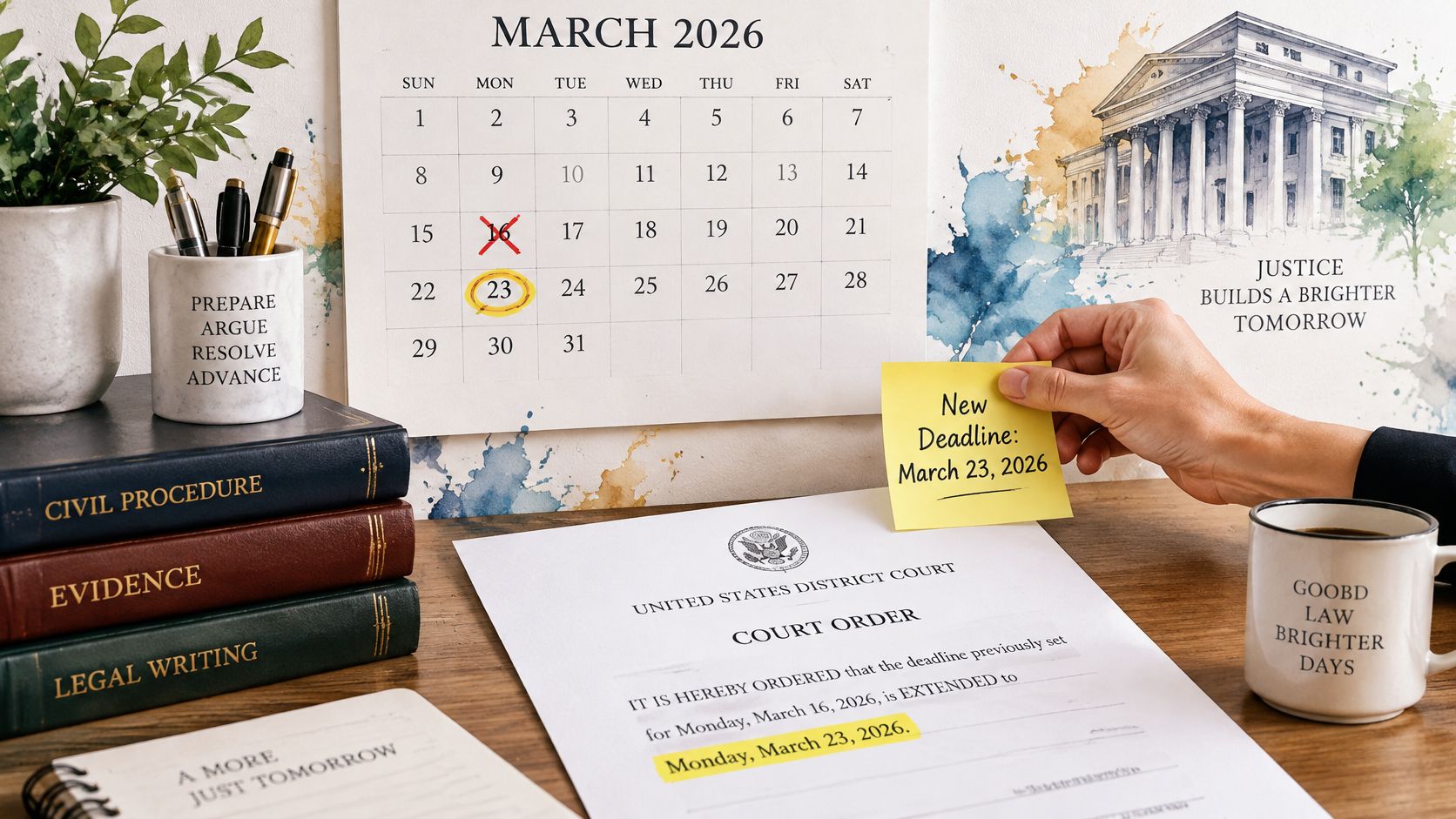
Return to the hypothetical response due Monday, March 16, 2026. Suppose the court enters an order extending it to Monday, March 23, 2026. The original calendar entry is now wrong, even though the initial calculation was flawless. A calendar can go stale in this way: the date on it was accurate once, and nothing on its surface signals that it has expired.
Update the operative deadline to reflect the extension order. Keep the original calculation in the matter history, identify the superseding order and notify everyone who relied on the earlier date. Review related preparation tasks rather than assuming they should all move automatically. A brief pushed back one week may still require the same expert disclosure schedule, so check each dependent item against the new order.
A correct date still needs a filing plan
The District of Connecticut's electronic-filing policies require receipt by the clerk before midnight on the due date. Treat that as a court-specific requirement, not a universal rule for every jurisdiction. An attorney filing from another time zone must work against the applicable court cutoff.
Court systems can also become unavailable or disrupted. After an outage or other emergency, courts may issue temporary filing procedures that differ from their standing rules, then rescind or revise them once normal operations resume. A team that saved last year's emergency instructions and follows them today may be following a procedure the court no longer authorizes. The reliable move is checking the affected court's current official instructions before choosing an alternative filing method.
Automation doesn't decide which alternative filing method a court permits. Assign those decisions in advance:
- Response owner. Name the person who checks court notices and escalates an outage.
- Backup instructions. Keep the official procedure somewhere staff can access without the unavailable portal.
- Approval authority. Identify the attorney who approves another filing method and any request for relief.
Use the saved notice and internal safe date to support that response, not as substitutes for current court instructions. Review case management orders for connected obligations that may also need attention.
Keep calculated dates and court-ordered dates in separate fields. Reviewers should be able to identify the operative date without losing the history behind it.
Confirm Your Docketing Process Before the Next Deadline
Pick an open matter this week and trace its next deadline back to three things: the originating notice, the authority governing the count, and the person responsible for acting. Time the exercise. If it takes more than a few minutes, identify what slowed it: missing documents, unclear ownership, or an unexplained calendar entry.
Then go one step further. Ask the assigned attorney to confirm the work the date requires and how the filing will happen. A deadline can be accurate on the calendar while the task behind it stays vague, and a vague task is where review tends to stop.
Ask questions the team can demonstrate
- Original notice. Can staff produce the saved notice and underlying document without searching an individual's inbox?
- Changed order. Can they show a revised order that produced an updated calendar event and a notification to the people covering the matter?
- Scheduled review. Does a named person review each active docket on a defined schedule, with backup coverage when that person is out?
The changed-order question deserves the most attention, because a court can revise a date at any point after filing. A calendar entry is a snapshot, and it ages the moment the docket moves. The test above shows whether your monitoring reaches the right calendars.
When staffing limits that review, some firms hand notice intake and calendar upkeep to administrative support. Firms that hire legal virtual assistants for this work should define access permissions, escalation steps, and attorney supervision before delegating notice handling, since judgment about deadlines stays with the attorney.
MatterAlert, the web-based docketing and calendaring platform from PaayaTech Inc., supports the workflow described here through customizable matter templates, calendar events generated from CalendarRules, docket tracking through UniCourt and PACER, and Outlook synchronization within one minute. Docket availability and rule coverage vary by court and jurisdiction, especially in Canada, so confirm the specific courts and rule sets your firm needs during a demo.
Check official rule text and current court notices before relying on any calculated date. Then run the trace again after the first month, this time on a matter where the court changed a date. A repeatable review is stronger evidence of control than one clean calendar checked once.
MatterAlert offers matter-centered docketing, rules-based calendaring, assignments, and synchronized calendars to support the work behind each deadline. Visit MatterAlert to arrange a demo, confirm your courts and rule sets, and walk through how your team would handle a new order or changed date.