

In calendar year 2024, the 91 U.S. district courts recorded 268,085 civil filings, 26% fewer than in 2023, according to the Congressional Research Service summary of federal judicial caseload. That swing tells you something intake forecasts often hide. National totals move sharply. One open case still moves on its own clock.
Federal civil cases don't create work only when a complaint lands. They create a chain of dates. Service starts one clock. An answer starts another. A scheduling order then replaces early defaults with court set cutoffs. If your team tracks only the due date and not the event that triggered it, you'll recalculate by hand every time a judge moves something. Read each stage below as a date someone owns.
Federal Civil Case Stages and Default Deadlines
A federal civil case moves through a fixed set of stages, and most stages start a clock. That's the short answer. Your job isn't to memorize the Federal Rules of Civil Procedure cover to cover. It's to know which event starts the next period, and which paper can change it.
The Lookup Table
Federal civil case stages, governing rules and default timing
| Stage | Governing rule | Default timing | What to track |
|---|---|---|---|
| Complaint filed | Fed. R. Civ. P. 3 | Starts all early clocks | Filing date and case number |
| Service of summons and complaint | Fed. R. Civ. P. 4(m) | Within 90 days after filing | Service date for each defendant |
| Answer or Rule 12 motion | Fed. R. Civ. P. 12(a) | 21 days after service, or 60 days after a waiver request | Response date and any stipulated extension |
| Rule 26(f) conference | Fed. R. Civ. P. 26(f) | At least 21 days before the scheduling conference or order due date | Conference date and joint report |
| Initial disclosures | Fed. R. Civ. P. 26(a)(1) | Within 14 days after the conference | Disclosure date |
| Scheduling order | Fed. R. Civ. P. 16(b) | Generally within 90 days after service or 60 days after an appearance | Cutoffs for joinder, amendment, discovery and motions |
| Discovery responses | Fed. R. Civ. P. 33, 34 and 36 | 30 days after service of requests, unless the order or parties set another period | Response dates and any extension |
| Summary judgment motion | Fed. R. Civ. P. 56 | Set by the scheduling order | Motion filing and response dates |
| Trial | Fed. R. Civ. P. 40 | Set by the court | Pretrial order and trial date |
| Post-trial motions | Fed. R. Civ. P. 50 and 59 | 28 days after entry of judgment | Filing deadline for each motion |
| Notice of appeal | Fed. R. App. P. 4(a)(1) | 30 days after entry of judgment, or 60 days when the United States is a party | Appeal clock start and end date |
Walk the Early Steps in Order
File the complaint and log the date. Record the filing date, court, case number and judge. Every early clock runs from this entry or from service, so a wrong filing date poisons the math downstream.
Serve each defendant. Rule 4(m) gives you 90 days after filing. Log a separate service date for each defendant, because defendants rarely get served on the same day. Late service can lead to dismissal without prejudice unless the plaintiff shows good cause. That means the case can end before anyone argues the merits.
Calendar the response. The default is 21 days after service. But waiver changes the math. If a defendant returns a waiver request, the period runs 60 days after that request. Teams often apply the 21 day clock to a waived case. Don't. Check the file first, then set the reminder.
Watch for an answer or a Rule 12 motion. A defendant may answer and admit or deny the claims. Or the defendant may move to dismiss. A Rule 12 motion changes the answer period, so don't set a new date from memory. Read the docket and the rule that applies to that motion.
The Middle Steps Most Teams Miss
Confer under Rule 26(f). The parties meet at least 21 days before the scheduling conference or the date the scheduling order is due. They discuss discovery, settlement and a proposed schedule. Then they file a joint report. Calendar both the conference and the report deadline.
Exchange initial disclosures. These are due within 14 days after the Rule 26(f) conference. They cover witnesses, documents, damages calculations and insurance. A common slip is waiting for the judge to ask for them. The rule doesn't wait. Neither should you.
Replace defaults with the scheduling order. The judge generally issues it within 90 days after service or 60 days after an appearance. It sets cutoffs for discovery, amendments and motions.
Practical rule: A signed order beats a rule default every time. Replace each default date with the order date on the day the order arrives.
Judge orders and local rules can override every default in the table. Some judges require a conference before a discovery motion. Some set shorter briefing schedules. And some districts add patent, employment or social security tracks with their own intervals. Because of that, the table is a starting point, not a promise. Store the trigger event beside every date. Then, when service slips or a stipulation lands, you can see which dates move and which stay put. That habit separates a calendar from a list of guesses.
Which Claims Reach Federal Court
Federal courts don't take every civil dispute. Jurisdiction is the front door. Enter through the wrong door and the case gets dismissed or transferred, no matter how strong the claim looks.
Two doors cover most civil filings. The first is federal question: the claim arises under federal law, such as a patent claim, a federal statute or the Constitution. The second is diversity of citizenship: the parties are citizens of different states or countries, and the amount in controversy is more than $75,000 under 28 U.S.C. 1332. Read the basis stated in the complaint before you calendar anything.
Diversity trips people up because it has two parts, and a case fails on either one. A Texas buyer suing an Ontario supplier for more than $75,000 clears both: different citizenship, enough money. The same buyer suing for $40,000 stays in state court. So does a dispute between two Texas citizens worth ten times that. Log each part separately in the matter record rather than a single note that says "diversity."
The federal question door works differently. A patent holder suing a competitor for infringement belongs in federal court because patent rights come from federal law, no matter where the parties live or what is at stake. Same courthouse as the diversity case. Different reason for being there.
This check is where the calendar starts. Every deadline you set assumes the case belongs in this court. Confirm the door first, then count the days.
A Contract Dispute From Filing to Judgment
Say a Delaware software buyer sues a Nevada vendor in federal court. The claim is a $180,000 unpaid invoice. The parties are from different states and the amount is high enough, so the buyer files on diversity grounds.
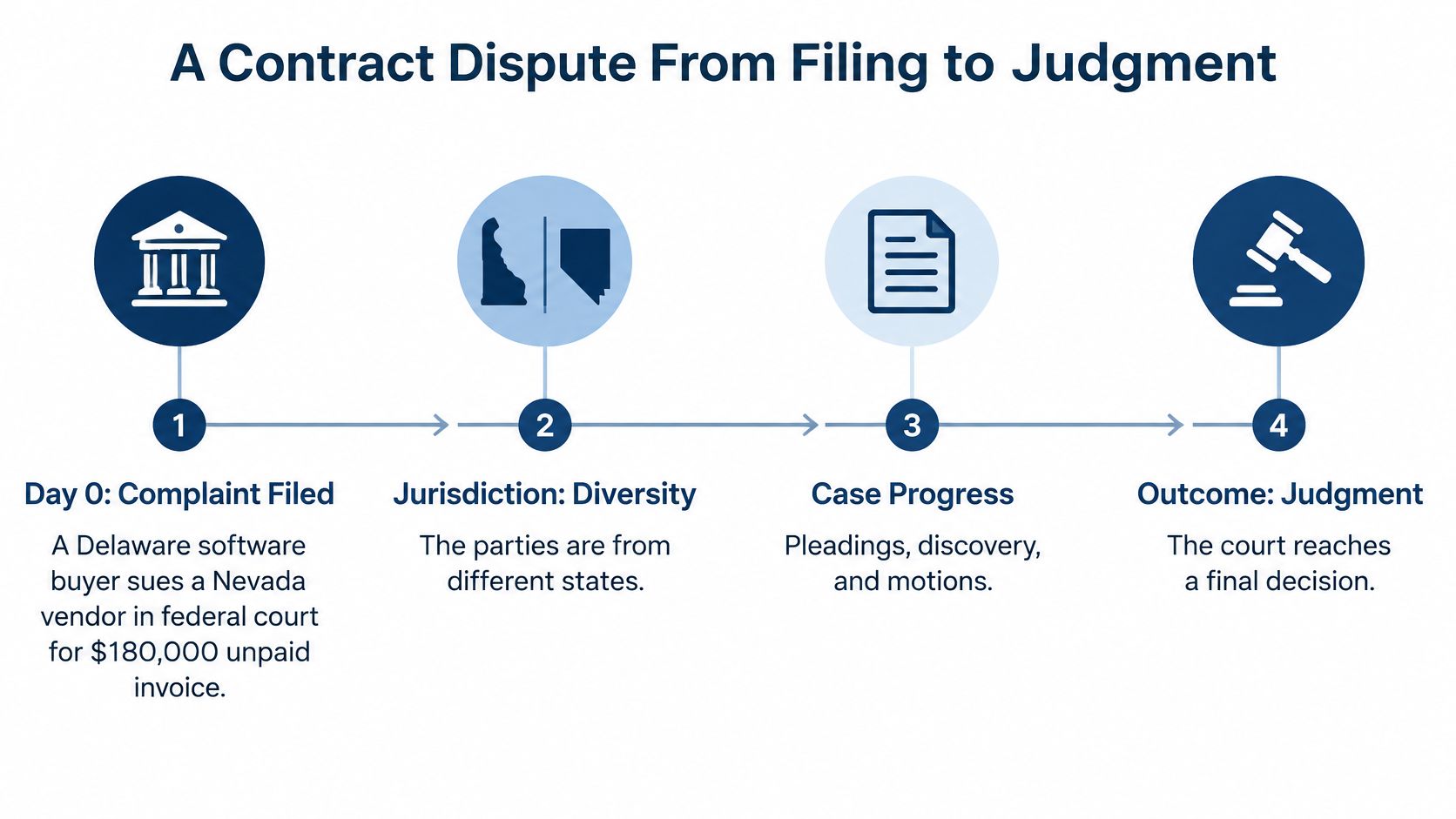
Day 0. The complaint is filed. The docketing team logs the date, court, case number and judge. Nothing fancy. But every later entry points back here.
Day 30. A process server serves the vendor. Now the answer clock starts. The team records the exact service date, not the date someone mentioned it in a meeting.
Day 51. The answer is due, 21 days after service. But check for a twist. If the vendor signed and returned a waiver request instead, the answer date moves to 60 days after the request. The team must look at the file before setting the reminder. Guessing here creates a false alarm or, worse, a missed response.
On the day the answer arrives, calendar three things right away. Note the answer date itself. Check whether the vendor filed a counterclaim, because that starts a response period for the buyer. And open the Rule 26(f) window, since planning now drives the next two deadlines.
About day 75. The lawyers hold the Rule 26(f) conference. They talk about documents, depositions and settlement. They also propose dates to the judge.
Day 89. Initial disclosures are due, 14 days after the conference. Each side hands over core witness and document information without waiting for a request.
By about day 120. The scheduling order should issue, 90 days after service. It sets the discovery cutoff and the deadline for dispositive motions. The team replaces its early estimates with these signed dates.
Months 4 to 9. Discovery runs. Interrogatories and document requests carry 30 day response windows. Depositions get noticed. Experts, if any, exchange reports on the order's dates.
Month 10. One side files for summary judgment. It argues the documents leave nothing for a jury to decide. The other side responds on the briefing schedule in the order or local rule. Then comes a pretrial conference and, only if the case survives, trial.
Most cases like this settle or get dismissed early, often once both sides see the documents. So the calendar may stop well before trial. It still needs every entry until that day.
How Federal Civil Cases End in Practice
People often picture a trial. The numbers say otherwise. The Federal Judicial Center history of civil case management reports the share of civil cases reaching trial fell from 11.5% in 1962 to 1.8% in 2002, and in 2025 only 0.4% of all civil cases filed reached trial. That's about 4 in every 1,000 filings. Roughly 996 ended another way.

Think iceberg. Trial is the visible tip. The mass below the surface is pleadings, discovery, motions, conferences and orders. That hidden work is where your calendar earns its keep.
A voluntary dismissal sounds final. It may still need a dismissal order on the docket. Calendar the follow up until the court enters it.
A settlement often ends in a consent judgment or a dismissal with a payment timetable. Someone must track each payment date and the date the dismissal papers are due. If nobody owns those dates, a settled case sits open.
A default judgment follows a missed answer. It doesn't need a trial. It needs proof nobody responded on time.
A summary judgment ruling ends the case on paper. It also starts the appeal clock. Mark entry of judgment the day it hits the docket.
A verdict triggers post trial motions under Rules 50 and 59. Those are due 28 days after entry of judgment. Don't count from the day the jury spoke.
The appeal period runs 30 days after entry of judgment. It runs 60 days when the United States is a party. These clocks run from entry of judgment, not from the verdict and not from an oral ruling in court. Keep the matter open on your calendar until the appeal window closes. Close it early and you'll miss the one date that can't be redone.
Counting Days and Handling Missed Deadlines
Rule 6(a) supplies the counting method, and the details inside it are where deadlines get lost. On a single open docket, each counted date belongs to a named owner, so the method has to be applied the same way every time. Three steps, in order:
- Skip day zero. Exclude the day of the event that triggers the period.
- Count forward. For most periods, every day counts, including the Saturdays, Sundays and legal holidays in the middle. One exception: when the period is less than 11 days, intermediate weekends and legal holidays are excluded, unless the period is stated in calendar days.
- Check the last day. If it falls on a Saturday, Sunday or legal holiday, the period runs forward to the next day that isn't one.
Here is the arithmetic in a real posture. A defendant is served on a Saturday and has 21 days to answer. Day one is Sunday. Because 21 exceeds the 11 day threshold, every intermediate day counts, and day 21 lands on a Saturday. The last day rolls forward, so the answer is due the following Monday, assuming Monday is not a legal holiday.
Two habits trip docketing teams here. The first is counting business days out of habit, which shrinks a 21 day period by nearly a week. The second is applying the short period exclusion to a longer one. If the line between counting methods is still fuzzy, our guide to the difference between court days and calendar days walks through it. Pick one method and hold the whole team to it.
A rule based count also has a ceiling. Local rules and standing orders can set a different briefing count, and a judge can order a specific date that controls no matter where your calculation lands. Calculate first. Then confirm the result against the scheduling order.
When a Date Is About to Slip
Rule 6(b) lets a party ask for more time. Ask before the deadline passes and the request is routine in many courts, especially if both sides agree. Ask after it passes and you must show the failure came from excusable neglect. That is a harder sell. Judges weigh the reason for the miss, the length of the delay and the harm to the other side.
Rule 55 shows the other path. A defendant misses the answer date. The plaintiff asks the clerk to enter a default. Then the plaintiff asks the court for a default judgment. The case can end without the defendant saying a word.
Log the missed date and any response in the matter notes. A judge reviewing an extension or a default will look hard at timing, and your notes are the record.
A missed date is a case event. It changes the rest of the calendar.
So treat it that way. Recalculate every dependent date, notify the owner, and write down what the court decides, because the next deadline usually runs from that decision.
PACER Costs When Monitoring Federal Dockets
Monitoring a federal docket isn't free, and the charges don't work the way newcomers often expect. The PACER pricing help page sets the rate at $0.10 per page for electronic access, with a single case document or docket report capped at $3.00, equal to 30 billable pages.
PACER charge rules for federal docket access
| Charge | Rate or cap | Detail |
|---|---|---|
| Electronic access, per page | $0.10 per page | Applies to each billable page of case information |
| Case document or docket report | $3.00 maximum | Equals 30 billable pages |
| Quarterly fee waiver | $30 or less in a calendar quarter | No bill issued for fees at or below this amount |
| Name search | No $3.00 cap | Cap does not apply to name-search results |
| Court hearing transcript | No $3.00 cap | Cap does not apply to federal court hearing transcripts |
| PDF document | 1 page equals 1 billable page | Counted by PDF page |
| HTML information | 4,320 bytes equals 1 billable page | Counted by extracted data volume |
Watch the edge cases. The cap doesn't apply to name search results, reports that aren't case specific, or hearing transcripts. So one broad name search can cost more than pulling a single motion. Page counting also changes by format. One PDF page counts as one billable page. For HTML, 4,320 bytes counts as one billable page. And charges apply to each search or document you request, whether or not you print it. Users who accrue $30 or less in a calendar quarter don't get a bill, because those fees are waived. That helps light users. It won't save a busy docketing team.
Now connect cost to inventory. The federal judiciary's 2025 judicial caseload indicators reported 271,802 civil cases filed and 398,121 civil cases pending in U.S. district courts. Filing counts measure incoming work. Pending counts measure matters that keep generating events long after the complaint. The second number drives your PACER checks.
So separate new matters from open ones in your tracking. A quiet filing year can still mean heavy monitoring if your pending cases sit in discovery or motion practice. Use a tool that pulls docket updates in one place, such as our PACER integration, and log each charge against the matter it supports. You'll spot wasteful repeat searches fast. And you'll have clean records when a client asks why a case cost what it did.
Scheduling Order Dates and Your Deadline Tracker
Once the scheduling order issues, it runs the case. Not your spreadsheet. Not the default in the rule book.
Under Federal Rule of Civil Procedure 16 at Cornell Law, the judge generally must issue the scheduling order by the earlier of 90 days after any defendant is served or 60 days after any defendant appears, unless good cause justifies delay. The order must set cutoffs for adding parties, amending pleadings, completing discovery and filing motions. It may also set procedures for electronically stored information, preservation and privilege claims.
Follow the chain. Late service or a late appearance changes the Rule 16 deadline. The order then controls discovery and motion dates. Local rules or stipulations can override the defaults again. Say the parties stipulate to move the discovery cutoff by 30 days. That one change usually pushes expert disclosures and dispositive motions too. If your tracker stores only static due dates, someone must hunt down every dependent task by hand.
Set Up the Tracker in Six Steps
Confirm court and jurisdiction basis. Read the complaint. Note whether the door is federal question or diversity, and which district and judge hold the case.
Record triggers separately. Log filing, service on each defendant and each appearance as distinct events. One blended date hides the math.
Load defaults, then replace them. Start from the stages table. As soon as the signed order arrives, swap in its dates. Our explainer on case management orders shows what judges pack into these orders.
Set layered reminders. Use 14, 7 and 1 day reminders before each deadline. Give every task one owner. A task owned by everybody is owned by nobody.
Check local rules and the standing order. Look for extras, like a required conference before a discovery motion, courtesy copy rules or page limits that affect drafting time.
Recalculate on every change. When an order or stipulation moves a trigger, recalculate dependent dates that same day. Don't batch it for Friday.
For each entry, store the trigger, jurisdiction, order date, rule version, calculation method and any override. That record explains why a date sits where it sits. It also helps when a lawyer asks, months later, who moved a deadline and on what authority.
MatterAlert is one option to test against these steps. Through UniCourt and PACER integration, our users can search cases by name, docket number, jurisdiction or dates across all U.S. federal courts plus 40+ state courts and Canadian jurisdictions. CalendarRules tracks critical trigger dates for courts across North America with 2,200+ rule sets, auto-calculates deadlines with weekend and holiday adjustments, and when a court updates its rules, calendar events update automatically. But coverage isn't uniform. Our docket availability and rule coverage vary by court and jurisdiction, especially in Canada, so confirm your specific courts and rule sets during a demo.
Ask one question of your current process. When an order changes a date, does your calendar recalculate the chain on its own, or does a person rebuild it by hand? That answer tells you where your risk lives.
If your team rebuilds federal deadlines by hand every time an order lands, MatterAlert can tie trigger dates, rule sets and docket updates to each open matter, so service, scheduling orders and judgment dates drive the calendar instead of sitting in separate lists. Visit us to check coverage for your courts and book a demo that tests your real districts and judges.