

A case management order is a court order that sets the schedule and deadlines a civil case must follow, typically including deadlines for pleadings, discovery, motions, expert disclosures, pretrial steps, and trial. Under Federal Rule of Civil Procedure 16, a scheduling order generally must issue by the earlier of 90 days after service on any defendant or 60 days after any defendant appears, absent good cause.
A plaintiff's lawyer receives an order setting dates for amended pleadings, discovery, expert reports, and a trial window. The team now has to organize witness interviews, document review, expert work, and motion preparation around those dates. The order shapes the work long after the initial calendar entry.
What a Case Management Order Does in a Lawsuit
The court amends the scheduling order on a Tuesday and moves expert disclosure up three weeks. Someone now has to find every task, calendar entry, and draft tied to the old date, assign each fix to an owner, and leave a record showing which version of the order controlled at each step. That follow-through is the job a case management order creates.
The order is the court's working schedule for moving a civil lawsuit from filing toward resolution. Rule 16 requires a federal scheduling order to set times for joining parties, amending pleadings, completing discovery, and filing motions. Once entered, those deadlines replace broad procedural obligations with dates the parties can plan around and the judge can enforce.
Each deadline feeds the next stage. A cutoff for amending pleadings shapes when claims and defenses get fixed. The discovery deadline then drives document requests, depositions, and expert work, with motion and pretrial dates behind it. When one date moves, the connected tasks move with it, and the team has to trace every dependency.
Treat the order as a control document
The order carries binding force. It records what the court expects, sets boundaries for the parties, and gives the litigation team a sequence for assigning work. A calendar entry shows when a task is due. The source order shows why that date controls and whether a later order changed it.
A reliable docketing record links each deadline to its source, trigger, jurisdiction, calculation method, and responsible owner. When an amended order moves expert discovery, the docketing lead updates every affected entry and keeps both versions on file, so anyone reviewing the file later can see which date applied and when the change was logged.
Practical rule: Keep the court's deadline, your internal preparation deadline, and any superseded date distinguishable. They serve different purposes.
The order's value shows up in the work it organizes. Attorneys, paralegals, clients, and experts plan against the same schedule while the court tracks progress and addresses noncompliance. Every amendment restarts the cycle: new source, new owner assignments, new audit trail. Docketing review runs for the life of the case.
How Case Management Orders Emerged in U.S. Courts
A judge setting discovery dates, controlling motions, and preparing a case for trial reflects a shift in how U.S. courts manage civil litigation. During the twentieth century, courts and lawmakers developed procedures to address delay, expense, and growing procedural complexity.
The Supreme Court's 1967 decision in Hanna v. Plumer addressed the relationship between federal procedural rules and state law in federal court. It was not a decision establishing modern case management. A more direct turning point came with the 1976 amendments to Federal Rule of Civil Procedure 16, which expanded the court's role in pretrial management. Congress had also created the Judicial Panel on Multidistrict Litigation in 1968 to coordinate pretrial proceedings in cases sharing factual questions. Over subsequent decades, judges increasingly took an active role in scheduling, discovery, settlement, and trial preparation. The Federal Judicial Center describes this development in its history of civil case management.

What trial trends can and can't show
The share of federal civil cases reaching trial declined from 11.5% in 1962 to 1.8% in 2002, according to the Federal Judicial Center's historical overview of civil case management. That trend does not establish that case management orders caused fewer trials. Settlements, procedural changes, and shifts in litigation practice also affect whether cases reach trial.
The operational change is clearer than any single cause: courts use schedules to set expectations, and litigation teams must turn those schedules into assigned work. When a judge changes a date, the team needs to preserve the amended order, identify the person responsible for updating the docket, and retain a record of which deadlines changed and why. That audit trail helps prevent work from proceeding under a superseded schedule.
What Case Management Orders Typically Contain
An order hits the docket on a Tuesday. By Wednesday, someone on your team owns every date in it, or nobody does. That gap is where blown deadlines come from.
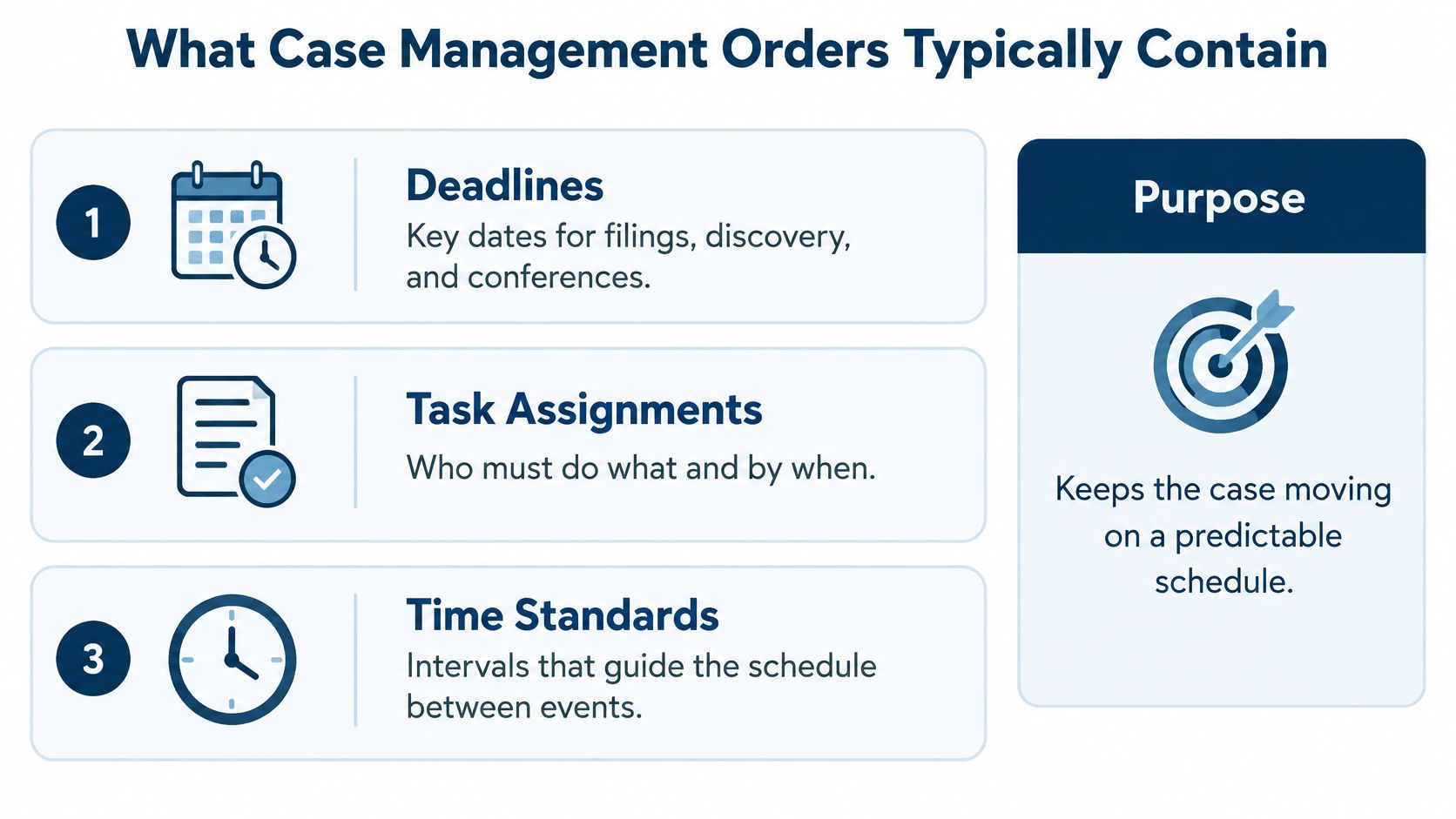
When you scan a case management order, you are reading a set of work assignments. Most orders set deadlines for joining parties and amending pleadings, a discovery cutoff, expert disclosures, dispositive motions, settlement or ADR conferences, pretrial submissions, and a projected trial date. Each line carries an implicit task: who owns it, what triggers it, and where the record of it lives.
Time standards give context for why courts build schedules this way. The National Center for State Courts published its Model Time Standards in 2011, giving courts reference points for how quickly civil cases should move (National Center for State Courts Model Time Standards). Treat those benchmarks as context for how tight a schedule may run, not as a promise about any single case.
Match the schedule to the case
Courts size the schedule to the dispute. A straightforward contract claim gets a compressed timetable, while a multi-party case with heavy expert work gets a longer runway and more conferences. Many courts sort cases into management tracks so judicial attention lands where the disputes are.
The practical point holds across jurisdictions. A deadline label does not mean the same workload in every court or matter. A discovery cutoff in a fast-moving commercial docket is a different commitment than the same phrase in a complex tort case. Read the actual dates and conditions, not the label.
Scan the order for what each item demands
- Deadlines and their triggers: Record the date plus the event it hangs on, so an upstream change does not orphan it in your calendar.
- Discovery structure: Note fact and expert cutoffs, sequencing requirements, and any limits that shape how much work the window must absorb.
- Motion and resolution points: Capture dispositive motion dates, ADR or settlement conferences, and required pretrial conferences.
- Named actors: Identify who the order directs to act, whether parties, counsel, or the court, and assign each item to an owner on your team.
- Authority and version: Save the signed order and check whether it amends or replaces an earlier schedule. Keep the superseded version on file.
Scanning takes minutes. The work is converting each provision into an owned task tied to the order that created it. When the court later moves a date, your records should show which version of the order controlled at each point, who updated the calendar, and when. An entry with no source order behind it is a guess, and opposing counsel will treat it that way if a scheduling dispute reaches the judge.
How Order Dates Connect and Get Calculated
A scheduling order turns service and appearance into work someone has to own. Under Rule 16(b)(2), covered earlier, the order is due as soon as practicable and, absent good cause, by the earlier of 120 days after service on any defendant or 90 days after any defendant appears. Those events are triggers, so the docket record should capture the event, the date it happened, and the deadline it produced before anyone works backward from a hearing.
Once the order issues, each date needs more than a calendar line. Record the trigger, jurisdiction, counting rule, owner, and source order. Enter a fixed date exactly as ordered. For a calculated date, keep the inputs so another person can audit the result later.
A court change is a version event with an audit trail. Rule 16 allows modification for good cause with the judge's consent, so the file should show what authorized the new date and which dependent tasks moved with it. If trial shifts after a status conference, update pretrial disclosures, expert work, motion cutoffs where the order ties them to trial, and the person responsible for each recalculation.
A changed date is complete when the team can show the ruling behind it, the prior version, and every downstream task that was recalculated.
Apply the counting rule, not a weekday shortcut
Federal Rule of Civil Procedure 6 supplies the counting method for many litigation deadlines: exclude the triggering day, count every intermediate day including weekends and legal holidays, include the final day, and roll forward when that final day lands on a Saturday, Sunday, or legal holiday (Federal Rules of Civil Procedure, Rule 6).
Hour-based periods run differently: the clock starts when the event occurs and counts every hour, with a separate roll-forward rule. Keep day-based and hour-based logic apart in the system, then verify the output against the order and local practice before it reaches the calendar.
What Happens When a Deadline Is Missed
A missed date starts an exception file with an owner, a record, and court authority. In Hong Kong, court guidance says milestone dates such as the case management conference, pre-trial review, and trial period should be observed strictly and varied only in exceptional circumstances, with possible sanctions including costs, security payments, unless orders, and provisional strike-out (Hong Kong guidance on case-management timetables).
Philadelphia guidance similarly describes firm discovery, expert-report, and dispositive-motion dates, with changes requiring a motion for extraordinary relief filed before the deadline. Local practice differs, so check the order and the court's rules before treating consent or a stipulation as approval.
Act before the date passes
If compliance looks impossible, assign one owner for the response and keep the calendar entry locked to the filed order until the court changes it. The responsible attorney should document when the risk became known, what relief is realistic, and what the client was told.
The record should let a later reviewer reconstruct the timeline:
- Original order: filed version and first-entered date.
- Cause and notice: facts behind the delay and when the team learned compliance was at risk.
- Replacement plan: proposed dates and the downstream tasks they move.
- Authority: consent, motion, hearing, or order approving the change.
- Audit trail: who updated the calendar, which version controlled, and what reminders were reset.
A dependable process surfaces ownership and unfinished work before the problem is urgent. For the risk created by scattered manual entries, see manual legal calendaring and malpractice risk.
Sanctions depend on which order was violated. Rule 16(f) covers scheduling-order violations and allows just orders after notice and a chance to be heard, often including expenses unless the failure was substantially justified or an award would be unjust. Rule 37(b)(2) is the separate discovery-order track, with remedies that can include striking pleadings, staying proceedings, dismissal or default judgment, contempt, and expense shifting. Escalate early, preserve the record, and keep the schedule unchanged until the court authorizes a new date.
Choosing How to Track Court-Ordered Dates
A team can track an order in a personal calendar, a shared spreadsheet, or a rule-based docketing system. The right choice depends on matter volume, jurisdictional variety, staffing, and how often court dates change. Each approach has a trade-off.
| Approach | Main Strength | Main Risk |
|---|---|---|
| Manual calendar entry | Quick for a small number of straightforward dates | Depends on accurate calculation, entry, ownership, and updates |
| Shared spreadsheet or document | Gives a team a visible list of dates and assignments | Can become stale when changes aren't carried through every copy or calendar |
| Rule-based docketing with synchronized calendars | Can calculate rule-based dates, coordinate calendars, and surface incomplete tasks | Requires accurate setup, review of source orders, and confirmation that court and jurisdiction coverage applies |
A tool doesn't remove the need to read the order. Rule-based calculations can help with dates derived from trigger events, while synchronized calendars and reminders help teams keep assigned work visible. The human review remains essential when a judge changes the schedule or an order uses a case-specific date.
Separate monitoring from document retrieval
PACER monitoring and retrieving a filing are distinct steps. Federal court case information costs $0.10 per page. A 10-page docket costs $1, and a five-page PDF costs $0.50. A single case-specific document or report is capped at $3, and quarterly charges of $30 or less are waived (PACER pricing and billing).
A docket entry can trigger review or assignment; the team can then decide whether it needs to retrieve the linked document. Record both actions so a new entry doesn't get mistaken for a reviewed order.
Dashboards should measure lead time to each milestone, overdue-task rates, extension frequency, and the number of downstream dates affected by an order change (IAALS research on case-management goals). Those measures help distinguish a schedule that merely lists dates from one the team actively maintains. For a broader discussion of automating legal workflows, see legal workflow automation.
Your Next Step for Tracking Case Management Orders
Pull your open matters and list every case management order, scheduling order, or pretrial order currently in force. For each one, record the trigger event, jurisdiction, calculation rule, responsible owner, and source document. That inventory shows whether the team can trace each active deadline back to a controlling order.
Then separate dates by status. Court-issued milestone dates come directly from an order. Internally derived preparation dates help the team finish work before a court deadline. Superseded dates belong to an earlier schedule and should remain in the audit history without appearing as active obligations.
Test the process on one matter
Choose an active matter with an order that has changed or has multiple connected deadlines. Check whether the team can identify the current order, explain why each date controls, find the owner, and show how a change affected later tasks. Fix any gaps before applying the process across a practice group.
A single source of truth should preserve the court's schedule and the team's operational work without blending them. That means keeping the order, its amendments, derived tasks, and approvals connected, while making clear which dates are current.

MatterAlert is a web-based docketing, calendaring, and tickler platform with no desktop installation or Outlook add-in. Its typical implementation takes four to six weeks and includes 90 days of enhanced post-launch support from a dedicated project manager. A walkthrough on a live matter lets your team compare the platform's process with its own order history.
MatterAlert can help your team connect court orders, deadline ownership, calendar coordination, and audit records in one workflow. Visit MatterAlert to request a walkthrough using a live matter and assess how amended dates would be tracked from order to task.