

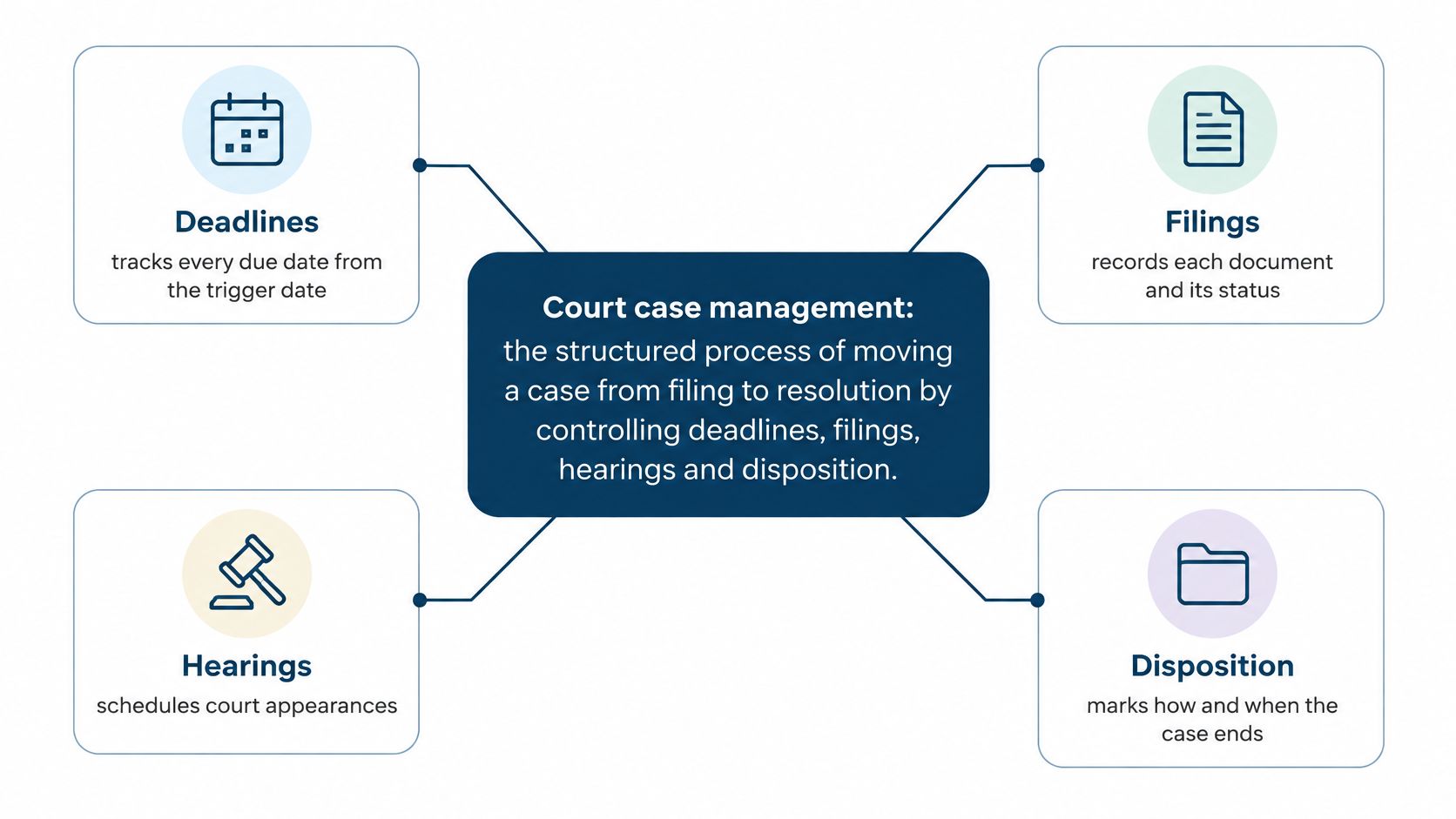
Court case management is the structured process of moving a case from filing to resolution by controlling deadlines, filings, hearings and disposition. In federal civil litigation, the overwhelming share of matters end through pretrial rulings and settlement rather than a courtroom trial, so most management work happens in paperwork and scheduling long before anyone picks a jury.
Monday morning. A notice of hearing lands in the shared inbox. Someone forwards it to the attorney. The attorney figures the assistant put it on the calendar, and the assistant figures the docketing team already pulled it from the court system. Three weeks later the date has shifted, the answer deadline has passed, and nobody can say which version of the truth sits in the file.
That gap between a date existing somewhere and a person owning it is where most case-management failures begin. A blown deadline rarely traces back to a broken calendar. It traces back to a handoff nobody owned, which makes it a coordination problem first and a software problem second. That is why a straight answer to what court case management means has to go past software menus and calendar reminders.
A relay race is the clearest working model. Every handoff needs a named runner, a fixed deadline, and a written record of who passed the baton. When any one of those three is missing, the leg ends in the file and the team finds out at the finish line.
What Court Case Management Means
Strip the software away and the phrase still holds. Court case management is the structured process of moving a case from filing to resolution by controlling deadlines, filings, hearings and disposition. Each part of that sentence does real work.
The case is the record: parties, claims, defenses, orders, and every item of activity the court logs. The calendar is the set of dates the court or the procedural rules impose on that record. The people are the judges, clerks, attorneys, paralegals and docketing staff who act when a date arrives. Miss one of the three and the other two quit working.
Think about the race again. The runner who finishes a leg doesn't toss the baton into a crowd. She hands it to a named person, inside a zone, with a clock running. A court date, a filing or an internal review is the same kind of handoff. A handoff with no name attached is exactly where matters get dropped.
Practical rule: if a task in the file has no named owner and no due date, it isn't managed yet. It's only written down.
Two Jobs That Share One Name
The term covers two different jobs, and newcomers trip on that. The first is the court's own control of how cases flow through its inventory: how filings get triaged, when conferences happen, how judges watch their dockets. The second is a legal team's internal process for tracking dates, assigning work, storing documents, and proving who did what.
Both jobs eat the same raw material, an accurate record and a reliable date, which is why the two get blurred in conversation. A court adjusting its scheduling policy and a firm building a docketing workflow are solving different problems with shared vocabulary.
Neither one is a reminder list. A reminder tells you a date is coming. Case management tells you who owns the next action, whether the date moved since last week, and what happens if it's missed.
The stakes changed as trials became rare. The Federal Judicial Center's history of civil case management records that the share of U.S. federal civil cases reaching trial fell from 11.5% in 1962 to 1.8% in 2002, a drop of 9.7 percentage points. Disputes now resolve through scheduling orders, discovery control, motion practice, settlement, and early rulings on issues that never reach a jury.
Counting came before managing. The Federal Judicial Center's account of federal caseload reporting notes that before 1870 federal courts did not collect caseload information regularly, and that a December 1801 report requested by President Thomas Jefferson and prepared by Secretary of State James Madison was an early nationwide exception. The Department of Justice Act of 1870 then required the attorney general to report the department's business on a continuing basis.
Before you read on, say the definition in your own words without looking. Then name three roles in your office that touch one case. If three don't come to mind, that's the first gap worth fixing.
How a Case Moves From Filing to Disposition
A case rarely stalls at random. It stalls at handoffs, where one person's output becomes another person's deadline. Seven checkpoints carry a matter from complaint to closed file, and each one works only when it has a named owner and a date attached.
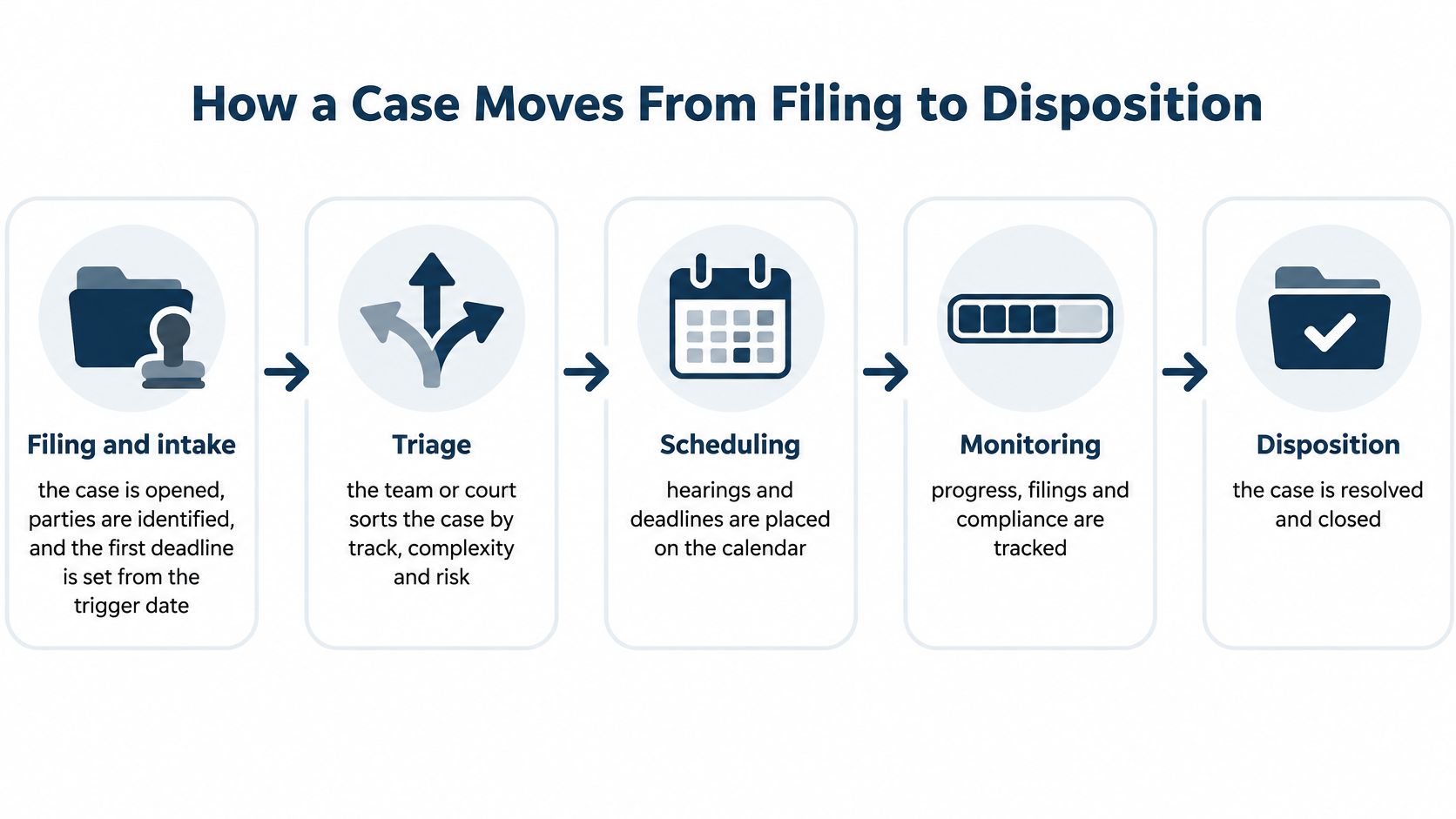
- Filing and intake. The docketing clerk owns this step. The case opens, the parties are identified, and the first deadline runs from the trigger date, usually the date of service. The day someone happens to look at the file has nothing to do with it. Get that trigger wrong and every date downstream inherits the error.
- Triage. Within the first weeks after filing, the court or the responsible partner sorts the case by track, complexity and risk. A routine collection matter and a multi-district product case shouldn't share a schedule. Triage decides how much supervision the file gets.
- Scheduling. The judge sets the initial conference, and the calendar team logs every key date generated from the rules in force at that court. A rule engine earns its keep on that task.
- Discovery. Each request belongs to a named lawyer. Parties exchange evidence, and every request carries its own response deadline and its own owner. Track requests as individual items, never as a single phase.
- Motions and pretrial events. The assigned attorney owns each event, which needs a stated purpose, a deadline and a logged outcome. When a date resets, the reset gets written down with the reason.
- Trial or settlement. The lead attorney owns the outcome: the trial date holds, or the case resolves earlier by settlement or dismissal. Either path closes the schedule.
- Disposition and closeout. The clerk records the judgment and the file closes, with post-judgment deadlines calendared before anyone archives the matter.
Say a contract dispute is filed on a Monday, and the Federal Rules of Civil Procedure give the defendant 21 days after service to answer. Service rarely happens on the filing date, so the answer clock starts later than the complaint's caption suggests. If day 21 lands on a weekend or a federal holiday, the deadline rolls forward to the next business day. One misread trigger moves the answer, the reply to counterclaims, the discovery cutoffs and the pretrial conference along with it.
Courts that keep cases moving share the same habits: realistic schedules set early, a defined purpose and deadline for every pretrial event, and steady monitoring so unnecessary continuances shrink. A meaningful event is one where participants know why they are there, when it ends and what can come of it. When a date slips anyway, look for a coordination failure before you blame the calendar: the outcome never got logged, the reason for the reset went unrecorded, or the new date never reached the person who needed it.
Software earns its place at the handoffs. The features that matter here are rule-based deadline calculation, adjustment for weekends and holidays, change detection when a court date moves, escalation of overdue tasks, and an audit trail naming who changed an event and when. MatterAlert covers this set through CalendarRules deadline calculation, docket monitoring, task escalation and event-level audit logs.
Teams that work across several districts will find the filing mechanics differ enough to justify a plain breakdown of how federal civil cases move through the courts. For mapping the work itself, choosing project software for legal practices is a useful comparison point, because the ownership questions you ask about a docketing tool are the same ones you ask about any project system.
Test any timeline the same way. Each stage should have one owner, one deadline and one written record of completion. A stage with three owners has none.
Five Pillars and Measures That Show Progress
The National Center for State Courts frames court case management as a controlled, data-driven process that tracks a case from filing through disposition while coordinating events, deadlines, participants, documents and resources. It organizes the work around five operational pillars.
- Leadership and collaboration. Someone senior owns the process, and everyone who touches a case works from the same version of it. Without that, tools are decoration.
- Proactive and flexible triage. Sorting happens before the calendar fills, not after. Simple cases move on a fast track. Contested ones get earlier conferences and more supervision.
- Resource allocation. Staff and judicial time follow case difficulty. In a firm, the associate handling a routine motion shouldn't be the same person carrying a bet-the-company injunction.
- User-centered processes. Forms, notices and instructions are written for the person who has to act on them, including the ones without a lawyer.
- Data-driven performance management. Decisions rest on counts, ages and rates rather than the loudest complaint in a Monday meeting.
A working measurement model looks like this.
| Measure | What it measures | Healthy signal | Warning sign |
|---|---|---|---|
| Clearance rate | Dispositions divided by filings in a period | At or near 100% | Below 100%, so open inventory grows |
| Time to disposition | Days from filing to final disposition | Stable or falling | Rising trend shows a bottleneck |
| Age of pending caseload | How long active cases stay open | Few cases past set thresholds | Growing share of old cases |
| Trial-date certainty | How often a trial date holds | Dates rarely reset | Frequent resets and continuances |
| Reliability of case files | Whether records are complete and current | Complete and current entries | Missing or stale documents |
Each number is a lever rather than a scoreboard. When filings outpace dispositions, the clearance rate slips below 100% and the open inventory grows. When time to disposition and the age of pending cases climb together, the cause usually sits in one case type, one stage, or one staffing gap.
A reset trial date costs more than a calendar edit. Witnesses get rebooked. Experts resubmit. The file sits another quarter while the client calls for news.
Trial-date certainty sits on the list for that reason. Repeated resets are the cheapest early warning you get.
A legal department can copy the same logic. Keep an auditable link between the trigger event, the calculated deadline, the assigned task, the completion status, and what the court did next. Calendaring on its own breaks that chain.
Pick one measure from the table and check it on the first business day of every month. One number tracked consistently beats five nobody reads.
Who Owns Each Step When Things Slip
Automation doesn't repair weak ownership. It exposes it faster.
In a 2025 survey of state courts published by Thomson Reuters, 77% of respondents said they see hearings delayed by at least 15 minutes in a typical week, and 40% said those delays affect more than 10% of hearings. The same survey flags entering or updating case-management data and processing new filings as slow and error-prone.
Read what those numbers describe. Not a shortage of reminders. A coordination problem across people, hearings, filings and shifting priorities.
A system that works separates six functions: docket control, deadline calculation, task ownership, data quality, escalation and courtroom scheduling. Mash them into one vague habit called calendaring and failures become impossible to trace.
Three slips and who owns each one
The court moves a hearing. Owner: whoever monitors court notices that week, named in the file rather than by job title. Record: a timestamped change log with the source notice attached, plus recalculated downstream deadlines.
A filing or order lands late. Owner: the intake person on rotation, listed by name. Record: the retrieved document saved to the matter with reviewer name and review time attached.
An attorney and an assistant each wait for the other. Owner: one assignee per task, set in the system. The attorney's review is a separate task from the assistant's filing. Record: completion status plus the escalation note when the due date passes.
Four rules cover most of it.
- One named owner per task, never a team, a role or a shared inbox.
- Log every date change with a timestamp and the notice that caused it.
- Reassign matters when staff leave. Bulk reassignment saves the week, and someone still checks the calendar after the change lands.
- Escalate anything open past its due date to a second person automatically, before a client asks.
Court orders often settle the mechanics of who files what, by when and in what format, so reading case management orders closely at intake saves rework two months later.
The survey respondents put delays and continuances, caseloads and backlogs among their leading priorities for the next 12 months. That tells you what kind of discipline this is. Capacity and process, not a software category.
Where Dockets and Court Documents Fit In
Two tools get confused constantly: docket monitoring and rules-based calendaring. They answer different questions.
Start with the federal source. The U.S. Courts guide to finding a case in PACER describes electronic access to appellate, district and bankruptcy case files. Anyone with an account can search for a case, read docket information, and run a nationwide search to see whether a party appears in a federal case. If you know the filing court, you can pull documents in real time.
Docket monitoring reports outside activity: a new filing, an order, a notice. Rules-based calendaring runs the opposite direction, deriving internal obligations from a validated trigger date. A new order arrives, the rule engine recalculates what it changed, and a person gets a task with a deadline.

Cost matters once several people monitor the same case. The PACER fee guidance sets access at $0.10 per page, with a $3.00 cap on a single document or case-specific report such as a docket report, creditor listing or claims register. The unit isn't uniform. One billable page of HTML information equals 4,320 bytes extracted, while one billable page of a PDF equals one actual PDF page. A 10-page docket costs $1.00. A five-page PDF costs $0.50. Billing runs quarterly, and fees are waived when quarterly usage stays below $30.
Cost check: if four people open the same docket report in one week, you've paid four times for one fact. Centralize retrieval and the waste stops.
Saving what you retrieve is half the job, and how cloud software improves legal document management covers the filing discipline behind it.
Give every retrieved document the same four steps:
- Identify the case and confirm the docket number matches the matter.
- Save the source file to the matter, not to a browser session or an inbox.
- Record the reviewer and the review time, so the next person knows the document was read.
- Link the resulting task or event back to the docket entry that caused it.
State courts run their own systems and their own quirks, which is why a guide to circuit court dockets helps teams working across county lines.
How Federal Courts Count Workload
Federal reporting doesn't count filings alone. It counts kinds of court work, and it measures how long each kind sits.
The Judicial Business statistical reports from the U.S. Courts report workload per three-judge panel in the appellate courts and per authorized judgeship in the district courts, alongside median times for court action on cases. They also flag aging matters: civil motions pending more than six months, bench trials submitted more than six months, civil cases pending more than three years, bankruptcy appeals pending more than six months, and Social Security appeals pending more than six months.
| Court work | How workload is counted | Time measure | Aging or volume flag |
|---|---|---|---|
| Appellate courts | Workload per three-judge panel | Median time for court action | Appeals pending over six months, including bankruptcy and Social Security appeals |
| District courts | Workload per authorized judgeship | Median time for court action | Civil motions pending over 6 months; bench trials submitted over 6 months; civil cases pending over 3 years |
| Bankruptcy courts | Included in national management statistics | Median time for court action | Bankruptcy appeals pending over 6 months |
| Probation and pretrial services | Included in national management statistics | Workload reported in the same national statistics, not as case time | Covered by the same reports, with no separate case-aging flag |
| District filings, FY2024 | 360,698 total filings, down 11% | Not a time measure | 290,896 civil filings; 69,802 criminal-defendant filings |
Volume moved in fiscal 2024. Judicial Business 2024 reports district-court filings down 11% to 360,698, including 290,896 civil filings and 69,802 criminal-defendant filings.
A missed answer date is one matter. A pile of civil cases older than three years is a capacity problem. Firms can copy the split with four numbers: openings, closings, median age, and a short list of items past a set limit. Those four show whether work is moving or merely being logged.
Check Limits Before You Pick a Priority
Digital tools don't make a court fairer on their own, and they don't clean a docket by existing.
Virtual hearings have spread faster than automation. In a 2025 state-court survey from Thomson Reuters, 80% of respondents said their courts conduct or take part in virtual hearings, and a similar share believed virtual procedures can improve access by reducing work, childcare or caregiving barriers. Only 17% reported using generative AI.
Filing records point the same way. Complaints, answers and judgments hold structured information worth capturing, and watching how litigants use help services shows where self-represented parties stall. Build for unequal digital access, incomplete intake data, self-represented parties, privacy, and a fallback channel that doesn't need a login.
Three checks before you pick a first priority.
- List every court and rule set your team handles in a normal month.
- Calculate one deadline by hand and compare it with what the system produces. If the two dates disagree, that is a coordination problem between the tool, the rule set, and the person checking, not a calendar glitch.
- Confirm coverage in a demo, for those specific courts, before anyone signs.
If a check fails, fix that gap before adding another tool. Our docket availability and rule coverage vary by court and jurisdiction, especially in Canada, so we ask teams to confirm their specific courts and rule sets during a demo rather than assume.
MatterAlert is a web-based docketing, calendaring and tickler platform from PaayaTech Inc. that connects rule-based date calculations, PACER and UniCourt docket access, task escalation, calendar synchronization and event-level audit logs inside one matter record, so a date on a calendar becomes a record someone owns. If your team is still reconciling court notices by hand, visit MatterAlert and bring your busiest jurisdiction to the demo.