

You're staring at a fresh complaint. The partner wants a motion, not an answer. And the calendar already has a response date ticking down.
That's the trap. Teams treat filing as the finish line. It's not. When you file a motion to dismiss, you start a chain of dates. Each date comes from a different rule. Miss the trigger, and the next date is wrong too.
Federal Deadlines at Each Stage of a Motion to Dismiss
Start with the dates. Argument comes later. If the chain is wrong on day one, good drafting won't save it.
Federal civil deadlines tied to a motion to dismiss
| Stage | Rule or source | Time limit | What to calendar |
|---|---|---|---|
| Response to complaint | Rule 12(a)(1)(A)(i) | 21 days after service of summons and complaint | Service date and method |
| Motion to dismiss filed | Rule 12(b) | Before the response is due | Filing date and proof of service |
| Opposition and reply | Local rules and judge orders | Period set in local rule or judge order | Each period as set in the controlling order |
| Amendment as of right | Rule 15(a)(1) | 21 days after service of the motion | Earliest trigger date, since periods do not stack |
| Answer after denial or postponement | Rule 12(a)(4) | 14 days after notice of the court's action | Date the notice was entered |
Read the Table as a Chain
The first row controls everything. A defendant generally responds within 21 days after service of the summons and complaint. The motion has to land before that response is due. So pull the service date first. Don't guess it from the docket entry date.
Opposition and reply are the weak spots. Federal rules don't give you one clean number you can trust everywhere. Local rules and judge orders set those periods. Mark them unknown until checked. That's honest. Guessing a familiar number from another district is how teams blow a reply date.
For background on how these cases move through the system, see our guide to federal civil cases. Use it to orient new staff, not to replace the rule check on a live matter.
How Rule 6 Counts the Days
Counting looks simple. It trips people anyway. The official U.S. Code text for Rule 6 says the triggering day is excluded, every intermediate day is counted, including Saturdays, Sundays, and legal holidays, and the final day is included, but if it falls on a Saturday, Sunday, or legal holiday, the period continues through the next nonholiday weekday.
Read that again. Weekends count in the middle. They only push the deadline when they land at the end.
Practical rule: A five day period is five calendar days. It isn't five business days unless another rule or court order says so.
Say a trigger lands on a Monday. Monday doesn't count. Tuesday is day one, Wednesday day two, Thursday day three, Friday day four, and Saturday day five. Because day five falls on Saturday, the period runs to Monday. That's the whole move. Count every day, then fix the endpoint.
Electronic service can affect the trigger under the service rules. So record the date and method of service on every filing, not just the filing date. I would enter each deadline next to the rule that produces it. A date with no rule beside it is just a guess someone typed in.
Grounds and Evidence That Hold Up at the Pleading Stage
Courts don't weigh proof here. They test the pleading. That's a narrower job than most defendants want, and it's why strong facts alone don't win this motion.
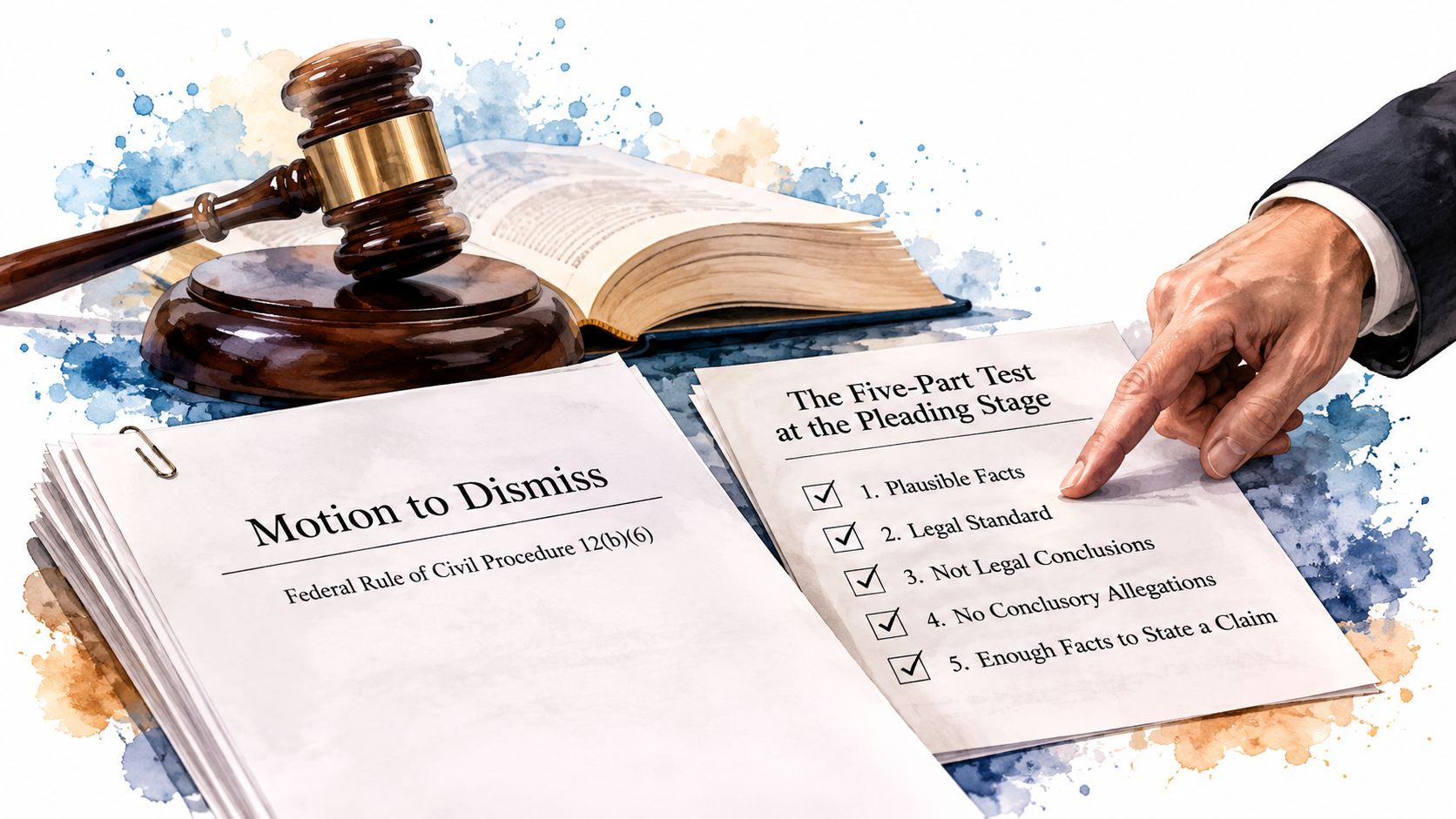
The Five Part Test
Work in this order. First, identify what each claim requires under the governing law. List the elements. No elements list, no clean argument.
Second, separate facts from labels and legal conclusions. "Defendant acted fraudulently" is a conclusion. Who said what, and when, is a fact.
Third, accept well pleaded facts as true. Draw reasonable inferences for the plaintiff. Yes, even when your client insists the story is false. The court isn't finding truth yet. It's checking sufficiency.
Fourth, ask whether those facts make liability plausible, not merely possible. And fifth, confirm the motion relies only on the pleadings and material the court can properly consider.
That sequence matches the methodology set out in the Touro Law Review discussion of Rule 12(b)(6) practice, which frames the motion as identifying each claim's required elements, separating factual allegations from legal conclusions, and testing whether facts plausibly support liability rather than merely making liability conceivable.
Where Evidence Backfires
Documents attached to the complaint are usually fair game. So are documents incorporated into it. The plaintiff put them in play.
A declaration is different. A business record offered to contradict the complaint is different too. Bring in outside evidence and you can push the motion toward summary judgment under Rule 12(d). Now the posture changes. Briefing changes. Sometimes the court just excludes the material and you have wasted pages.
Map each argument to its record before you draft:
- Pleadings only: Use for missing elements and legal defects on the face of the complaint.
- Attached or incorporated documents: Use when the plaintiff's own exhibit undercuts the allegation.
- Judicially noticeable material: Use sparingly, and say why the court can notice it.
- Outside evidence: Save it for summary judgment, unless conversion is a risk you accept on purpose.
Say a contract claim alleges the defendant "breached the agreement." It never quotes the term that was breached. It never pleads performance. Argue the missing term and the missing element. Don't attach emails to prove performance never mattered. And state your position on leave to amend. Courts notice when you skip that ask.
Shotgun Pleadings and Final Scan
Some complaints lump claims and defendants together. Every count repeats every allegation. No one can tell who did what. That's a clarity defect, not just a merits defect. Name the specific Rule 8 or Rule 10 problem. A general request to dismiss gives the court little to work with on amendment or claim by claim relief.
Scan for four pitfalls before filing:
- Conclusions treated as facts: You argued against labels the court will ignore anyway.
- Factual disputes: You asked for a ruling that needs discovery.
- Unauthenticated exhibits: You handed the judge paper with no foundation.
- No position on amendment: You never said whether dismissal should be with or without leave.
File a Motion to Dismiss Step by Step
The motion you file sets off a chain. Opposition date, reply date, hearing date, leave to amend, then an answer date that only activates if you lose. Miss the first trigger and every date after it shifts. Map the chain before you draft a word.
Rule 12(b)(6) tests legal sufficiency. The court accepts well pleaded factual allegations as true and asks whether they state a plausible claim for relief. Exhibits attached to the complaint and documents incorporated by reference are part of that review. Extrinsic evidence is not.
Jurisdiction, service, venue, and form challenges run on different tracks. Each one creates different response duties and a different form of order. Confirm which motion you are filing before anyone calendars anything.
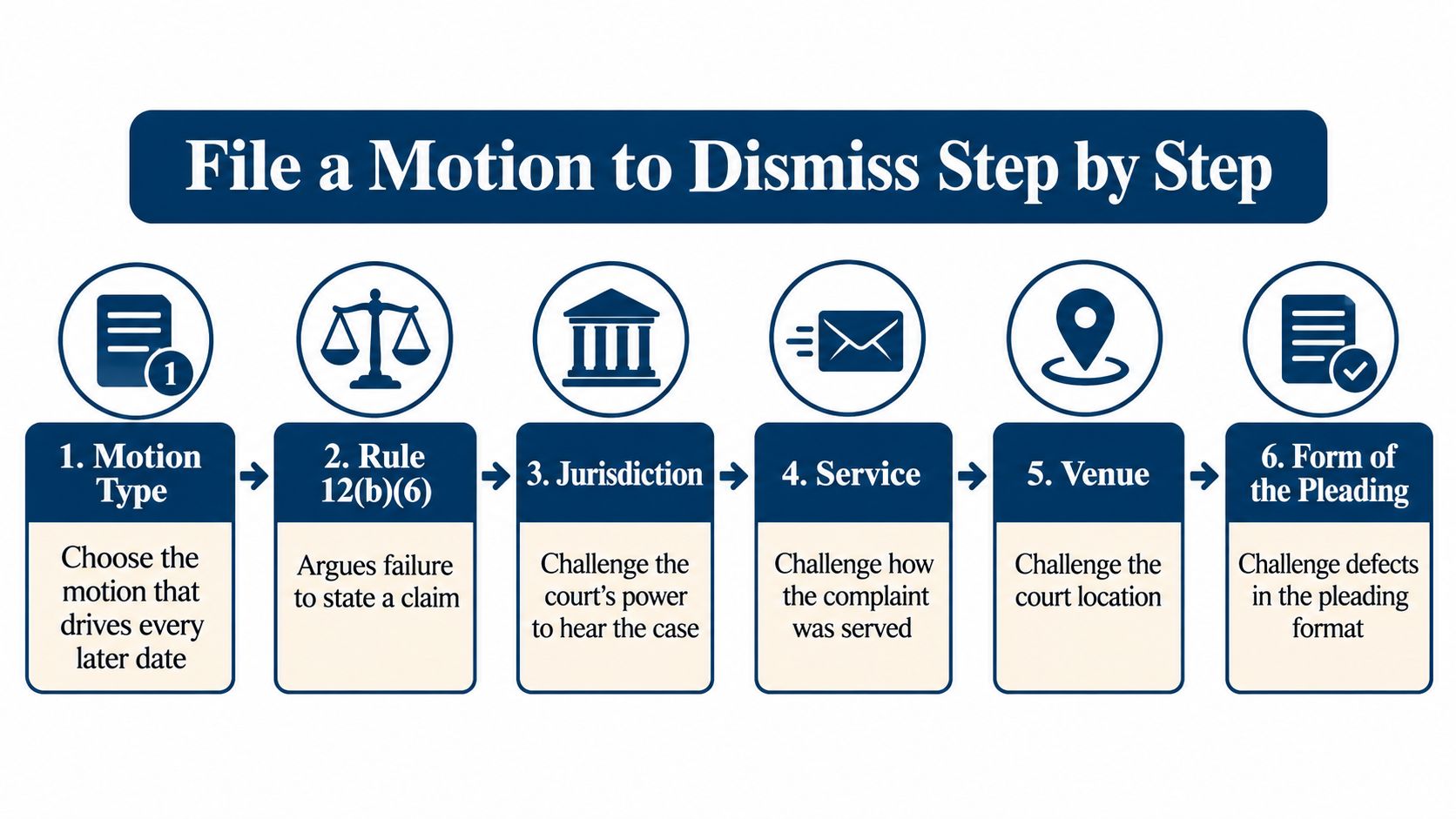
Seven Steps in Order
- Combine your defenses: Raise every Rule 12 defense you have now. Omitted defenses can be waived. Personal jurisdiction, venue, and insufficient service belong in this check, not in a second motion you hope to file later.
- List claims and elements: Write each claim on its own line. Put the required elements beside it. Mark what is missing.
- Draft and flag exhibits: Draft the motion and memorandum together. Flag every exhibit for a record check. Is it attached to the complaint, incorporated, noticeable, or outside proof?
- Check local requirements: Pull page limits, proposed order rules, conferral duties, and hearing steps. Do this before the draft hardens, because page limits shape argument.
- Run attorney review: Review the full packet, not just the brief. Record the sign off. A missing proposed order is still a defective packet.
- File and serve: Record the date and the method. Both. Service method can move a trigger.
- Docket the chain: Enter opposition, reply, hearing, and amendment dates now. Add the post ruling answer date as a contingent entry tied to notice of the court's action.
A deadline is only as reliable as its trigger date. If you cannot name the trigger, you do not have a deadline. You have a placeholder.
Packet Check Before You Hit File
Print this list. Tape it to the monitor if you have to.
- Motion: Signed, captioned, and matched to the right rule.
- Memorandum: Within page limits, with each claim addressed by name.
- Proposed order: Included if the judge or local rule requires one.
- Certificate of service: Lists date and method for every recipient.
- Calendar entries: Each date has a trigger, an owner, and a controlling rule.
A missed conferral call or a three page overage can cost more time than the research did. Ask for clarification or an extension before the deadline. After the deadline, you are asking for forgiveness, and that is a worse conversation.
Picking the right path first controls the calendar that follows. That point holds outside motion practice too, and it is why clear intake material like guidance for Alpharetta families considering divorce from Miles Hansford Law Firm matters when clients choose between contested and cooperative process. Select the track, then calendar what that track creates.
On our side, setup works the same way. We build the matter from a customizable template, generate calendar events from CalendarRules, track dockets through UniCourt and PACER, and sync events to Outlook within one minute. But coverage varies by court and jurisdiction, especially in Canada. Confirm your specific courts and rule sets during a demo. Do not assume a rule set exists because a neighboring court has one.
I would run this checklist on one open matter this week. Compare its dates with your current calendar. Fix the gaps while they are still cheap.
Local Rules That Change the Timeline
The federal baseline is only the floor. District rules sit on top of it. Standing orders sit on top of those. Judge procedures can change the packet again.
That's not fine print. That's where filings get rejected. A brief can be right on the law and wrong on form, and form wins that day.
Local rule checkpoints for each court
| Checkpoint | Where it lives | When to check |
|---|---|---|
| Opposition and reply periods | Local rules and judge orders | Day the complaint is served |
| Page limits and briefing format | Local rules | Before drafting starts |
| Proposed order requirement | Judge standing order | Before filing |
| Conferral and hearing requests | Local rules and judge orders | Before filing |
| Electronic service trigger | Service rules and local rules | On every filing |
What Local Courts Actually Control
Briefing periods change. Page limits change. Some judges want a proposed order in a specific form. Some require conferral before filing. Some set hearing practice that never appears in the district rules.
And electronic service deserves its own line. Some courts count from the service date rather than the docket entry. If your file only shows when the clerk entered the document, your count may start on the wrong day. Record the method every time. Email, e filing notice, mail, personal service. Write it down.
A common trap plays out like this. A firm works from the federal calendar. Nobody pulls the assigned judge's standing order. The order requires a specific proposed order form. The team files without it and has to refile. Now service dates shift, and someone has to rebuild the chain under pressure.
Build One Checklist Per Court
Give each court its own sheet. Name four things for every checkpoint: the rule number, what it controls, who owns it, and when it gets checked. Pull local rules and the judge's order on the day the complaint is served. Not the week before the deadline. By then, a short reply period has already eaten your buffer.
Tools help if they force the check early. Our court date calculator guide walks through trigger based counting, but no calculator knows your judge's standing order until someone reads it. For a broader look at how digital case control changes court workflows, IamVera.AI on digital litigation from IamVera.AI is useful background on why courts keep pushing more procedure into electronic systems.
My view is simple. Treat local rules as part of the deadline, not as formatting trivia. The judge who wrote the standing order will treat them that way.
State Courts Follow Their Own Rules
Everything above assumes federal court. State court is a different system. Different code, different ground, different count.
Don't carry federal numbers across the street. A state motion to dismiss may use a narrower ground. The response window may run longer or shorter. The amendment rule may work nothing like the federal one. Read each piece from the state code that governs the case.
Three Checks on Any State Matter
- Find the controlling code: Locate the state civil procedure code and the exact rule for motions to dismiss. Note the grounds it allows. Some states split defects that federal practice groups together.
- Confirm the response period: Check what runs from service, and check the counting method. Does the state count calendar days or court days? Our explainer on court days vs calendar days breaks down why that single choice moves a deadline by days.
- Check county and division rules: Look for local filing format, hearing practice, and courtesy copy duties. State trial courts often layer county rules over the statewide code.
Docketing warning: Do not assume the federal 21 day response window applies in state court. Verify it from the state rule, every time.
When a number is unclear, check the court's published rules. Still unclear? Ask the clerk. Clerks won't give legal advice, but they will usually point you to the rule or local practice that controls filing mechanics. That's often the exact thing you need.
Keep Templates Separate
Build a distinct calendar template for each state where your team files. Keep it apart from the federal template. Label the counting method at the top of the template so nobody has to dig for it mid crisis.
A federal deadline sheet copied into a state matter is a classic source of missed dates. It looks complete. It feels efficient. And it's wrong in ways nobody notices until an opposition lands or a hearing notice exposes the gap.
I would audit one state matter against its own code this month. Check the response date, the amendment path, and the counting method. If all three came from a federal template, rebuild that calendar before the next filing.
Deadlines After the Court Rules on Your Motion
A ruling on a motion to dismiss starts a new deadline chain. Calendar forward from the notice date and tie every entry to the order or rule that created it.
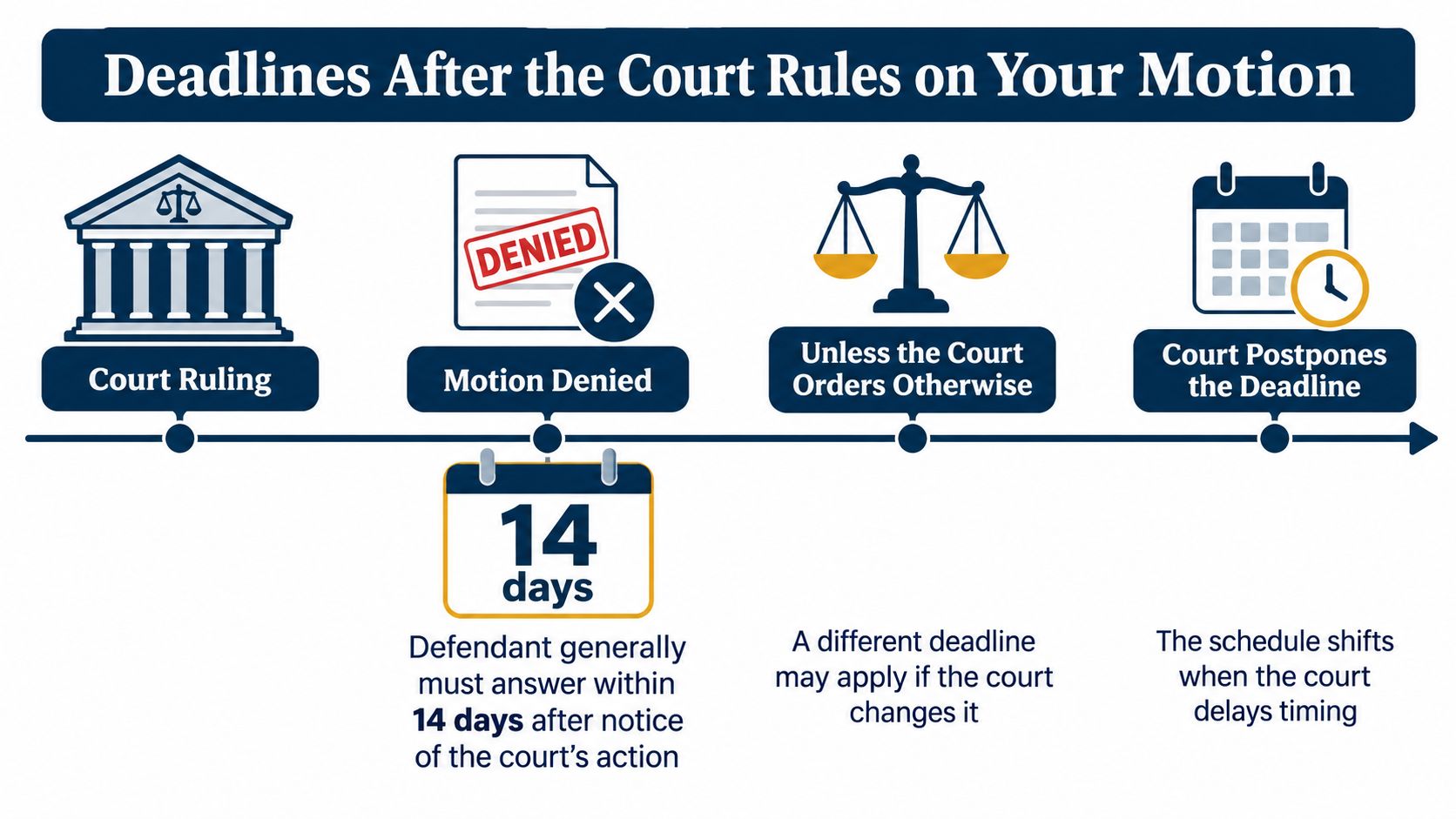
If the Motion Is Denied or Postponed
Denial sets a short answer clock. The defendant generally must answer within 14 days after notice of the court's action, unless the court orders otherwise. Clients often hear denial and assume discovery will start later. Put the answer date on the calendar first, then explain what follows.
A postponement order requires the same discipline. Read it word for word. Check whether the court set its own date or left the default clock running. Calendar from the notice date, then test the entry against the order text. If the two conflict, the order controls.
The Plaintiff Amendment Window
The plaintiff clock starts earlier than many teams expect. The statutory text of Rule 15 gives one amendment as of right 21 days after service of a responsive pleading or a Rule 12(b), 12(e), or 12(f) motion, whichever occurs first, and the periods do not stack.
Record the earliest trigger. A plaintiff cannot wait through one event, then claim a fresh 21 days from the next one. Once that window closes, amendment generally needs the opposing party's consent or court permission under Rule 15(a)(2). Tracking only the hearing date misses this window entirely.
Partial Grants and Leave to Amend
Partial grants create the messiest calendars. Some claims end. Some survive. The court grants leave to amend the rest. The amended pleading date becomes the operative entry, and the answer date may turn on what gets filed.
When the court dismisses with leave to amend, enter the amendment date and the related answer date together. Set an alert the day before each date. Assign one owner to read the amended complaint the day it arrives, because new allegations can restart the motion analysis. A strong motion often produces an amended pleading rather than a final win.
Plan for that outcome from the start. Keep the second deadline calendared, keep the owner named, and keep the chain open until the order leaves nothing contingent.
When you file a motion to dismiss, the risk sits in the contingent dates that follow, and that is what trigger based templates, rule driven calculations, and Outlook synced reminders are built to hold together. Visit MatterAlert to confirm coverage for your courts and see how the deadline chain looks when every date carries its rule, trigger, and owner.