

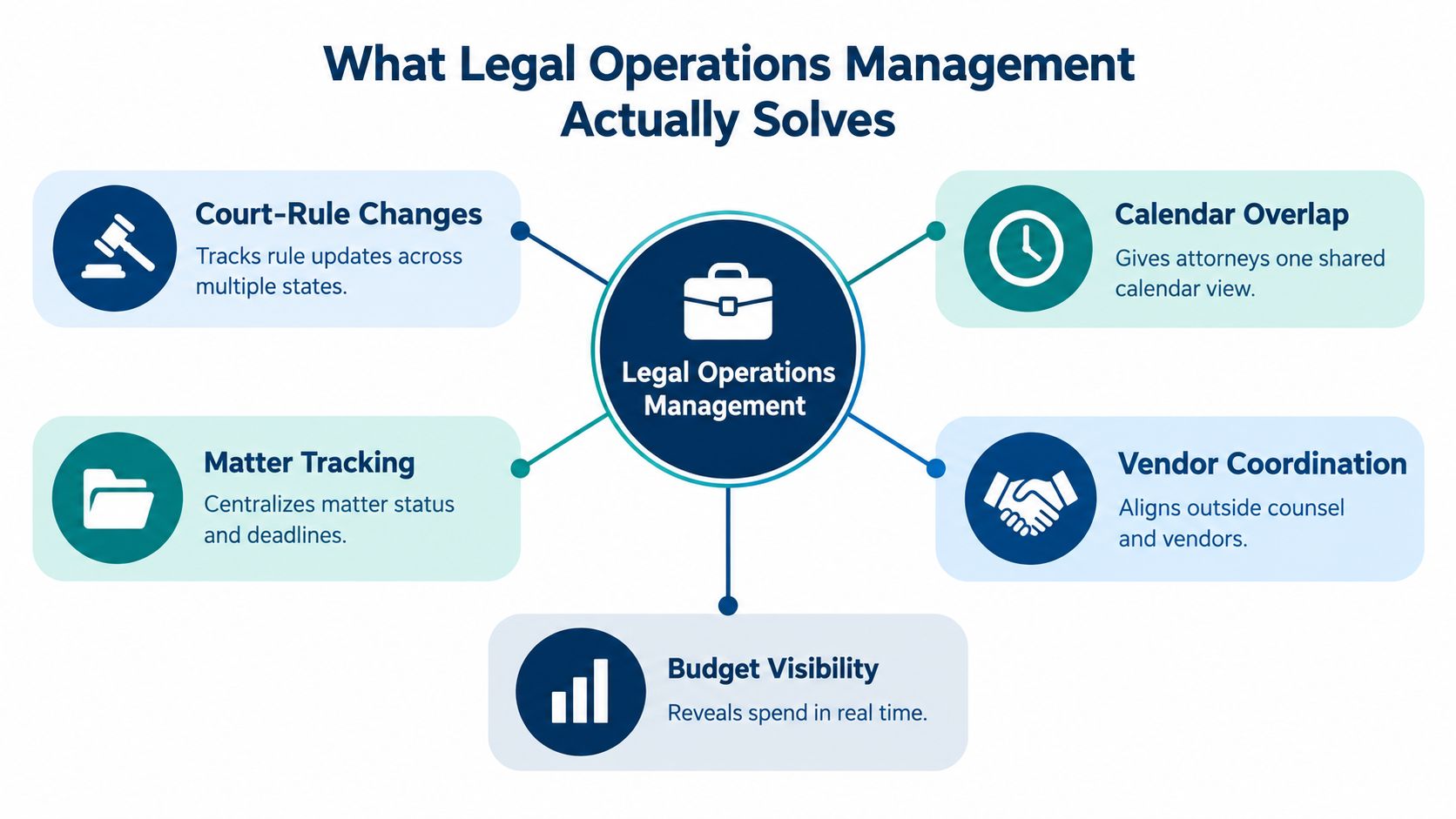
It's Monday morning and your docket team is already behind. A court rule changed in one state. A filing notice landed in another. Three attorneys want the same calendar in three different views. One deadline has no clear owner. That's the daily reality this discipline was built to fix.
What Legal Operations Management Actually Solves
You find the problem in the handoff. An attorney asks who confirmed a trigger date. A paralegal points to an email. A legal assistant points to a personal calendar. No one can prove which date controlled the deadline.
That scene is common in multi-state litigation. Rules differ by court. Notices arrive through different channels. Staff change matters midstream. A missed deadline then triggers a painful review. The team reconstructs events from inboxes, chat threads, and memory.
Legal operations management turns that scramble into a system. It defines how work enters. It defines who owns each step. It defines which record controls when dates conflict. It also defines how leaders see risk before a deadline fails.
A Definition Grounded In Daily Work
The Corporate Legal Operations Consortium defines legal operations as the business processes, activities, and professionals that help legal departments deliver services through business and technical practices, in its overview of what legal operations covers. That definition matters because it includes people and process. It doesn't reduce the function to software.
The history supports that wider view. Departments focused mainly on risk management before a later shift toward formal processes. They then moved toward cost analysis, automation, and strategic provider use. Docketing sits inside that evolution. It isn't separate from it.
Staffing data shows the function is now established. 47% of legal departments had at least one legal operations professional in 2018, up from 21% in 2014, according to Association of Corporate Counsel findings on legal operations staffing. The same source reports a sharp scale gap. Only one-quarter of smaller companies had that role, compared with 68% of larger companies.
If no one can name the owner, the source date, and the escalation path, you don't have a workflow. You have a hope.
Who This Serves Inside The Firm
This work serves several groups at once. Attorneys need one trusted calendar. Docketing staff need clear rules for exceptions. Operations leaders need workload and risk data. Finance needs matter data that ties to cost. Each group fails in a different way when records stay scattered.
The practical goal is simple. Every matter has one authoritative record. Every deadline has a documented source. Every task has an owner and a backup. Every change leaves a trail. Software can support those controls. It can't invent them for you.
When those controls work, daily questions get faster answers. You can see overdue work. You can reassign matters cleanly. You can prove what changed and when. That's the true product of the function. It isn't a dashboard. It's confidence under deadline pressure.
The Four Core Responsibilities of Legal Operations
Start with a simple test. Pick any open matter. Ask four questions. Who controls the record? Who controls the spend? Who controls the system? Who makes sure people follow the process? Those questions map to the core responsibilities.
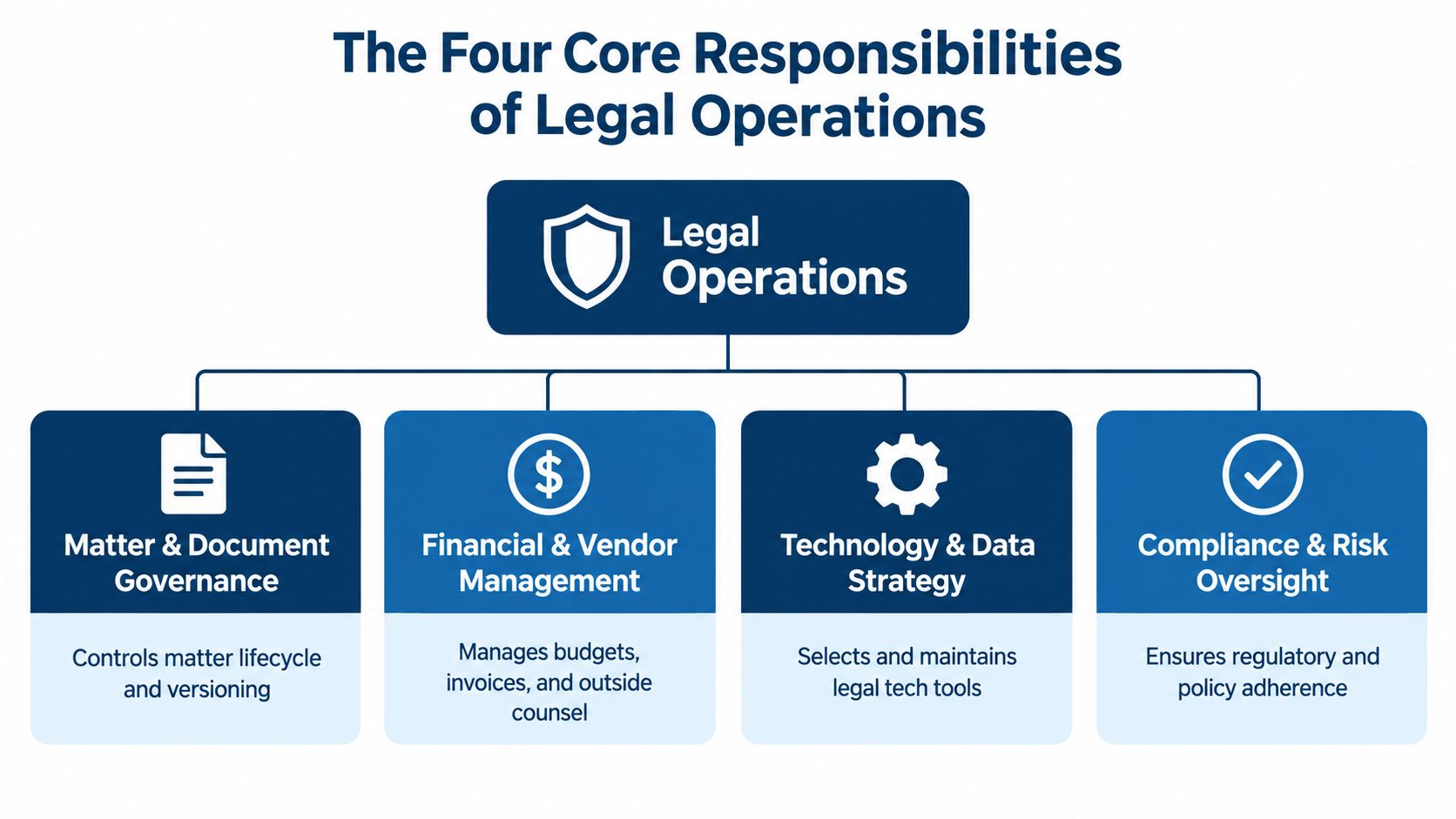
Matter And Document Governance
This area controls the matter lifecycle. It covers intake fields, matter types, document links, and closure rules. It also covers naming and version control.
Take a new litigation matter. Governance requires the court, jurisdiction, client, responsible attorney, and trigger event at setup. Staff can't leave those fields blank. Later users don't guess which complaint version controls. The record stays usable after the first week, not just on day one.
Without this discipline, teams create duplicate matters. Documents live in email. Status fields mean different things to different people. Reporting then becomes cleanup work.
Financial And Vendor Management
This responsibility connects matters to budgets and providers. It covers outside counsel, court services, docket feeds, and research tools. It also covers invoice review and cost coding.
Consider a vendor invoice tied to docket monitoring. Finance needs matter coding and account ownership. Operations needs to know if duplicate searches drove the charge. That link matters. It turns a bill into a control point. Leaders can then discuss cost with evidence, not anecdotes.
This work overlaps with finance every day. Finance owns payment. Legal operations owns the rules that make the charge explainable. That division keeps both sides honest.
Technology And Data Stewardship
This area owns system rules, not just system access. It defines required fields, controlled values, permissions, and integrations. It decides which system is authoritative for each data type.
An example is a deadline status. One system may send a notice. Another system may hold the official task. Stewardship names the controlling source. It also sets who can change a confirmed date. That prevents quiet edits that no one can trace later.
Security review belongs here too. The AICPA SOC 2 framework covers security, availability, processing integrity, confidentiality, and privacy, as described in the AICPA description criteria for SOC 2 reports. Buyers should check which categories a report covers. A vague security claim isn't enough for matter data.
People And Process Management
This responsibility covers roles, training, escalation, and capacity. It answers who triages new work. It answers who covers when someone is out. It also sets when a task moves to a supervisor.
Picture a docketing specialist leaving on short notice. A managed process already has backup owners and reassignment rules. An unmanaged process has private calendars and urgent phone calls. The difference isn't effort. It's design.
These four areas overlap by nature. A bad field design hurts finance reporting. A weak escalation rule hurts deadline control. Treat them as one operating system, and the work gets calmer.
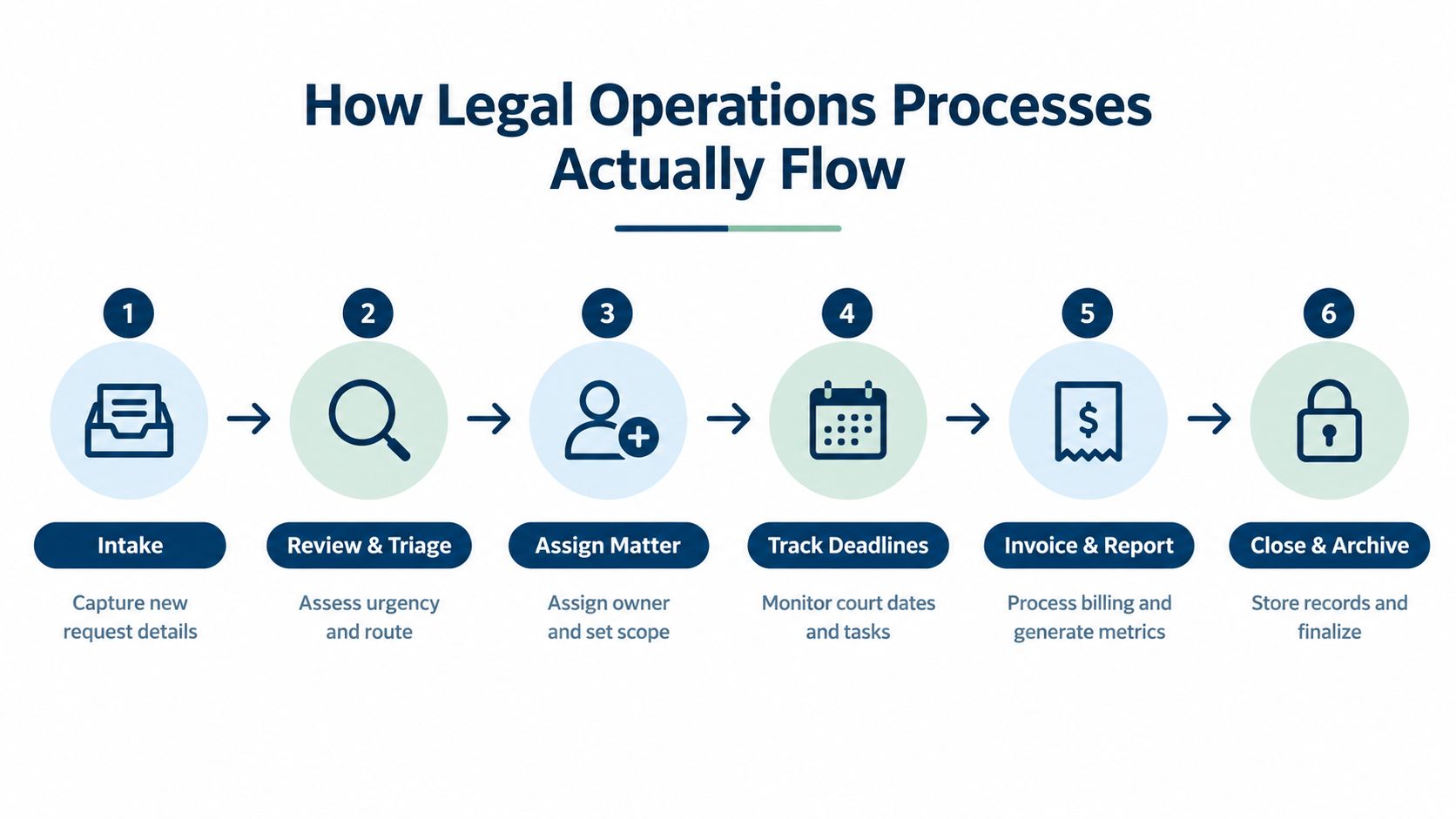
How Legal Operations Processes Actually Flow
Follow one matter from start to finish. That's where weak design shows up. Each step either creates clean data for the next step, or it creates cleanup work.
Intake And Triage
Intake captures the request once. Good intake asks for client, matter type, court, jurisdiction, and requested outcome. It also asks for known dates and supporting documents. Staff shouldn't retype the same facts into three systems.
Triage then decides urgency and routing. A court notice with a near date can't sit in a general queue. A routine status request can. Clear triage rules protect attention. They also stop the loudest request from winning every time.
- Capture once: Use required fields at intake so downstream teams don't chase basics.
- Route by rule: Send work by matter type, jurisdiction, and deadline risk.
- Flag conflicts early: Hold setup when core facts disagree or documents are missing.
Matter Setup And Deadline Calculation
Matter setup turns intake data into a controlled record. Templates help here. A template can create standard tasks and events for a matter type. It can also require fields before staff save the record.
Deadline calculation comes next, but only after validation. A rule engine needs a correct trigger date. It also needs the right court and event type. A wrong trigger creates a polished but wrong deadline. Human review should confirm the source document first.
Automation interest is high, but adoption still decides value. The share planning advanced technology for automation was 73% in the Thomson Reuters Legal Department Operations Index for 2025. Buying a tool doesn't fix a bad trigger. Process design does.
Tracking, Exceptions, And Reporting
Tracking is the daily control loop. Staff monitor tasks, notices, and changed dates. They confirm completions. They escalate incomplete work before the date becomes critical.
Exceptions need their own path. A court notice may move a hearing. A docket entry may conflict with an existing deadline. Staff should log the conflict and assign a reviewer. They shouldn't overwrite the old date without a note. That audit trail protects the team during review.
Reporting then uses the data created upstream. Leaders see open work, overdue tasks, workload, and cycle time. They can act because intake and setup were disciplined. Reports built on free text and private calendars won't hold up. The chain is only as strong as the first field.
The Data Foundation Most Legal Tech Advice Skips
Most legal tech advice starts with buying. That's the wrong starting point. The harder question comes first. Can your firm prove which record is right?

Automation Readiness Is A Proof Test
A firm is ready when it can answer three questions fast. Which system holds the authoritative record? Who changed the deadline or status? Can staff reconstruct the task after the fact? If the answer is unclear, automation will spread the confusion faster.
The data problem is widespread. In a study of 1,000 general counsel and chief legal officers across 21 countries, EY found that 52% reported disorganized data and 41% reported limited access to accurate data, as reported in the EY Law study on barriers to legal department change. The same study found strong interest in technology strategy. Interest isn't the gap. Foundations are.
Practical rule: Don't automate a field you can't define, own, and audit.
Build Governance Before Dashboards
Start with mandatory matter metadata. Define client, matter type, jurisdiction, court, phase, and responsible owner. Use controlled lists for task and event types. Free text feels flexible. It breaks reporting within months.
Next, assign data owners. One role owns matter status definitions. Another role owns deadline event types. Another role reviews data quality. Owners approve changes to fields and values. They also retire values that staff no longer use.
Then define conflict rules. A docket notice may show a new date. A court order may show another. Your rules should state which source wins and who confirms the change. Staff need that answer before pressure hits.
Integrations should follow those decisions. They shouldn't replace them. That's why teams should review how systems exchange matter and financial data, including the Aderant integration, with field ownership in mind. Ask which system creates the record. Ask which system can edit it. Ask where the audit log lives.
The Trade-Off Leaders Must Accept
Tight controls add friction at setup. Staff must complete required fields. Reviewers must confirm material date changes. Some attorneys will push back. They'll ask for speed.
The trade-off is worth it. Loose setup feels fast on day one. It creates slow searches, bad reports, and risky handoffs later. Strong governance moves effort to the front, where it's cheaper and safer. That's the foundation AI and automation need. Without it, new tools just produce faster uncertainty.
A Practical Example Built Around Multi-State Litigation
A litigation team runs active cases across several U.S. states and one Canadian jurisdiction. Shared attorneys, local counsel, and a central docketing group all touch the same matters. Each court applies different rules, and notices arrive in different formats. The operations lead needs one control model that still respects local rules.
One Setup Pattern With Local Rule Logic
The team starts with matter templates by case type. Each template requires court, jurisdiction, responsible attorney, and docket owner before the matter goes active. It also prompts staff for the trigger document. No source attached means no calculated date.
For rules-based calendaring, MatterAlert is one option teams evaluate in this category. Its CalendarRules integration calculates deadlines from trigger dates using more than 2,200 court rule sets, while PACER and UniCourt integrations handle docket monitoring, notices, case information, and document retrieval. Keep those functions distinct in your design. Rule calculation produces candidate dates. Docket monitoring detects changed events. Human review confirms material exceptions.
That separation pays off the first time a notice reports a moved hearing. The system flags the change. A docketing specialist checks the source, updates the controlled deadline, and logs the reason. Attorneys receive a verified change rather than raw noise.
Cost And Capacity Controls In The Same Workflow
Federal docket monitoring has direct cost mechanics. PACER charges $0.10 per page, with a $3.00 maximum for a single document or case-specific report, under the PACER pricing and billing rules. Fees are waived when quarterly account use stays at or below $30. Assign one account owner and review repeated retrieval. I've watched automated polling accumulate real charges in accounts nobody was watching.
Capacity reporting runs beside deadline control. Supervisors review open tasks by owner, court, and due window, which surfaces overload before tasks slip. Bulk reassignment covers departures and office transfers so work doesn't get orphaned.
Escalation rules close the loop. Incomplete tasks move to a backup, then to a supervisor, based on criticality and time left. Staff don't rely on memory. Attorneys don't discover risk at the last hour.
A calendar-only approach fails differently. Calendars display dates. They don't prove trigger sources, govern matter fields, or expose workload and exception history. For multi-state litigation, that gap is operational risk. The stronger model joins templates, rule logic, docket signals, review, and reporting into one chain, and every link depends on the governance decisions made before configuration began.
Performance Measures That Actually Catch Risk Early
A clean dashboard can still hide risk. Leaders need measures that warn early, not just measures that explain failure later. Split your scorecard into leading indicators and lagging indicators.
The Association of Corporate Counsel maturity model evaluates legal operations across 14 functional areas, and its advanced stage measures indicators against baselines, benchmarks, and targets, according to the ACC guidance on metrics and analytics maturity. That framing helps docketing teams too. Counts alone aren't maturity. Targets and denominators matter.
Leading Vs Lagging Indicators For Legal Operations
| Indicator Type | Example Metric | What It Tells You |
|---|---|---|
| Leading | Deadlines with documented trigger sources | Shows if dates can be proven before failure occurs |
| Leading | Tasks assigned within service targets | Shows if intake and triage keep pace with demand |
| Leading | Exceptions resolved before escalation | Shows if reviewers clear conflicts while time remains |
| Lagging | Missed-deadline incidents | Shows confirmed control failure after the fact |
| Lagging | Rework and cycle time | Shows where setup or review created repeat effort |
| Lagging | Matter cost variance | Shows if work stayed within financial expectations |
Use Rates, Not Raw Counts
A low overdue count can mislead. Five overdue tasks mean one thing with a small caseload. They mean another with a large one. Report overdue tasks divided by open tasks. That rate shows control strength. It also lets leaders compare teams fairly.
Apply the same logic to automation. Track matters using approved templates as a share of new matters. Track deadlines with trigger sources as a share of all deadlines. Track alert delivery success and exception resolution time. High automation volume means little if data quality is weak.
Manual calendaring risk makes this measurement urgent, a point explored in the discussion of why manual legal calendaring is a malpractice risk. Measures should prove control, not just activity.
Pick a small set and review it often. Supervisors should see exception age and overdue rates during the week. Leaders should review missed deadlines, rework, and cost variance on a set cadence. When a leading rate slips, act before the lagging result arrives. That's the point of the split. Early signals give you time. Late signals give you explanations.
A Readiness Checklist for Legal Operations Teams
Use this checklist as a working test, not a poster. Run each item against real matters this week. Mark the item failed if staff can't produce evidence fast.
- Matter metadata is mandatory: Open recent matters and check court, jurisdiction, owner, and matter type. Failed records show blanks or free text.
- Deadline sources are documented: Pick upcoming deadlines and trace each one to its trigger document. Failed items rely on memory or email.
- Ownership survives change: Simulate one staff absence and one departure. Confirm backup owners and bulk reassignment work in practice.
- Exceptions have a queue: Review changed court dates from the past month. Each one should show a reviewer, decision, and audit note.
- Escalation rules are explicit: Check incomplete critical tasks. Staff should know when work moves to a backup or supervisor.
- Capacity data drives staffing: Compare open work by owner and due window. Leaders should act on overload before tasks turn overdue.
- Reports use denominators: Review overdue and template-use measures. Rates should replace raw counts in leadership reporting.
- Authoritative systems are named: For each key field, name the controlling system and data owner. Conflicts should have a written rule.
Start with the first failed item. Don't launch a broad redesign at once. Fix one control, test it on live matters, and measure the result. Governance, automation, and capacity improve together when each change produces proof. Small proof beats a large promise.
If your checklist exposed weak trigger sources, scattered matter data, or unclear task ownership, MatterAlert gives your team a centralized platform for rules-based deadlines, matter tasks, docket updates, reminders, and workload reporting. Visit the site to review how those controls fit your courts, integrations, and staffing model, then plan a focused pilot around your highest-risk matters.