

Somewhere in your office there's a date that only one person knows about. It lives in a sticky note, an email thread, or the memory of an assistant who's been out since Thursday.
That's the gap a tickler file system closes. Not by reminding you harder, but by putting the reminder inside the file itself, so the work shows up on the morning it needs to show up.
This is how the system works, how court days get counted, and where a tickler fails even when somebody entered every date correctly.
What a Tickler File System Is For
A tickler file system is a date-driven holding pattern for work that cannot be done yet. The note, card, or folder sits under the day action is due, then resurfaces while there is still time to do the job well.
The idea is older than many lawyers assume. Tickler files trace to early twentieth-century legal-office administration, when firms used date-labeled task cards to prompt trademark renewals, will updates, and motion filings, as the documented history of the tickler file describes. In larger offices one person maintained the file, handed approaching tasks to the lawyers, and wrote follow-up and billing notes on the cards.
What bar guidance still describes
Practice guidance kept the same shape. Bar materials still describe the traditional 31 daily folders plus 12 monthly folders, with today's folder at the front. Each file gets a reminder date. A matter shouldn't sit untickled for long stretches, apart from annual corporate obligations. On a computer, the same guidance points to recurring reminders that fall on business days, because a fixed calendar date can later land on a weekend or holiday.
The purpose was never storage. It was deadline visibility and an accountable handoff. A tickler built as a second filing cabinet quietly stops working, and nobody notices until a date passes.
The weak version treats the date as the whole control. A card marked "renewal" can surface on time and still fail at 8 a.m., because it answers no useful question: which client, which action, who owns it, and where the signed declaration sits.
A working entry ties one hard outside date to earlier owned steps and a check that someone looked. If a step slips, the entry shows who needs a nudge and what proof should already exist. That layered link is the safety, far more than another reminder on the same morning.
The 43 Folder Cycle and Three Linked Dates
The physical build is simple. You need 31 folders labeled for the days of the month and 12 labeled for the months, which is where the 43 folders system gets its name. Each morning you open the folder for today's date. Anything inside gets handled or given a new date. The emptied folder then goes to the back of the daily sequence.
When a monthly folder reaches the front, it stands for that month in the following year. That's why nothing needs a year printed on it. The loop covers the next 31 days plus the next 12 months, so the file itself surfaces work at the right moment. Letter-size or legal-size folders both work, and the same rotation rebuilds easily as a recurring task in a calendar or a docketing platform.
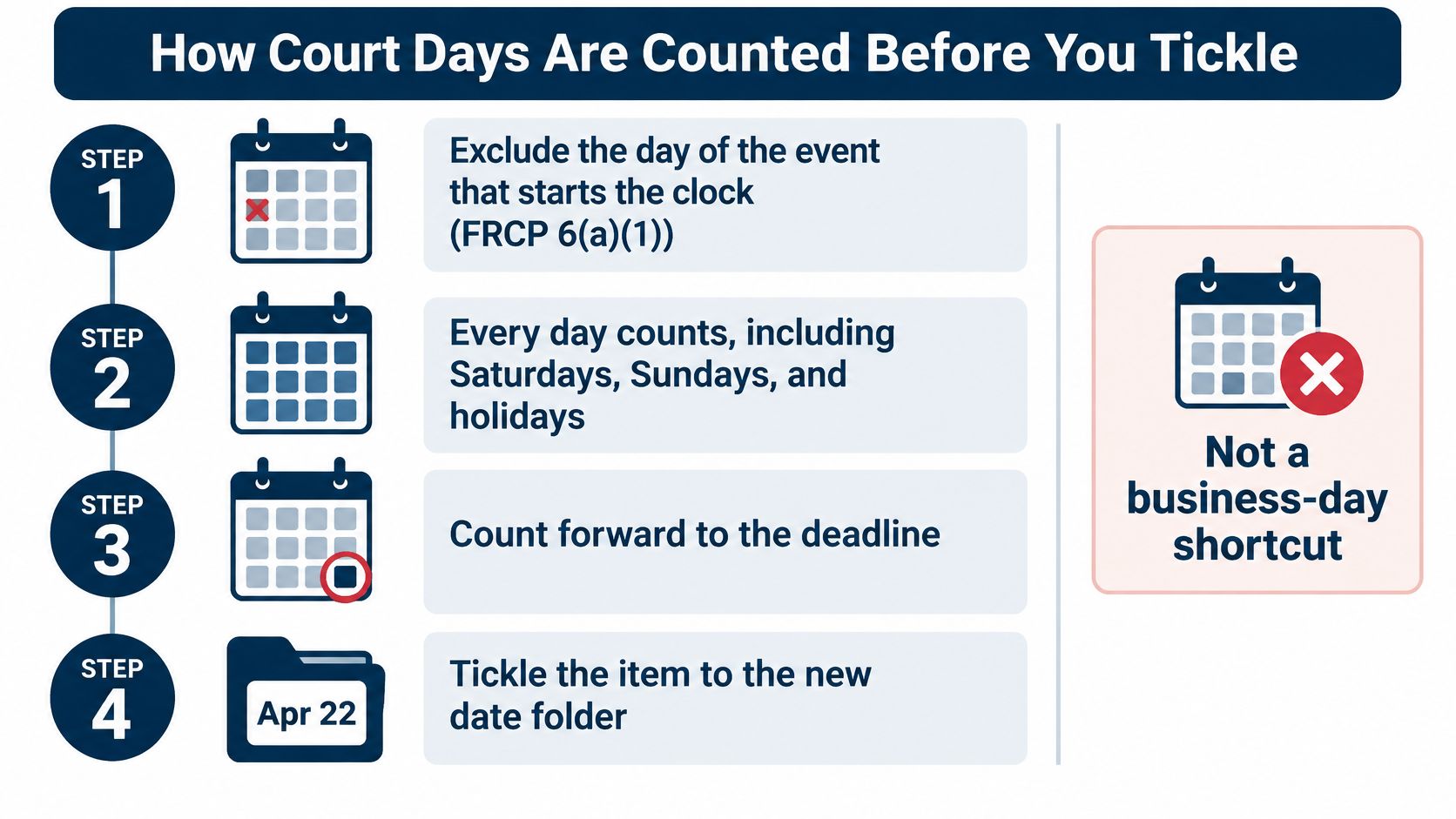
The counting that feeds each folder is a separate skill, and it looks like this.
Now the part the folders don't solve. One date can't carry three different jobs.
Three dates on one matter
Take a complaint served on a Friday. The answer deadline is a court date. Someone has to draft the answer, so there's a work date. Somebody has to confirm both are still true, which needs a review date. Fold all three into one entry and the file looks controlled while nothing is.
| Date type | What it fixes | Who owns it | Can it change | Sample entry |
|---|---|---|---|---|
| Court or legal deadline | Last day a rule allows for filing, appearance, or a limitations period | Docketing, checked by the responsible lawyer | Only if the rule, a holiday adjustment, an extension, or a new order changes it | Answer due on the date produced from the service trigger |
| Tickler or review date | Day a person must pull the file and choose the next action | Named owner, often docketing or an assistant | Yes, when the file is reviewed and re-tickled | 14 days before the answer date, confirm the draft and service method |
| Work completion date | Internal day a task such as drafting should be finished | Timekeeper assigned to the task | Yes, as staffing changes, but never later than the court date | Draft the answer one week before the court deadline |
Reading the rows in order
The court date is the only one fixed by a rule. It moves when the rule, a holiday adjustment, an extension, or a new order moves it, and at no other time. Docketing owns it, which means a named person, not a shared inbox.
The review date belongs to whoever will open the file that morning. It can move as often as you like, as long as each move is a decision and not a reflex. Fourteen days before the answer date is a sensible place, because that's when you still have room to fix a problem.
The work date is internal, and it should feel slightly uncomfortable. Drafting finishes a week before the court deadline, not the night before.
Put the entry in the wrong shape and you get one of two failures.
- Too vague to act on. "Service date" tells the reader nothing at 8 a.m. It records that someone was paying attention for ten seconds in March, and nothing more.
- Specific enough to move work. "30 days after service, review the answer deadline. Owner: Reyes. Source: complaint and proof of service." That names the trigger, the action, the owner, and the document.
Some teams add a fourth line, the escalation date, which is the day a supervisor hears about an open item rather than the day it's due. Without it, an unopened folder has no consequence attached until the deadline has already passed.
Before you read further, pull one live matter and write all three dates on a single line. If the owner column is blank, you've found the gap.
How Court Days Are Counted Before You Tickle
Under Federal Rule of Civil Procedure 6(a)(1), the day of the event that starts the clock is excluded. Every day after it counts, including the Saturdays, Sundays, and legal holidays that fall in the middle of the period. Only the last day gets adjusted, and only when it lands on a weekend or holiday; then the deadline rolls forward to the next day that isn't one.
The counting works like walking a hallway: you skip the doorway you entered through, step on every tile after it, and check only where your final foot lands. Four steps, in one order.
- Drop the trigger day. The day of the event is day zero.
- Count every day after it. Weekends and holidays inside the period all count.
- Test only the last day. Nothing in the middle gets skipped.
- Roll forward if you must. A last day on a weekend or legal holiday moves to the next day that isn't.
Count one period by hand
Say a rule allows 14 days from an order entered on a Friday. The Friday is excluded. Saturday is day one, Sunday is day two, and the count runs straight through both weekends inside the period. Fourteen days later you land on a Friday, a business day, so nothing rolls. The two weekends you crossed were never subtracted.
Shift the entry date by one day, or land the last day on a Monday holiday, and the answer moves to Tuesday. The arithmetic stays the same; only the endpoint check changes the result.
Three inputs have to be right before a date is worth trusting: the trigger, the number of days, and the holiday calendar for that court. A stored date with nothing behind it is a sum with no line items, and six months later nobody can tell whether it was computed or guessed.
Practical rule: keep the trigger and the rule beside the date. A date with no history can't be audited after a rule changes or a file is reassigned.
Where the advance reminders go
The finished date is the anchor, and the reminders hang off it. Critical dates, such as limitation periods and hearings, call for different handling than task dates, such as drafting a pleading. Guidance collected in the ABA's 2025 legal technology coverage recommends at least three advance reminders against a critical deadline: one month, two weeks, and one week before it.
Each reminder should carry an action and leave a record. A tickler that shows who saw the alert and what happened next is proof the file was reviewed; a dismissed popup leaves nothing to check. Set a second reminder inside the action window, and let an item that's still open after it reach a supervisor, because a single alert on the final due date leaves no recovery time.
One last check before anything goes in the file: the unit. If the rule counts court days and your calendar counts calendar days, the two numbers drift apart fast, and the difference between court days and calendar days is the first thing to pin above the desk.
Benefits and Limits of a Paper Tickler
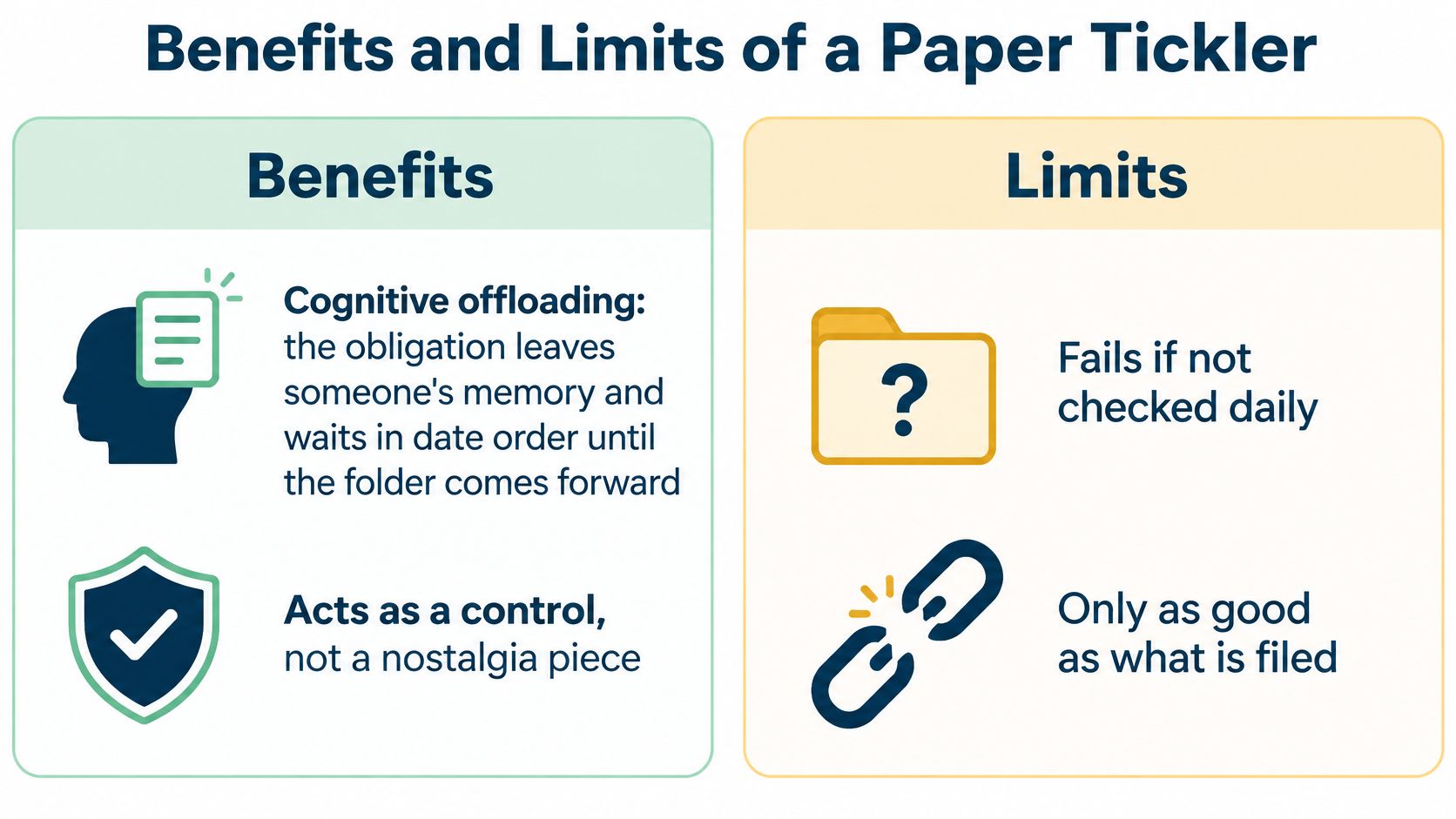
The benefit is cognitive offloading, and it's real. The obligation leaves someone's memory and waits in date order until the folder comes forward. That matters most on the days when three hearings, two client calls, and a discovery response all compete for the same hour.
A cabinet is also cheap, visible, and easy to explain. One custodian can see what's due today without opening a program. New staff learn the routine in an afternoon, and nothing about it depends on a server staying up.
Paper holds one thing well: a single date. What it can't hold is the chain behind that date. A court deadline is fixed, but the work that feeds it is not. Drafting, review, signature, filing. Each step needs its own earlier date and its own owner, and a card in a folder carries only the last one.
Where the paper stops working
The same design creates hard limits, and they show up at the worst moment.
- Only the opener learns. The person who opens the folder is the only one who gets the prompt. If they're out, the file waits, and nothing escalates to a second person.
- The rule lives outside the folder. Holiday calendars aren't inside the paper, and a weekend can get skipped across an entire period by mistake.
- A moved hearing breaks the chain. When a court changes a date, someone has to find every related card and rewrite it by hand. Miss one card and the chain gets split.
- Turnover erases ownership. Ownership sits on a card that nobody inherits, and the new assistant has no reason to look for it.
- There's little proof a reminder was read. A card in a folder shows that someone filed once, not that anyone responded.
- The last-day reminder is still late. A correct alert on the due date is useless for a pleading that needed a week of drafting.
Read that list again and a pattern appears. Every limit is a missing link: no link to a second reviewer, no link to the rule, no link between the moved date and its dependents, no link proving anyone acted. The cabinet stores dates. It never stores the layer underneath them.
Over-reliance is its own risk. Research on time-based prospective memory finds that explicit reminders beat implicit ones, while warning that dependable reminders can reduce the active intention-keeping people do for themselves, as a 2024 study on time-based prospective memory reports. A daily overdue look is the safeguard. The folder isn't.
If you're rebuilding a cabinet, compare hanging folder options before you order. Tab position and rod width change how fast a daily folder travels, and a stiff folder that catches on the rail slows the whole rotation.
If the court date moved this afternoon, could the firm find every dependent tickler before tomorrow morning? If the answer involves walking to a drawer and reading spines, you already know.
Missed Deadlines Even When the Date Was Entered
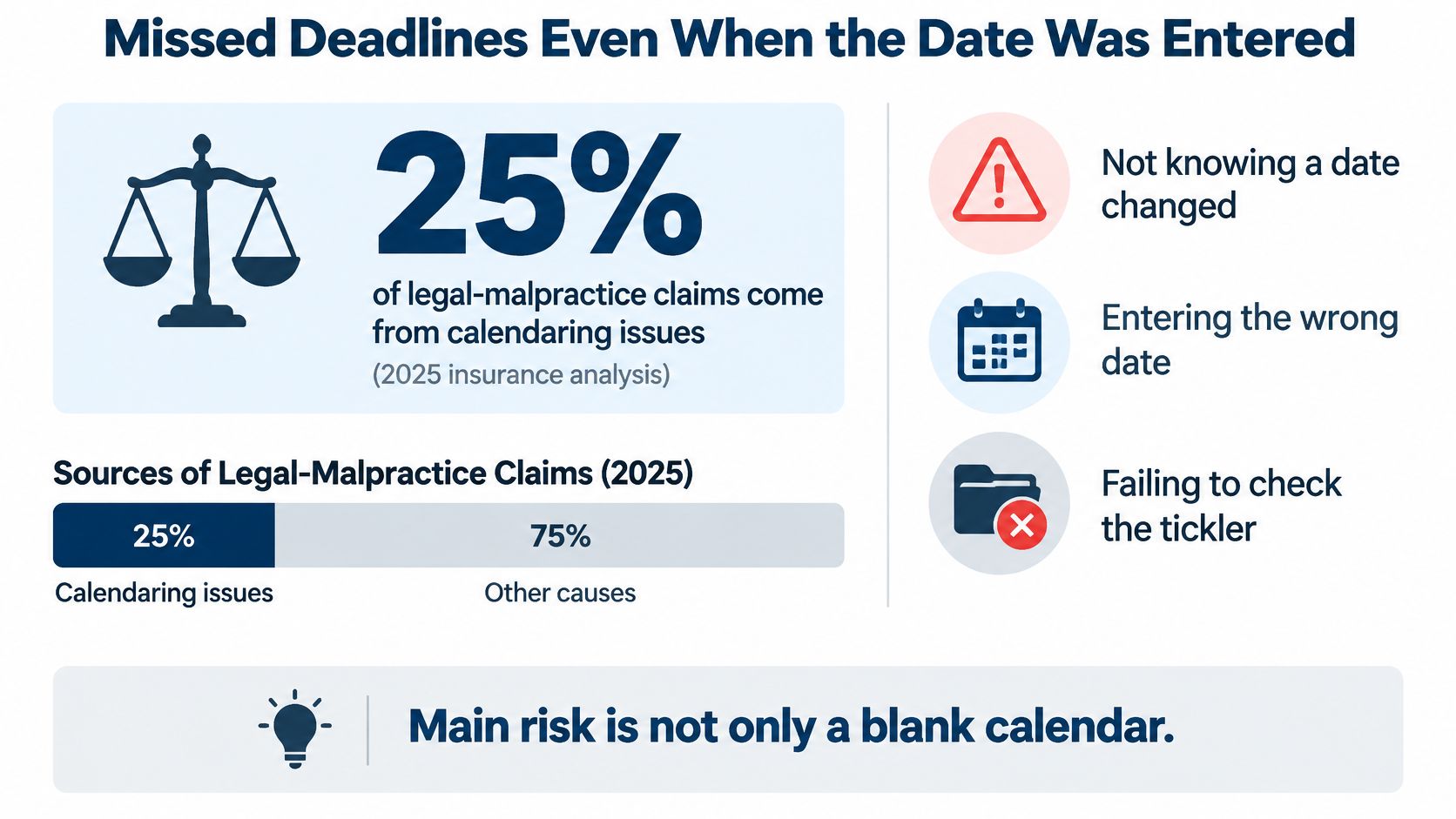
A date sitting correctly on the calendar can still produce a malpractice claim. A 2027 insurance analysis of legal malpractice statistics reports that approximately 25% of legal-malpractice claims arise from calendaring issues, and the listed causes go well beyond a missing entry: not knowing a deadline, failing to file on time, failing to record it, and failing to respond to a calendar reminder.
That last cause is the one that surprises people.
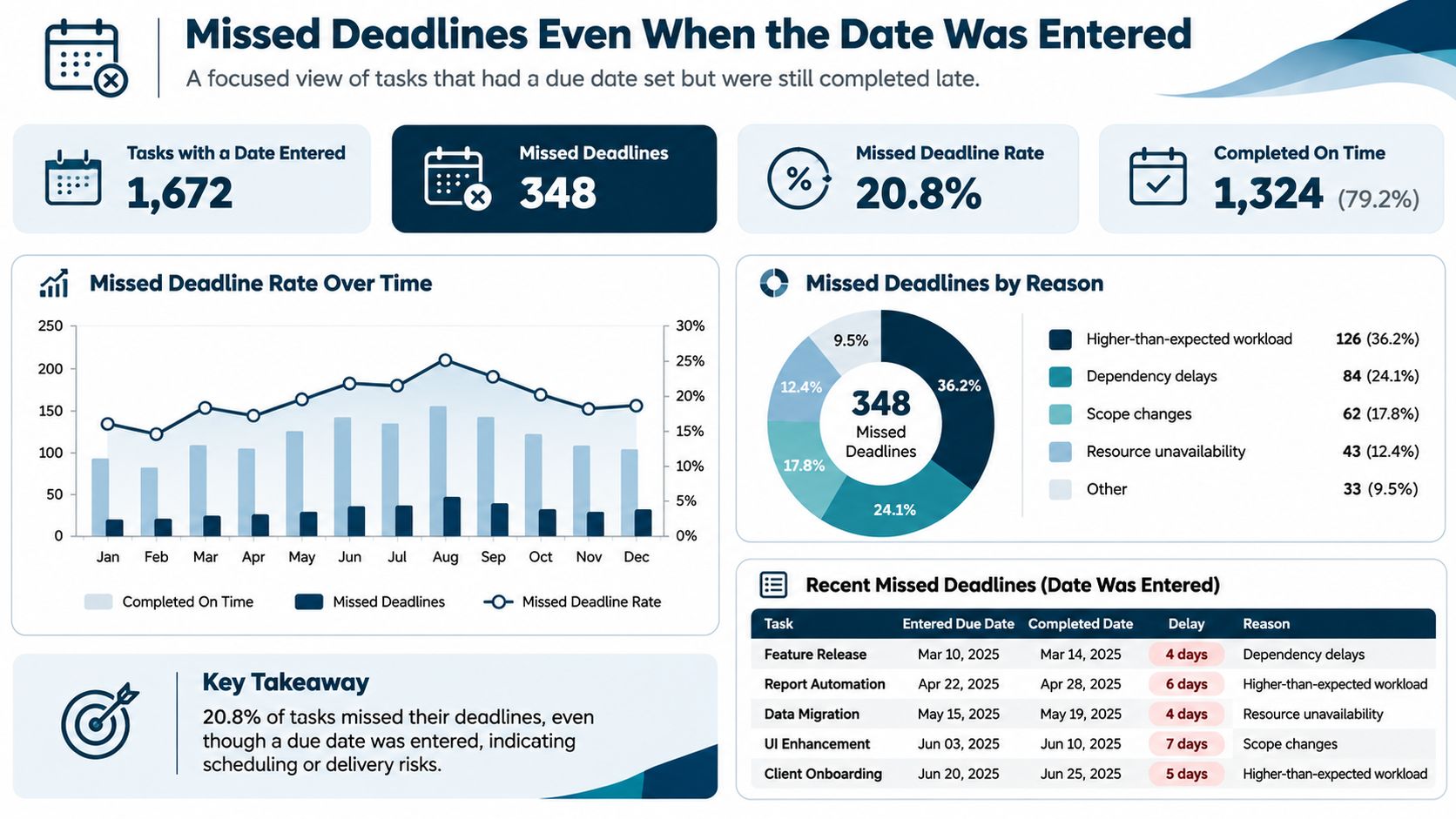
So the failure isn't only entry. It's interpretation, execution, and escalation.
One matter, five breaks
Say a complaint is served on a Friday.
- Interpretation break. Someone tickles the single word "service" and never writes "file the answer."
- Rule break. The period gets counted as business days, so the intermediate weekends drop out of the total.
- Propagation break. A later order moves the hearing, but the change lands on one lawyer's calendar and nobody else's.
- Handoff break. The assistant who drafts the response is a passive invite recipient, copied on the event but owning nothing.
- Evidence break. The task is marked complete when a draft is saved, with no proof of filing or service.
Five breaks, and a correct reminder existed the whole time.
Now repair the same five in order, because the fix is a chain too. Keep the source document with the entry, so the complaint or the order sits beside the date it drove. Record the rule used alongside the result, so anyone recounting the period later can see which rule produced the number. Push a changed court date to every dependent task the moment it changes. Name one owner per task rather than a distribution list. Require filing or service evidence before anything closes.
Each fix adds a layer. The fixed court date sits on top, owned work dates sit underneath, escalation fires when a date passes unmet, and the file holds a record that a person reviewed it.
Two habits finish the job. A daily exception report shows what is overdue or due today without anyone opening a folder. A periodic reconciliation against the court docket catches the date that changed in the case management system and nowhere else.
None of this is solved by adding alerts. More notifications on an unowned task produce noise and a false sense of coverage. Treating manual legal calendaring as a firm's biggest malpractice risk works better as a control question than a software question: who owns each date, who gets told when it slips, and what proves someone looked. A practical deadline management guide helps you build the work backward from a fixed date, but the accountability still has to land on a person.
Digital Tickler Options for Law Firms
Tools don't create controls. They carry them. The right pick depends on how many court rule sets your matters touch and how many people have to hand work to each other.
| Approach | How dates are calculated | How work is handed off | What you can prove later | Fits best |
|---|---|---|---|---|
| Paper 43-folder cycle | By hand from the rule and a holiday list | A folder or card given to a person | A note in the file, if someone wrote it | Low volume, one office, one jurisdiction |
| Shared email calendar | Typed dates, with no rule engine | Invites to attendees | That an invite was sent, not that the rule was right | Small teams with few court rules |
| Rules-based docketing platform | Trigger date plus a court rule set, with weekend and holiday adjustment | Tasks with owners, escalation, and bulk reassignment | Event logs plus the source rule | Litigation across many states or courts |
What each row buys you
The paper cycle still fits a low-volume office in one jurisdiction, provided someone opens it every business day and re-tickles within the firm's review limit. It stops fitting the moment a second state enters the picture.
A shared email calendar is the usual next step for a small team. Dates get typed, invites reach attendees, and you can prove a message went out. What you can't prove is that the date followed the governing rule or that anyone checked a current holiday list.
Rule changes make that gap visible. The 2009 amendments to the Federal Rules of Civil Procedure removed the old distinction that treated short periods differently from long ones, as the Wisconsin State Bar's explanation of the amendment lays out. Intermediate weekends and holidays now count for deadlines stated in days regardless of length, and the only remaining adjustment happens at the end. A date typed under the old rule has no way of announcing that it's stale.
A rules-based platform is the fit when litigation crosses states or court systems. It should hold the trigger, apply a published rule set, adjust the final day, and recalculate when the court changes the trigger. Automated docketing is only as good as those four behaviors.
Questions a demo won't answer on its own
Ask who owns the task when the reminder fires. Ask what happens when it's still open two days later. Then ask the one that hurts: after someone leaves, how does the work move to a new owner without retyping forty dates? Bulk reassignment answers that one, and most products bury it three menus deep.
Proof is the final question. An email trail shows a message was sent. An event log with the source rule shows what the date rested on and who changed it. Keep a human review on high-risk dates such as limitation periods and notices of appeal, because no rule set can read a stipulation.
Coverage matters too. Rule set and docket availability vary by court, and Canadian coverage is often narrower than U.S. coverage, so name your courts before you name a vendor. Firms still running a printed version can get folders labeled and tabbed through Camelot Print & Copy's legal printing services, which costs less than a platform if the actual problem is a labeling problem.
Confirm the Control Before You Trust It
Take one open matter and trace six lines on a single page.
- The trigger. What event started the clock, and on what date.
- The rule. Which rule set governs, and which holiday calendar applies.
- The court deadline. The final day that rule allows.
- The tickler date. The day a named person pulls the file.
- The work date. The internal target for drafting or review.
- The owner. The person whose name appears when the item is late.
If any line is blank, what you have is a reminder list. A single-jurisdiction office with modest volume can pass that trace with a paper cycle and a daily review, as long as somebody also checks the court record. Multi-state litigation usually can't, because the rule set changes with the courthouse.
MatterAlert, from PaayaTech, is a web-based docketing, calendaring, and tickler platform built for the second case. CalendarRules tracks critical trigger dates for courts across North America with more than 2,200 rule sets, calculates deadlines with weekend and holiday adjustments, and updates events automatically when a court changes its rules. That calculation is paired with calendar synchronization, notifications, task escalation, and event-level audit logs, which maps onto the trace above line for line.
Coverage still varies. Docket availability and rule set depth differ by court and jurisdiction, especially in Canada, so confirm your exact courts during a demo rather than after go-live. Before switching anything, reconcile a sample of calculated dates against your current tickler and the court docket. Two matching dates build more confidence than any feature list.
MatterAlert handles the deadline side of that trace, from rule-based date calculation and calendar sync to task escalation and event-level audit logs, so a court date and the work behind it stay linked instead of living in two systems. If your firm manages matters across several states or Canadian jurisdictions, bring three live matters to a demo and run the six-line trace on each. Visit MatterAlert to check rule set and docket coverage for your courts.