

The email lands on a Friday afternoon. A partner needs coverage on a products liability matter while the assigned associate is out, so could we add Priya to the team for a week or two?
You add her. She reads the file, approves a few tasks, and the matter moves on.
Eight months later, someone asks who can open the privileged strategy memo on that case. Priya is still on the list. So is a paralegal who moved to the corporate group in March, and a docketing clerk who covered a single hearing last year. Nobody did anything wrong. Nobody removed anything, either.
That gap between what a role was designed to allow and what a person can open today is where most role based access control example write-ups stop short. They hand you a tidy list of job titles and permissions and call it finished. Day 90 never appears.
What follows is the version I'd use with a litigation team: the matrix, the decision logic behind it, the cleanup after staffing changes, and the evidence an auditor will ask for.
Role Matrix for a Law Firm Matter Team
Copy this table into your matter intake template and adjust it for your practice groups. Six roles cover most of what a litigation team does, and each row answers four questions: which matters the role opens, which documents it reaches, what it does to a calendar, and whether it touches money.
Litigation team role matrix
| Role | Matter access | Document access | Calendar access | Billing access |
|---|---|---|---|---|
| Firm administrator | All matters, user and role management | All documents, audit log review only | Full team calendars | Full billing reports |
| Attorney of record | Assigned matters only | Assigned matter documents, including privileged files | Own and matter events, approves tasks | Own time entries |
| Docketing specialist | Assigned matters, deadline edits only | Court notices and filings, no privileged memos | Creates and modifies court events | No billing access |
| Legal assistant | Matters of the assigned attorney | Drafts for assigned matters | Manages attorney calendar through delegation | Enters delegated time |
| Billing administrator | Matter metadata only | No litigation documents | Read only | Time and invoice records |
| Outside counsel (read only) | One named matter | Shared documents only | Views shared events | No billing access |
A matrix only holds if a matter is a real object with a boundary around it, not a folder on a shared drive. If that boundary is still fuzzy at your firm, what legal matter management covers is worth reading before you map a single permission.
The attorney of record reads everything and changes nothing structural
That row causes the most argument. An attorney of record needs the full file on an assigned matter, privileged memos included, because you can't defend a case you're not allowed to read. What the role shouldn't carry is user and role management. The person who owns the matter risk shouldn't be able to widen the audience for it without anyone noticing. When a platform bundles both into one admin seat, split them, even if it means two accounts for one human being.
The docketing seat edits dates without reading strategy
A docketing specialist creates and modifies court events on assigned matters. That's the job. The role needs court notices and filed documents, because a deadline has to be verified against the order that set it. It doesn't need the strategy memo about how to answer that order. New partners find this row uncomfortable, since the person holding the firm's most expensive failure mode sees less of the file than a first-year associate. That's the point.
Outside counsel gets one door and a key
Read-only access to one named matter. Shared documents only, shared events visible, no billing. Not the firm's document library, not the client list, not the other matters involving the same adverse party. That last exclusion earns its keep when a defense firm represents two defendants in related litigation and the second client's file would reveal the first client's strategy.
Test a row with one question
Does this row give the person enough access to do the job and nothing more? If yes, the row is right. If not, change the column, not your instinct.
New staff are where matrices fail without notice. A paralegal joins mid-matter, the work is urgent, someone adds the person to the team, and nobody revisits the row. Role-specific welcome messaging for teams helps at that exact moment, because it tells a new hire what their role opens and what it deliberately leaves closed.
How Role Based Access Control Decides Access
A building keycard opens the floors your job needs. It doesn't open every door in the building, and getting through the lobby doesn't get you into the server room.
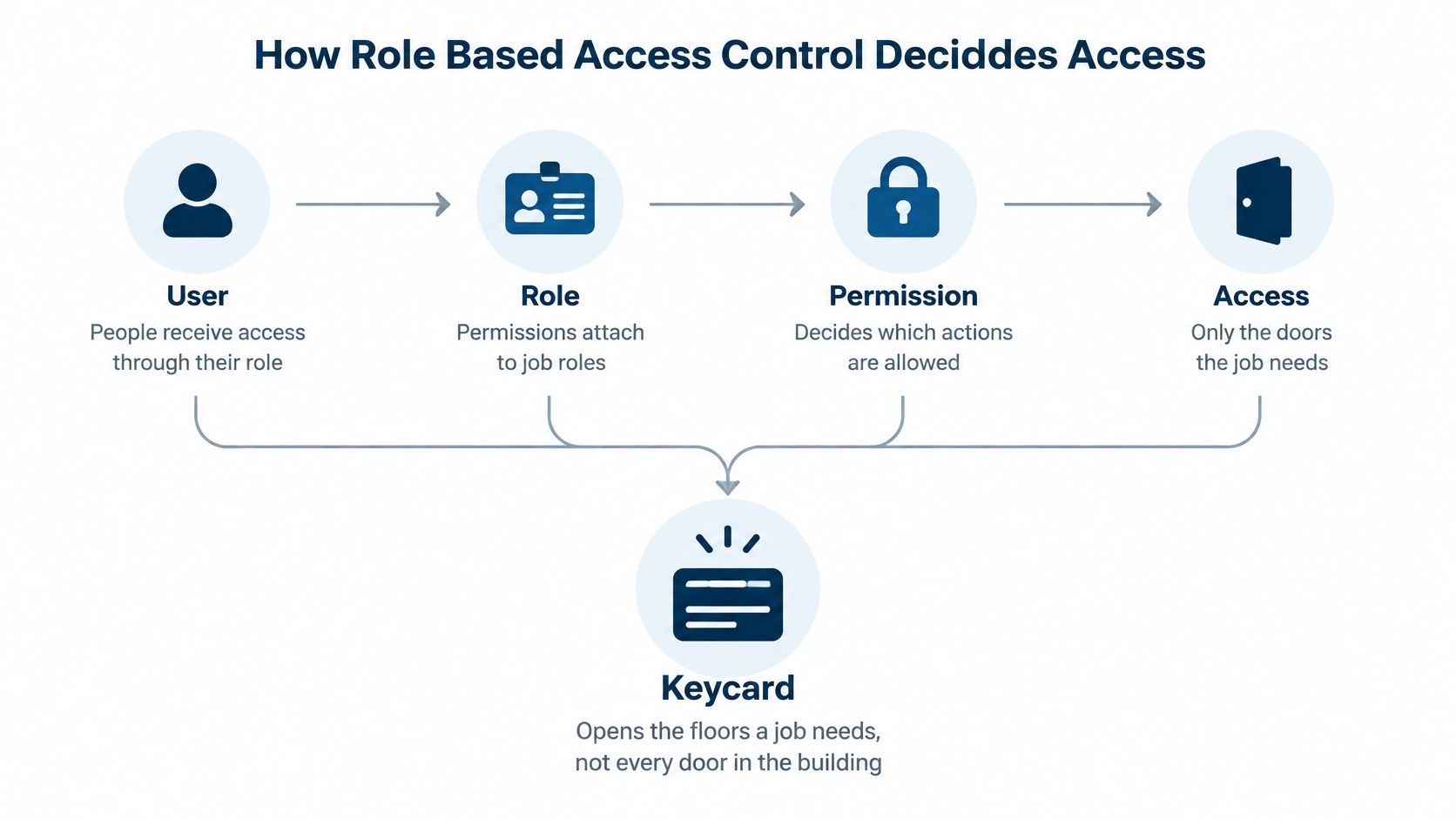
That's the whole idea. Permissions attach to job roles, and people receive roles. Law firms put unusual pressure on it, because a dozen people touch the same matter in the same week and every one of them needs a different slice of it.
The model under the keycard
David Ferraiolo and Rick Kuhn published the general purpose model in 1992, with permissions flowing through assigned roles instead of individual grants. The NIST role-based access control project describes the three rules that came with it: role assignment, role authorization, and transaction authorization. Role hierarchies and separation of duty arrived alongside them, and separation of duty is the piece that stops one person from both preparing and approving a sensitive action.
That research became a standard. ANSI and INCITS adopted it as ANSI/INCITS 359-2004 on February 11, 2004, a milestone NIST's 20th anniversary appraisal traces from the 1992 paper through RBAC96 and the 2000 unified proposal. Useful context when a vendor calls their permission scheme proprietary. You're configuring a mature standard.
Adoption is broad. A 2025 survey published by Permit.io found that 94.7% of more than 200 surveyed engineers had used role-based access control at some point (Permit.io state of authorization report). Odds are good the tool your firm already runs has the machinery and a badly mapped role list.
Six checks run on every request
- Identity. Single sign-on confirms who is asking.
- Role membership. The user holds the role being claimed.
- Activation. That role is active for this session.
- Transaction permission. The specific action, edit deadline or download document, sits inside the role's permission set.
- Constraints. Separation of duty and ethical walls get applied.
- Audit. The decision, allow or deny, lands in the log.
NIST treats the middle three as separate rules rather than one gate. A subject can execute a transaction only after selecting or being assigned a role, the active role must be authorized for that subject, and the transaction must be authorized through the role's memberships, subject to applicable constraints, per the NIST RBAC FAQ. Their blunt version is worth memorizing. Authentication proves identity, while authorization decides whether the role may perform the requested operation.
Login is step one. It isn't the staircase.
Where the check stops
Say a legal assistant with the calendar coordinator role tries to edit a court deadline on a matter behind an ethical wall. Steps one through four pass. She is who she says she is, she holds the role, the role is active, and the role can edit deadlines. Step five stops it, because the wall removed this user from this matter. Step six writes the denial with a timestamp.
Inheritance complicates step four more than people expect. A senior role that inherits from a general role inherits every permission someone bolted onto that general role last year, including the one added for a project that ended. Auditing inherited role permissions explains how to trace the chain before you trust it.
Check the log before the settings. When a user says access is wrong, the audit entry names the check that failed. Changing the role first and asking questions later is how a firm ends up with duplicate fixes and a role nobody trusts.
Restricting Matters, Documents and Calendars by Role
Least privilege reads as an abstract principle until you watch a docketing clerk scroll past a settlement memo she has no business seeing. Restriction shows up on three surfaces, and those three create most of the arguments.

The ethical wall is a configuration, not a promise
Say a lateral associate joins from the firm representing the adverse party in an open matter. The wall goes up the week the offer is signed, not the morning she starts. Anyone not on the approved list gets blocked before reaching the matter. A wall that only hides the matter from a menu is a suggestion, so test it the way an angry client would: sign in as the conflicted user, type the matter URL, and watch what happens.
Documents follow the matter, not the person
A privileged strategy memo is visible to the attorney of record and the litigation partner. The docketing specialist sees the court notice PDF that starts the clock and never the memo about the response. The billing administrator sees neither, and still needs time and invoice records.
That split matches the way NIST defines least privilege, as giving a user no more privilege than necessary to perform the job. Its implementation guidance has three parts: identify the user's job, determine the minimum privilege set required, and restrict the user to that domain and nothing more (NIST least privilege guidance).
Document permissions sit on top of matter permissions. A platform that honors workspace access but ignores document access leaves the memo one search away, which is why law document management software has to enforce both layers instead of one.
Calendar delegation stops at the calendar
A legal assistant manages the attorney's calendar through delegation. She creates events, moves meetings, assigns tasks, and enters time on the attorney's behalf. She doesn't approve that time and she doesn't change matter billing settings. Delegation is a grant to act on someone else's calendar, not a promotion. Get this wrong and the assistant becomes the de facto approver of the hours she just entered.
Apply the three-part test to one seat
Run the rule against the docketing clerk and the answers get specific. Identify the job: keep the court calendar accurate. Minimum permission set: create and revise deadline events, read the filings that set those deadlines. Everything else stays off, including billing exports, security role changes, and the restricted matter's document set.
Write each permission next to the business purpose it serves. A reviewer in October can then test whether the purpose still exists, instead of guessing why the permission was ever granted.
A permission with no stated business purpose is a permission nobody will ever agree to remove.
Keeping Permissions Clean When Staff Change
The tidy examples stop before the interesting part. RBAC is additive. Hand someone a second role for two weeks of coverage and their effective access becomes the union of both roles, not a swap. The first role doesn't fade on its own.
A billing coordinator picks up approval duty while a colleague is on leave. Six months later she can both prepare and approve the same write-off. No individual grant looked unreasonable when it was made. The combination is the problem, and no single approval step catches it.
That's the pattern the Oloid analysis of why RBAC fails puts plainly. Assignment gets all the attention, governance gets none, and stale permissions survive reorganizations because nobody owns the removal step.
Assignment is not governance
Assignment is the act of granting. Governance is everything that makes the granting reversible: a named owner for each role, a review rhythm, an expiry date on every temporary grant, and an approval record that names who asked and who agreed.
| Staff change | Access action | Evidence to keep |
|---|---|---|
| Attorney leaves a matter | Reassign events and tasks to a new owner, then remove the old role | Dated reassignment log with approver name |
| Assistant covers for a colleague | Add a time-limited role with an end date | Approval record and expiry date |
| Conflict found after staffing | Add an ethical wall and block the new user before access | Wall setup record and blocked-access audit entries |
| Matter closes | Remove team roles and keep read-only access only where needed | Closing checklist and access review sign-off |
| Quarterly review | Compare each active role with the current job list | Signed review report with removed roles listed |
What an auditor actually asks
How do you prove access was removed? Not that it was meant to be removed. A dated reassignment log, an expiry record on the temporary role, and a signed quarterly review answer the question. A verbal assurance doesn't, and neither does a screenshot of a role screen with no timestamp on it.
Run every active role against the current job list once a quarter. Quarterly beats annual for a boring reason: someone who changed practice groups in February still shows access in December under an annual cycle, and that's four months of exposure your review process agreed to.
Review cadence: quarterly for roles that touch privileged material, annual for read-only seats. One frequency for everything is how reviews quietly stop happening.
Testing Role Permissions Before Go-Live
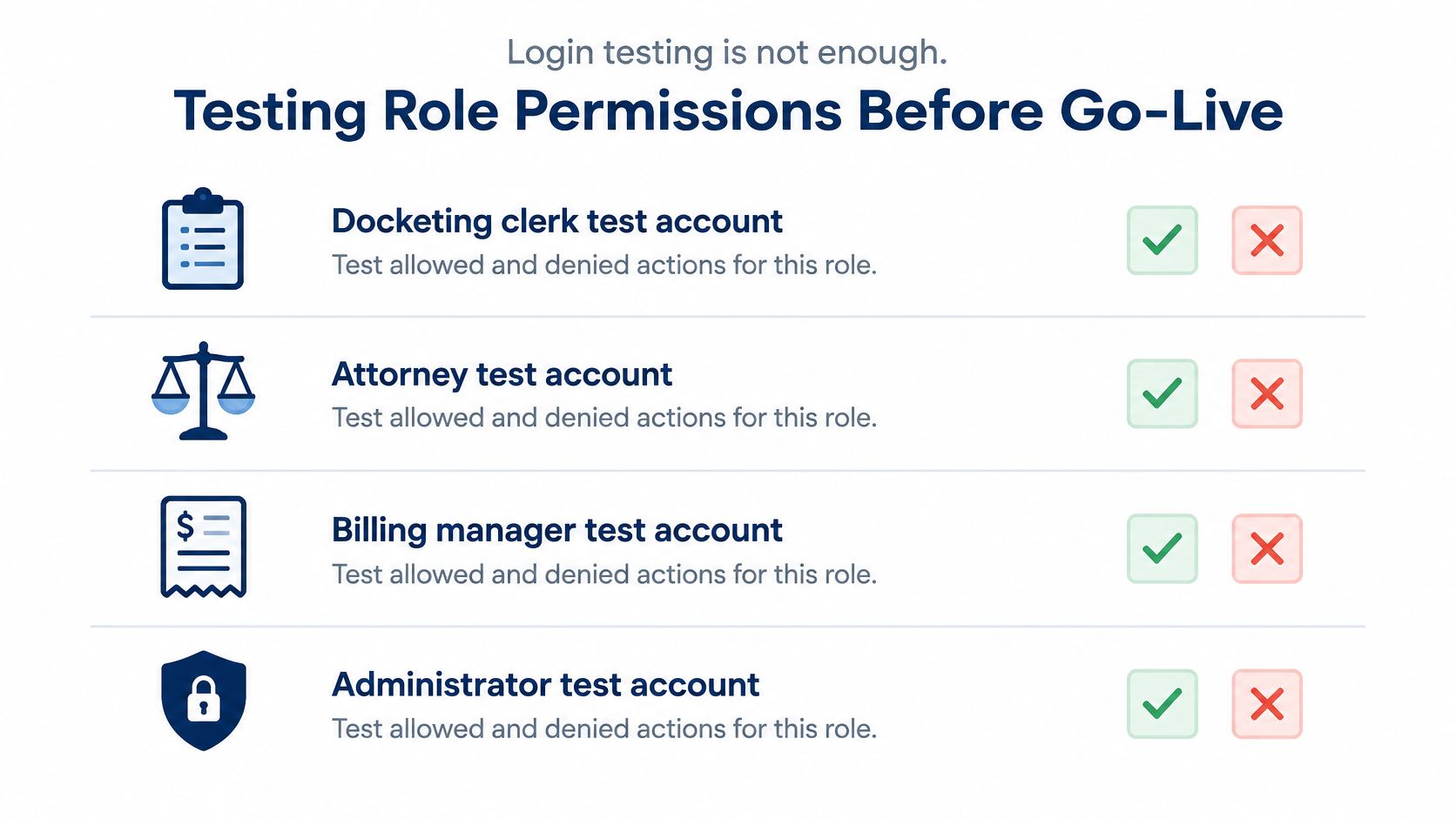
A login test proves the account works. It says nothing about what the account can reach.
Build the matrix before you test
Create four separate test accounts: a docketing clerk, an attorney of record, a billing manager, and a firm administrator. Decide in advance what each one should be allowed and denied. The OWASP Web Security Testing Guide recommends checking whether each role can bypass the authorization scheme to reach reserved functions or resources, and OWASP applies least privilege to users, roles, and resources (OWASP authorization cheat sheet).
Expected results for role tests
| Action | Docketing specialist | Attorney of record | Billing administrator | Firm administrator |
|---|---|---|---|---|
| Open restricted matter (not assigned) | Deny | Deny | Deny | Allow |
| Download privileged document | Deny | Allow on assigned matter | Deny | Deny |
| Edit court deadline | Allow | Allow | Deny | Allow |
| Change task owner | Deny | Allow on own matter | Deny | Allow |
| Export time records | Deny | Deny | Allow | Allow |
| Change another user's role | Deny | Deny | Deny | Allow |
Denial has to survive a direct URL
Hiding a menu item proves nothing about the server. Try each denied action three ways: the direct URL, an altered request parameter, and an API call. A docketing clerk who can't see the export button but can hit the export endpoint hasn't been restricted. She's been inconvenienced.
Reuse the matrix every quarter
- Run allowed and denied cases. Both matter. A test suite that only checks what people can do misses the failures that cost money.
- Retest after every role change. A new permission on a general role flows down the hierarchy to people you never intended to touch.
- Keep the output. Store pass and fail results in the same evidence folder as your other security and access control documentation, so each review starts from a tested baseline.
Confirm Your Role Map Before Rollout
Five steps, in order, and none of them require a consultant.
- List five to seven roles. Start from the matrix above and delete what your firm doesn't use. More roles means more places for a stale grant to hide.
- Write each permission beside its business reason. If nobody can name the reason, the permission goes.
- Run the denied-action tests. Deny is the case that gets skipped and the case that matters.
- Confirm a conflicted user is blocked before the matter loads. Blocking must happen at load time to prevent exposure.
- Confirm bulk reassignment moves tasks and events. When an attorney leaves, the work has to move and the audit log has to record it.
Run those checks on a live matter you already manage, not on a demo file. A demo is configured by someone who wants it to pass. Your own matter carries the ethical wall, the closed file, and the departed attorney's tasks still attached to an inactive account. That's where a permission gap shows up.
Those are the controls we build for. Our ethical walls auto-restrict new matters to approved users and honor workspace-level and document-level permissions alongside role-based access. When an attorney departs, a docketing manager reassigns every event, appointment and task across one or many matters in a few clicks, and the changes sync to subscriber calendars. The platform is SOC 2 compliant with single sign-on through Microsoft 365.
Take the matrix above as your first draft. The first revision is always wrong in the same place: somebody's temporary role never expired.
MatterAlert keeps roles, ethical walls, court deadlines, tasks, and matter documents in one record, so a role change moves access and an audit entry proves it happened. If your current setup can't tell you who opened a privileged document last month, that's the gap worth closing before the next matter transfer. Visit MatterAlert to see how the access controls work, and ask for the permission test to run on a live matter you already manage.