
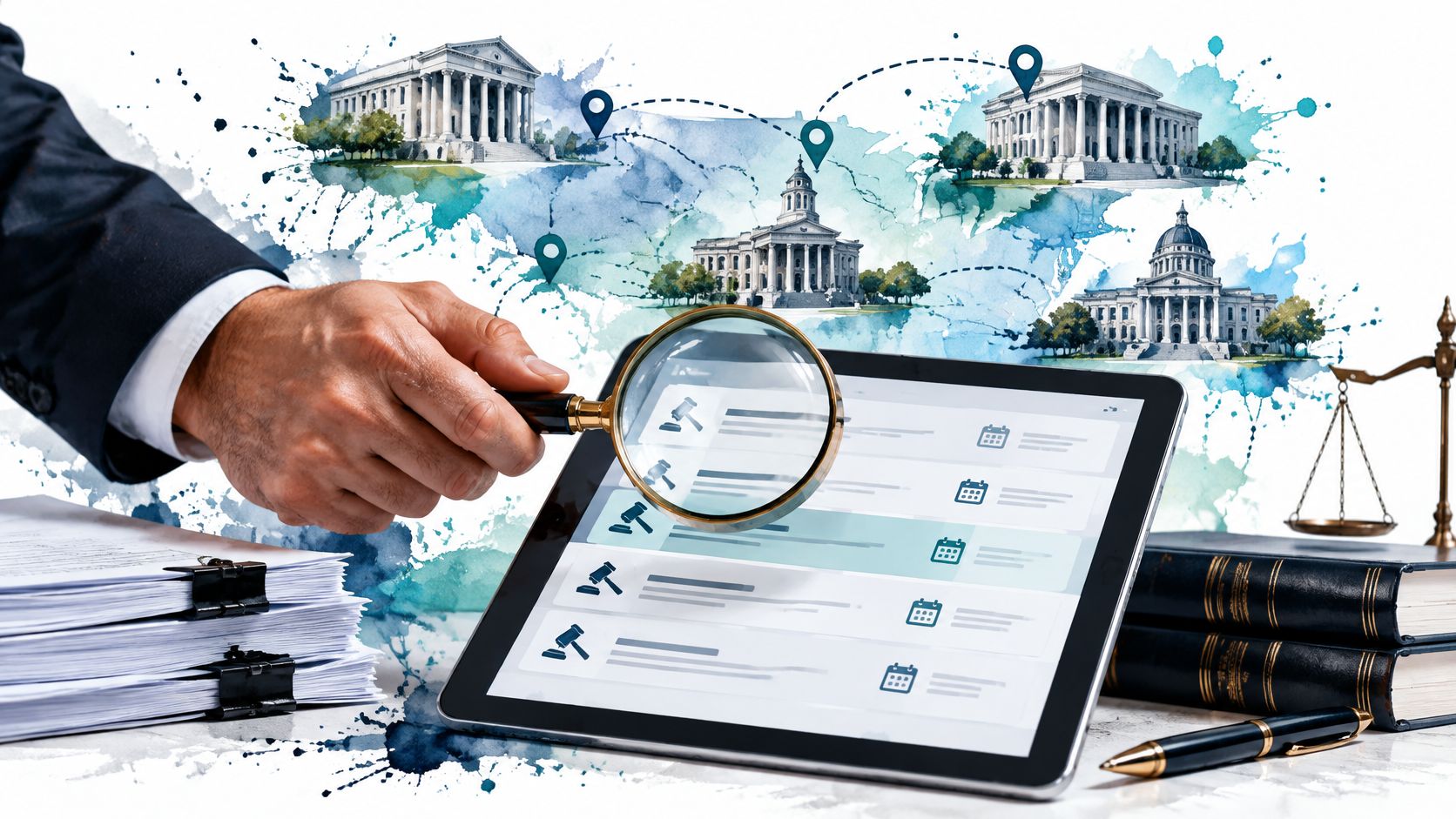
You've got a party name, a possible court, and an attorney asking whether anything new has been filed. The search returns nothing. Before you mark the matter clear, you need to know whether you searched the right system, what that system covers, and whether the record is available remotely. A useful legal docket search produces more than a result. It produces a traceable answer, with its limits and retrieval costs attached.
What Legal Docket Search Covers and Why It Matters
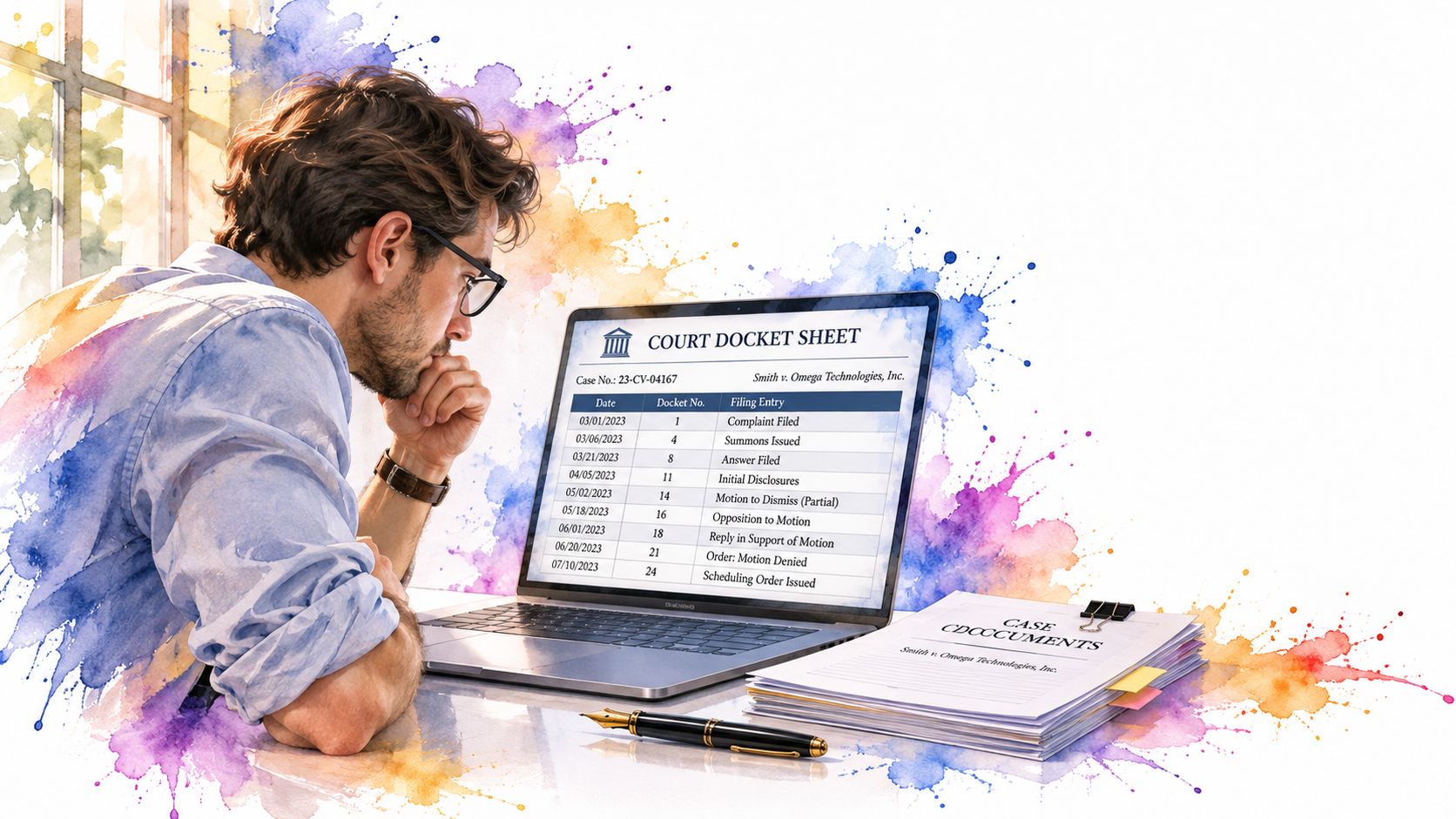
Legal docket search means finding a court case, its docket sheet, and available filed documents through an electronic index. The docket is the running record of the case, with filings, orders, and notices recorded in date order. Think of it as a ship's logbook. Your search opens that log to the right page.
Say an attorney asks whether opposing counsel filed a motion. Finding the case establishes where to look. Reading the docket identifies the filing. Opening the motion establishes what counsel requested. Those are different tasks, and stopping at the case listing won't answer all of them.
The federal Judiciary's PACER overview dates the system's establishment to 1988 and reports access to more than 1 billion documents across more than 200 federal courts. Court staff, lawyers, government workers, journalists, and members of the public use this infrastructure.
Match the record to the question
Federal access is only part of the picture. State and provincial courts operate separate systems with their own access rules. Military proceedings also call for a distinct search path. Military Justice Guide's court martial record guide for veterans is a useful starting resource when that's the record you need.
Before searching, identify:
- The court: Confirm the jurisdiction and court level.
- The identifiers: Collect the case number and party-name variants.
- The record type: Decide whether an index listing, docket sheet, filing, or authenticated copy will answer the question.
That preparation prevents a common mistake: finding the right party but retrieving the wrong kind of evidence.
PACER Access Levels, Fees and Cost Controls
| Access level | What you get | Typical cost |
|---|---|---|
| Index or case search | Case number and court for a matching case | Billed per result page, including a minimum charge for no matches |
| Docket sheet | Entries for one case in date order | Standard page-based access charge |
| Filed document | Full text of one filing | Page-based charge, subject to the document cap and exceptions |
| Notice link | One free copy of a document filed electronically in your case | Free for litigants through the eligible notice |
| Courthouse viewing | Records retained at the court | Free viewing; printing carries a page charge |
| Clerk-assisted search | Staff search when the case number is unknown | Court's hourly search fee |
| Certified copy | Authenticated copy for formal use | Court's certification and copying fee schedule |
Under PACER's pricing policy, access generally costs $0.10 per page, a single document is capped at $3.00, equivalent to 30 pages, and an empty search incurs at least a one-page charge. The cap doesn't apply to name searches, non-case-specific reports, or transcripts.
These are access charges, not merely download charges. Opening results repeatedly can create expense even when nobody saves a filing.
Retrieve in stages
Start with the nationwide index. Normalize party names, use a known case number when available, and narrow the court and date scope. Don't begin with a common surname across every available court unless you have no better identifier.
Next, open the matching case's docket sheet. Confirm the parties and case identity before retrieving documents. Then download the filings tied to material events, such as an order changing a hearing or a motion requiring a response.
For an integrated workflow, the PACER integration overview provides a reference point for connecting federal record access with matter operations.
Use free access deliberately
The U.S. Courts' case-access guidance confirms that courthouse viewing is free, public-terminal printing costs $0.10 per page, and registered users receive quarterly bills. Allocate charges to the matter when access occurs, rather than trying to reconstruct them from an individual user's bill.
Eligible notice links offer a free copy, but they aren't an unlimited archive. The District of Connecticut's electronic-filing procedures describe the notice-based access workflow and its limits. Save the document into the authorized matter repository promptly.
Cost control: Save the exact search, timestamp, court scope, result-page count, and retrieved document identifiers. A charge without its search context is difficult to audit.
Don't avoid a material order just to reduce retrieval fees. A docket description may identify the event without revealing the terms that change counsel's next action.
Why an Empty Search Result Is Not a Clean Answer
No result doesn't establish that no case exists. It establishes that a particular query returned nothing within a particular system's available records. Treating those statements as interchangeable creates risk in conflicts checks, diligence, and deadline management.
The electronic public-access fee schedule and access provisions identify limitations involving some pre-2003 bankruptcy documents, criminal filings before November 1, 2004, and certain Social Security and immigration materials. Public records also redact sensitive identifiers, including Social Security numbers, financial-account numbers, minors' names, birth dates, and home addresses in criminal cases.
A document can therefore exist without being publicly retrievable in the form your search expects. PACER's sealed-document guidance confirms that the public can't find sealed documents, including sealed indictments.
Assign a state, not just a result
| Record state | What it means | Next step |
|---|---|---|
| Found | Docket entry or document located in the index | Confirm the court and the last-update date |
| Searched, no match | Query ran and returned nothing | Retry with name variants and the case number before closing the search |
| Inaccessible | Record exists but cannot be viewed remotely, such as a sealed or courthouse-only record | Check the court rules and request clerk confirmation |
| Pending retrieval | Filing was noticed but the document is not yet pulled | Retrieve it and log the page charge |
| Manually verified | Clerk or court staff confirmed the status | Only now convert the filing into a deadline, after checking the governing rule |
Found still requires an identity check. Similar party names can lead a reviewer into an unrelated matter. Confirm the court, case number, and record currency before relying on it.
Searched, no match calls for a better query, not an immediate clearance. Try punctuation changes, former entity names, and the case number. Keep the original query so another reviewer can understand the search boundary.
For Inaccessible, follow the court's lawful access process. Clerk confirmation may establish the public status or proper request route; it doesn't authorize disclosure of sealed material. Pending retrieval needs an owner and a follow-up date.
State searches need their own coverage checks. Historical availability can turn on when a court adopted its case-management system. Some liens may also fall outside a public case search because of recording procedures. Ask what the particular system includes rather than assuming electronic access means a complete historical record.
Record the state beside the result. Require clerk confirmation before treating a missing record as a clean negative, and preserve any limits the clerk identifies.
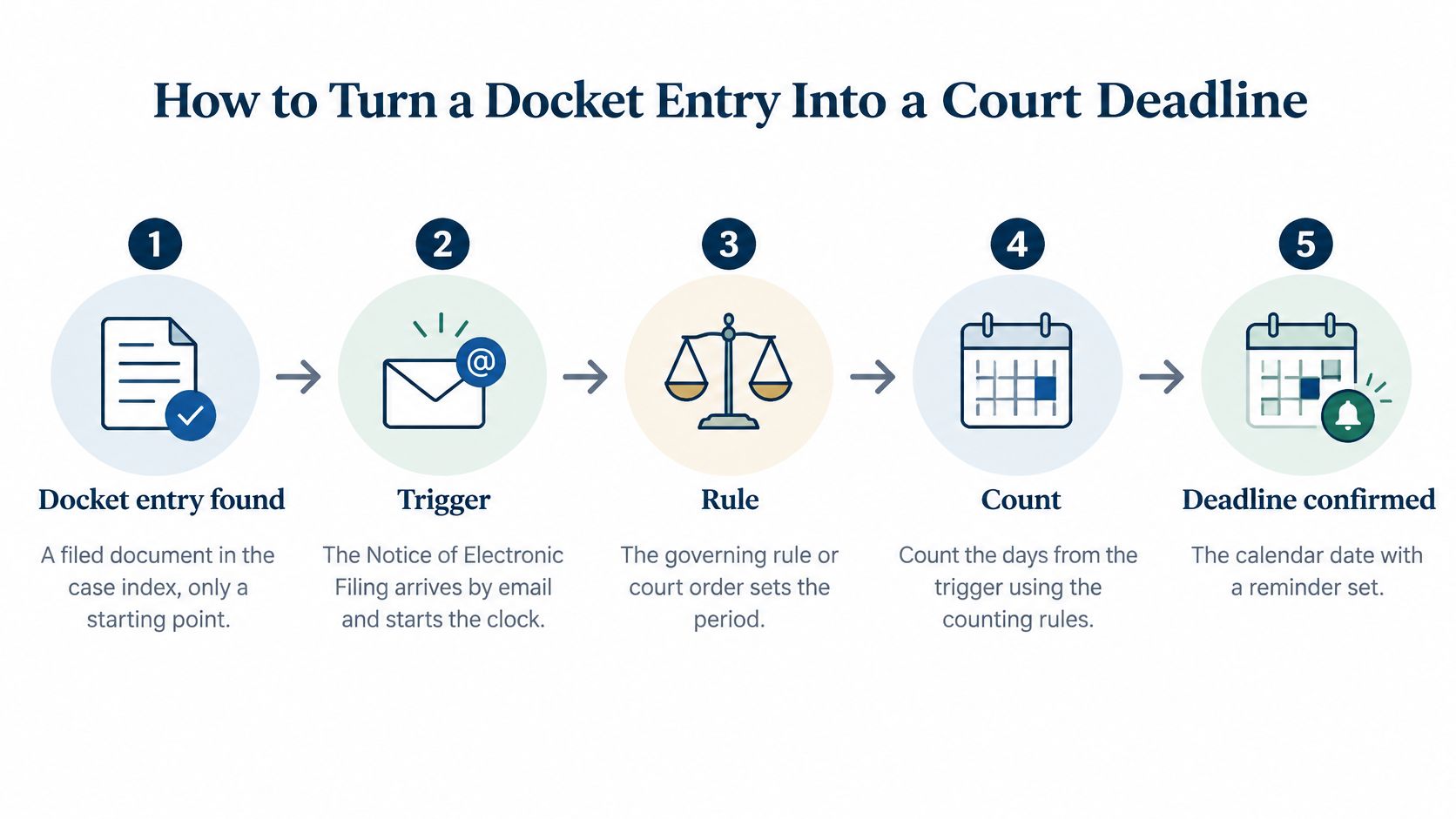
How to Turn a Docket Entry Into a Court Deadline
A found filing is a starting point. A dependable deadline needs a trigger, a governing rule, and a verified calculation. An email timestamp alone doesn't establish all of them.
The U.S. Courts' CM/ECF guidance explains that a Notice of Electronic Filing goes by email to the filer and registered case participants immediately after electronic filing, with links to the document and docket sheet. Check what the notice records, then read the underlying filing.
Verify the rule version before counting
The Northern District of Illinois's archived Rule 6 page illustrates exclusion of the trigger day, adjustment of a weekend or holiday endpoint, and clerk-office inaccessibility provisions. It also contains the historical rule excluding intermediate weekends and holidays for periods shorter than 11 days. Don't use that archived threshold as a current federal counting instruction. Verify the operative rule text before calendaring.
Use this review sequence:
Confirm the triggering event. Require a filing marked Found and then Manually verified under the team's verification protocol. Distinguish filing, entry, service, and receipt; the governing rule determines which event matters.
Identify the governing authority. Check the applicable federal or provincial rule, local rule, statute, and case-specific order. Record the rule version and the provision used.
Check the starting-day treatment. Exclude the trigger day when the applicable rule requires it. Preserve the trigger date separately so a reviewer can reproduce the calculation.
Count using the prescribed method. Don't substitute business days for calendar days. The court days versus calendar days guide helps teams keep that distinction explicit.
Review the endpoint. Apply the governing weekend and legal-holiday adjustment. Check the relevant court's holiday calendar rather than the firm's office calendar.
Inspect any short-period exception. Don't apply an old counting convention because a saved worksheet includes it. Confirm whether the operative authority excludes any intermediate days.
Check filing-office inaccessibility. Determine whether the applicable rule supplies relief and what conditions it requires. An office closure shouldn't produce an improvised extension.
Have a person approve the result before calendar release. Save the source filing, rule basis, calculation, reviewer, and any unresolved qualification.
For a hypothetical response period ending on Sunday, a governing next-business-day rule would move the endpoint to Monday only if Monday isn't a legal holiday. The adjustment follows the rule, not habit.
Appeals need their own document checks. The Law Office of Bryan Fagan, PLLC's Rule 32.1 docketing statement guide offers context for that appellate filing, but the controlling court's requirements must determine the deadline.
Multistate Docket Monitoring in Practice
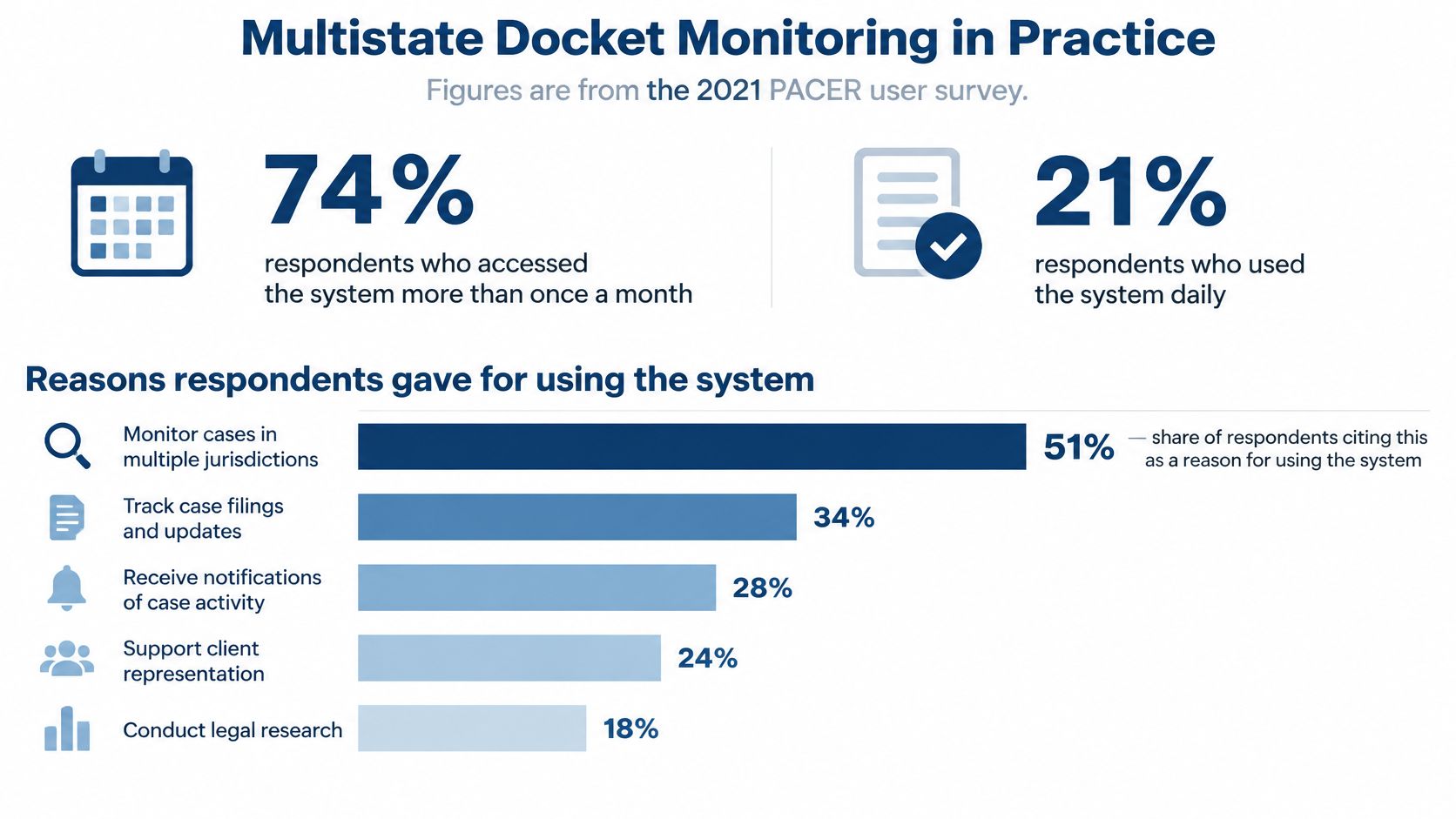
In the 2021 PACER user survey, 74 percent of respondents accessed the system more than once a month and 21 percent used it daily, according to the federal Judiciary's PACER report. The report also records respondents' reasons for access: 51 percent followed a case, 44 percent searched within a court, and 31 percent searched across courts.
During fiscal year 2020, the same report records nearly 523 million requests and more than 3.4 million registered accounts, with only about 20 percent active in a typical year. These measures describe different reporting periods and groups. Together, they show why teams should distinguish occasional research from ongoing monitoring.
Build a court map around the matters
Say a firm manages a federal matter, a state trial-court matter, and another state matter in a different jurisdiction. Don't give all of them the same search instructions.
| Example matter | Court and system to record | Monitoring instruction |
|---|---|---|
| Federal litigation | Exact federal court, PACER case record, participant notice route | Review notices and set a backup docket check |
| State litigation | Exact state and county court, official case portal | Check the portal on a matter-specific schedule |
| Other-state litigation | Exact court, its public system, clerk contact route | Confirm coverage and set a separate review schedule |
Each matter record needs a named owner, check frequency, last-checked date, and next review date. Set the frequency around procedural exposure. An approaching hearing calls for a different review schedule than a dormant historical matter.
State matters require separate instructions because portal history, document access, and update practices aren't interchangeable. A central operations team should maintain those instructions as part of its legal operations management workflow, rather than leaving them in an assistant's private notes.
For screening work, VolunteerBadge's VolunteerBadge guide to volunteer screening provides context for county-level criminal-record searches. Keep that purpose separate from litigation monitoring, and define the authorized scope before anyone starts collecting records.
A shared court map is more useful than a shared assumption that every portal works like PACER.
For registered live matters, route filing notices into an owned review queue. For other matters, assign a re-search date and record completion. A quiet inbox isn't proof that someone checked the docket.
Build a Search Log and Confirm Your First Deadline
Select the priority matters. Start with the five matters nearest a live deadline. Give each a search owner and a reviewing attorney or docketing specialist.
Run the staged search and save the record state. Keep the actual predicates, not just a note that someone checked PACER or a state portal.
Approve the trigger before calendaring. Release a deadline only after the filing reaches Manually verified and the governing-rule review is complete. Keep a provisional date visibly separate from an approved date.
Review page charges by matter at month end. Investigate repeated docket-sheet openings, broad queries, and duplicate document retrieval before changing the monitoring schedule.
Schedule unresolved clerk checks. Assign a follow-up for matters marked Inaccessible or Searched, no match. Don't leave those states in an unowned exception list.
Keep enough detail to reproduce the answer
Create the log before the next search. Capture court, case number, party-name variants, search date, record state, last-update date, page charges, and clerk-confirmation status. Add the search owner, query scope, retrieved document identifiers, and the location of the saved record.
Clerk confirmation should include what was confirmed and what remained unavailable. A bare checkmark can conceal an important distinction between confirming a case's existence and verifying the contents of an order.
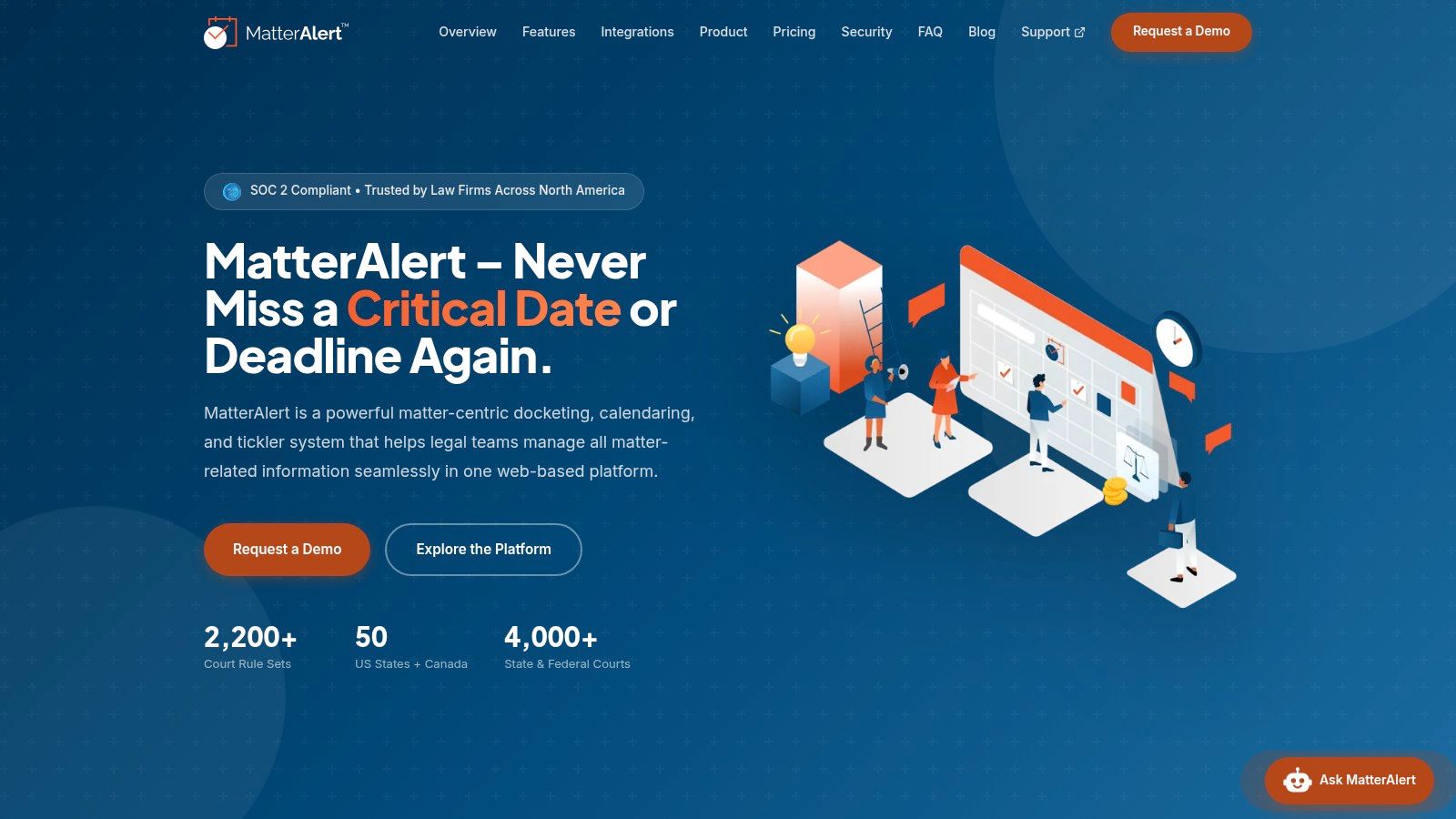
MatterAlert retrieves court notices automatically, sends email alerts on new dockets, and allows document downloads through live-docket integrations with PACER and UniCourt.
The team still owns the search scope, exception handling, and approval. An alert shortens discovery time; it doesn't decide whether service triggered a response or whether a particular order changed the calculation.
This week, run the checklist on one live matter. Reproduce its latest search, resolve its record state, and have a second person confirm the next deadline from the underlying filing.
MatterAlert connects docket monitoring with court notices, document retrieval, and calendaring, and automatically adjusts dates when limitation periods or court dates change, including weekend and holiday handling. Visit MatterAlert to explore how these functions can support your team's search log, filing review, and deadline-confirmation workflow.