

You open your inbox to three deadline notices, a hearing that moved, and an attorney asking who owns a response date nobody can find. That's not an admin problem. It's a control problem, and it's exactly where a case manager legal role earns its keep. Done well, the job keeps dates defensible, owners visible, and attorneys free to make legal calls instead of hunting calendars.
What a Legal Case Manager Does Each Day
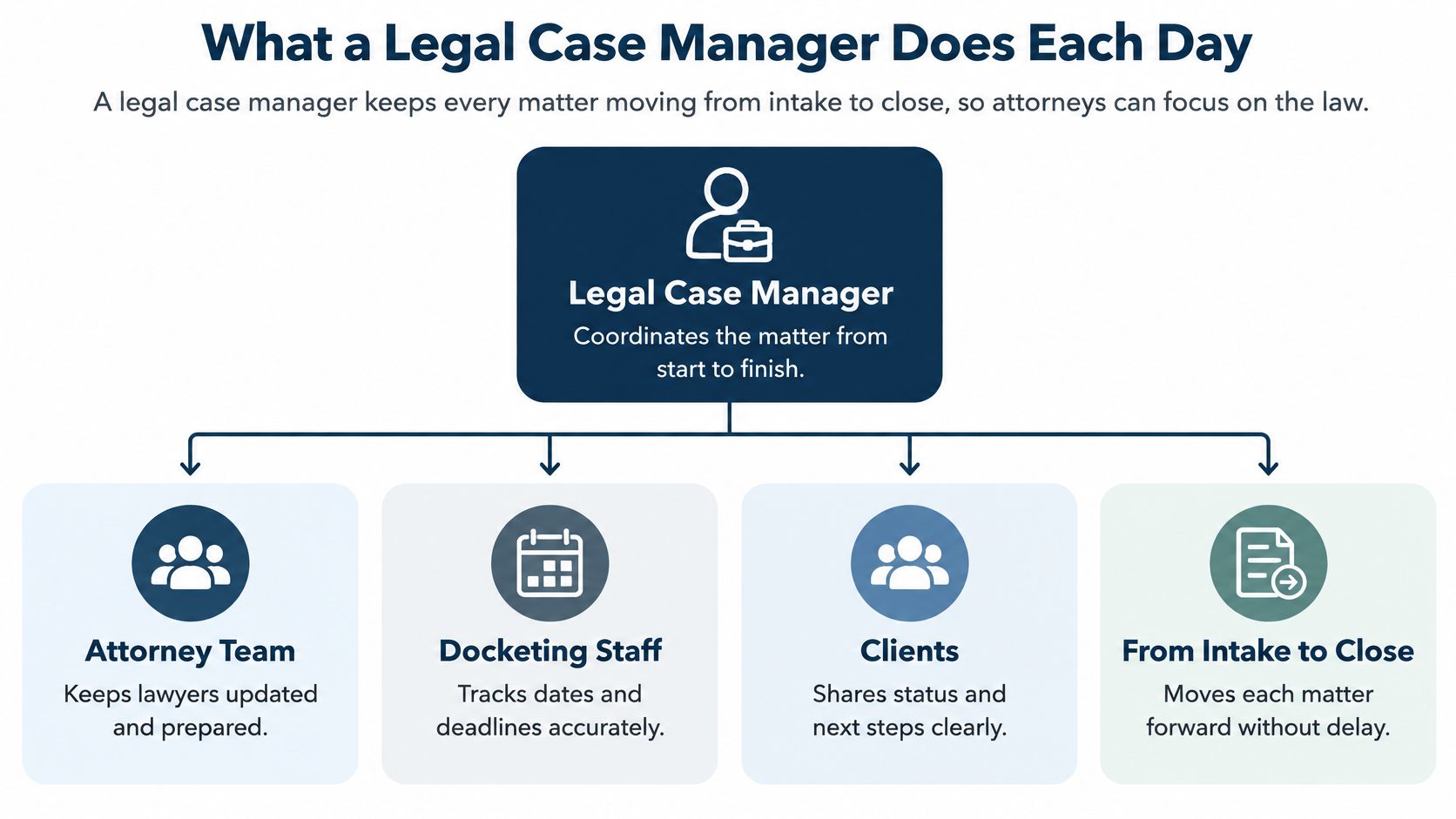
A legal case manager keeps every matter moving from intake to close, so attorneys can focus on the law. The role sits between the attorney team, docketing staff, and the firm's records or IT group. That middle position matters. The case manager doesn't decide strategy, but they make sure nobody misses the step that strategy depends on.
Large firms usually split this work. A case manager coordinates the matter, a docketing specialist guards court dates, and a legal assistant handles calendars and documents. Smaller firms often hand all three jobs to one person, which works until two urgent filings land on the same afternoon. The risk isn't effort. It's unclear ownership.
Duties by Area and Frequency
Frequency shapes the job more than job titles do. Deadline checks and docket monitoring can't wait for a weekly tidy up, because courts don't send notices on your schedule. Time review and workload reporting run on a slower cycle, but they reveal overload before it turns into a missed date.
| Area | Typical tasks | Frequency |
|---|---|---|
| Calendaring and deadlines | Enter trigger dates, confirm rule-based due dates, set reminders | Daily |
| Docket monitoring | Check new filings, notices and orders in federal and state dockets | Daily |
| Matter opening | Set up parties, jurisdiction, templates and starter tasks | At intake |
| Document management | File pleadings, exhibits and correspondence in the correct matter | Daily |
| Attorney calendars | Schedule hearings, depositions and client meetings; manage delegated access | Daily |
| Time capture | Confirm billable, non-billable and pro bono entries against tasks | Weekly |
| Reporting and staffing | Track open tasks, overdue items and workload by attorney | Weekly to monthly |
Workload pressure isn't easing. In 2023, 43% of legal departments reported bringing more legal work in-house, while 29% increased their number of in-house attorneys, according to Thomson Reuters. That doesn't prove case manager hiring is rising. It does mean more matters can land on the same coordination team.
Quick self-check: List the seven areas above for your firm. Put a name beside each one and mark any area with no named owner. That blank is your first risk.
An unowned area doesn't stay quiet. It shows up later as a stale docket check, a document filed to the wrong matter, or a time entry nobody can tie to a task. I would fix ownership before buying anything new. Software can't assign accountability that the firm hasn't named.
Core Skills That Separate Strong Case Managers
Rule reading comes first. A case manager who accepts a computed date without checking the governing court rule hasn't built a calendar. They've built a guess with formatting. Strong case managers can point to the rule, the trigger event, and the counting method behind every critical date.
Attention to detail shows up at intake, where small errors multiply. Party names, case numbers, court divisions, and time zones all look minor until a notice goes to the wrong place or a hearing lands an hour off. Catching those details early prevents weeks of quiet correction work.
What the Skills Look Like in Practice
| Skill | What it looks like on the job | Warning sign |
|---|---|---|
| Rule reading | Checks each computed date against the governing court rule | Dates accepted without a source check |
| Attention to detail | Verifies party names, case numbers and time zones at intake | Repeated data entry errors |
| Written communication | Sends clear status notes and deadline alerts to attorneys | Attorneys learn key dates from opposing counsel |
| Systems fluency | Uses calendars, document systems and dashboards without help | Key dates kept in personal spreadsheets |
| Confidentiality judgment | Applies ethical walls and access limits correctly | Open access to matters that need restriction |
| Time management | Balances urgent filings with routine intake | Overdue tasks rise week over week |
Written communication needs to be short and dated. An attorney should learn the date, the owner, and the next action in seconds, without opening three attachments. Vague updates like "still pending" create work because someone has to ask what pending means.
Systems fluency means working inside the firm's calendars, document system, and dashboards instead of building side spreadsheets. Private trackers feel faster. But they hide dates from backups and break the moment their owner is sick. Training access is uneven here. The ABA's 2024 Technology and Training TechReport found 67% of respondents had some form of technology training available at their firms, so roughly one-third had none, while availability reached 96% in firms with 100 or more attorneys and 86% in firms with 10–49 attorneys.
Confidentiality judgment covers ethical walls, access limits, and privileged files. A skilled case manager asks who should see a matter before granting access, not after someone complains. That habit prevents conflicts problems that are painful to unwind.
Most of these skills grow on the job. A candidate with careful rule reading and weaker systems skills can close that gap with structured training, and I'd ask what formal training they've received. Two interview questions reveal a lot. How did you check your last calculated date, and how did you handle a matter that changed hands? Weak answers stay general. Strong answers name a rule source, a backup person, and a written note.
How to Calculate and Control Court Deadlines
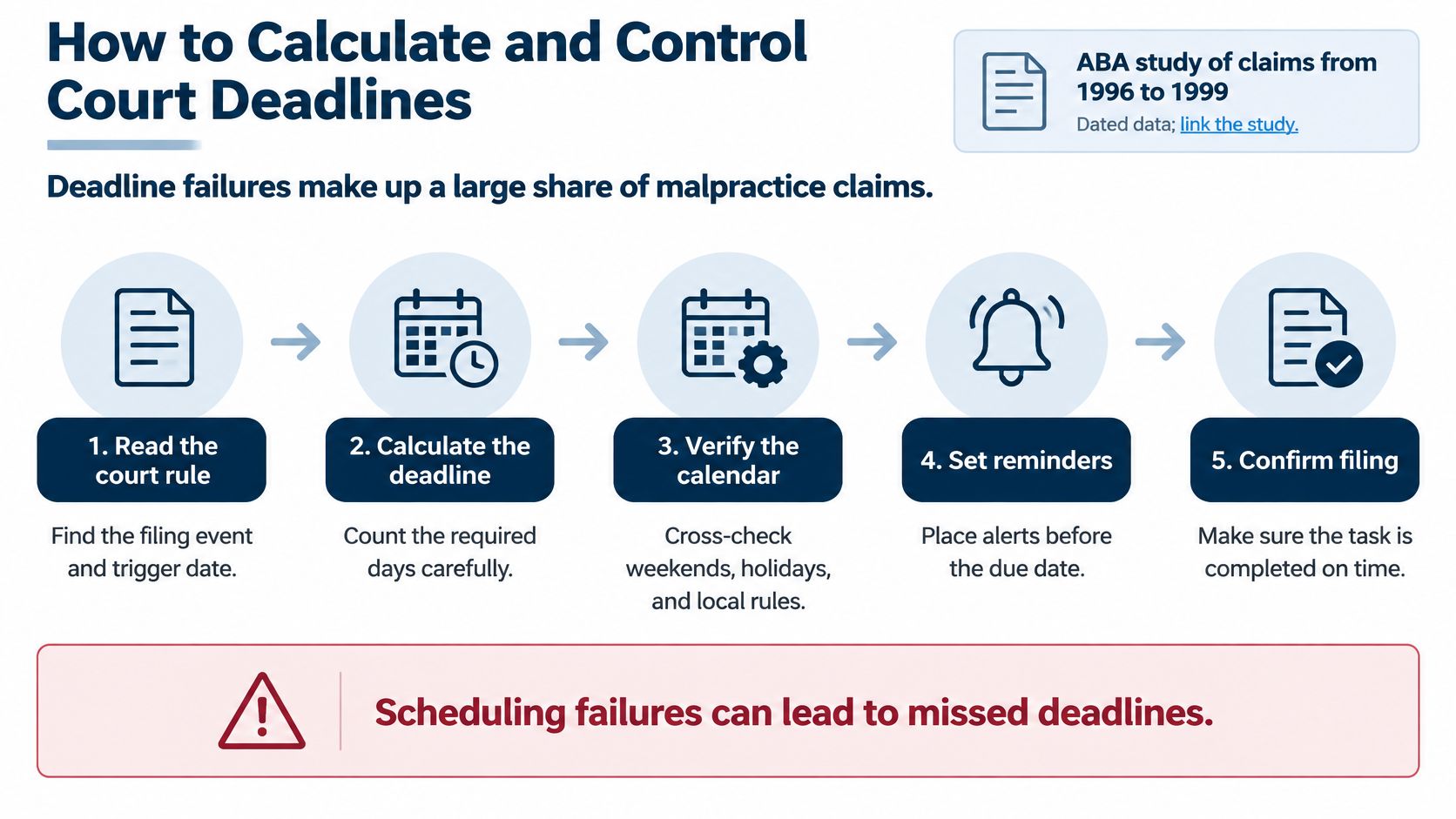
A filing date can be missed even when it appears on the calendar. Deadline failures contribute to malpractice claims, and a calendar entry alone does not control the risk. The control process must address three separate points: calculating the right date, assigning responsibility, and confirming the work is completed.
The Eight-Step Control Sequence
- Record the trigger date from the source document. Use the service date, filing date, or order date shown on the document. Do not count from the day someone forwarded an email unless that is the governing trigger.
- Identify the rule for the court and case type. Federal, state, and local rules may count differently on the same facts. A rule from a similar matter in another jurisdiction may not apply.
- Calculate the due date and apply the correct weekend and holiday adjustments. Use the court's applicable calendar rather than a generic one. Confirm whether the rule counts court days or calendar days with this guide to court days versus calendar days.
- Check the result against the governing rule or court source. Sample-check calculations and record the reason for any manual override. An unexplained date change leaves the next person unable to follow the calculation.
- Assign a named owner and backup. Keep both assignments visible on the matter. Review them when responsibility changes so a departed employee does not remain listed as the owner.
- Set reminders before the due date. A schedule such as 14, 7, and 2 days out leaves time for drafting, review, and filing. A reminder on the due date alone gives little room to respond.
- Escalate unfinished work at a defined checkpoint. If a task remains incomplete, route it to the supervising attorney rather than relying on someone to remember to follow up.
- Keep a record of date changes and task status. Capture who created or changed the date, the old and new values, and when the task was acknowledged or completed. That record makes the calculation and subsequent handling traceable.
A correct date is only one part of control. The matter record should preserve the trigger, calculation, assigned owner, and any override. If the date is questioned, the record shows how the team reached it and what happened next.
Who Decides What When Working With Attorneys
Attorneys own legal judgment. Case managers own the process around it. That line sounds simple, but daily work blurs it fast, especially when an attorney says "just handle the date" and means three different things. The clean pattern is a handoff. The case manager flags and calculates a date, the attorney confirms it, and the case manager records that confirmation in the matter.
Decision and Execution Split for Shared Tasks
| Task | Attorney decides | Case manager does |
|---|---|---|
| Deadline calculation | Reviews key dates and deadline risk | Calculates dates and checks them against the rule |
| Filing and strategy | Decides what to file and when | Prepares drafts, tracks sign-off and files |
| Calendar entries | Approves hearings and depositions | Enters events and confirms sync |
| Date notices to clients | Approves the wording | Sends routine notices and logs them |
| Time entries | Reviews and approves billable time | Captures entries and sends reminders |
| Staff reassignment | Agrees on the new owner | Moves open tasks and updates events |
| Conflict and access checks | Confirms parties and restrictions | Runs checks and records the results |
Three habits keep that split working. First, hold a short weekly calendar review with each attorney, focused only on upcoming dates and unconfirmed items. Second, keep one shared task list per matter so deadline calculation, filing prep, and client notices don't scatter across inboxes. Third, write handoff notes when a case changes hands, covering open tasks rather than just recent activity.
Delegation needs the same clarity. Many attorneys let assistants manage their calendars and time entries, so the case manager must know exactly which permissions each attorney has granted. "She usually handles that" isn't a permission. Write it down per attorney, and revisit it when staff change.
Disagreements happen. When an attorney and a case manager read a date differently, the attorney decides the legal position. But the case manager documents the rule source, both readings, and the risk of the chosen date. That record protects everyone, including the attorney, if the court later disagrees.
Reassignment is where sloppy handoffs hurt most. When an attorney leaves, the transfer must cover every open task and event, not only active matters with near dates. Dormant matters still hold ticklers, renewal dates, and client promises. I would run an open-items report by departing attorney before their last day, not after.
A Federal Deadline From Service to Closed Task
Here's a hypothetical that shows the controls working in sequence. Say a complaint is served on your client in a federal district court on a Tuesday. Nothing about the facts is unusual, which is the point. Most deadline losses come from ordinary matters handled on busy days.
The docketing specialist logs the service date at intake, straight from the proof of service. The case manager confirms the response period under the applicable federal rule and checks whether any local rule changes the count. Then they apply the weekend adjustment, because the raw count lands on a Saturday.

From Entry to Extension
The adjusted due date goes into the matter with a named owner and a backup. Reminders sit ahead of the date, and the responsible attorney confirms the calculation in writing. The task now exists in three places that agree: the matter record, the owner's task list, and the attorney's calendar.
A week later, opposing counsel emails about a stipulated extension. The attorney agrees in principle and forwards the thread. The case manager doesn't move the date yet. Instead, they check the docket for an entered order, because an email agreement isn't a court order.
No order appears. The case manager updates nothing, notes the pending stipulation in the matter, and tells the attorney the original date still controls. That one decision, refusing to move a date on an email alone, is where this scenario turns.
The Error Path
Three days before the original due date, the routine docket check runs again. The stipulation still hasn't been filed. Opposing counsel assumed your side would file it, and your side assumed the opposite. The case manager escalates the same morning, and the attorney files the stipulation that day, inside the original window.
Once the court enters the order, the case manager closes the loop properly. They record the old date and the new date, note the order as the source, notify the attorney and backup, and close the old reminder so it doesn't fire later and cause confusion. The task ends as closed, with a trail anyone can follow.
The lesson is plain. The control worked because someone compared the calendar to the primary source, the docket, on a set schedule. A reminder alone would've fired happily toward a date the team wrongly believed had moved.
Workload Limits and the Habits That Hide Missed Dates
Deadline work is human work, and overloaded people miss things. UK data from LawCare's 2025 research found 78.7% of legal professionals work beyond contracted hours, 8.5% estimate more than 21 additional hours per week, and nearly 60% report poor mental wellbeing. It also found 56% can see themselves leaving their workplace within five years, and only 31% of people managers said their targets or billable hours were adjusted for management and training responsibilities.
Those figures describe UK respondents, not your firm. But the mechanism travels. When experienced docketing staff burn out and leave, their undocumented habits leave with them.
Three Habits That Hide Risk
- Measuring speed of clearing alerts: Staff learn to close alerts fast instead of checking the dates behind them. Replace it with counts of verified dates and overdue items, which measure risk reduction rather than inbox speed.
- Letting one person hold most open deadlines: It feels efficient because that person is good. Replace it by spreading matters across the team and escalating when one person's open deadline count passes a level you set in advance.
- Handling urgent filings after hours with no written handoff: The filing gets done, but nobody else knows what was filed or what remains. Replace it with a coverage plan for filing days, naming who files, who verifies, and who covers the next morning.
Notice what these replacements share. They use workload data as a capacity signal, not as a scorecard for individual worth. Dashboards showing task aging and reassignment history should trigger staffing conversations, not blame.
More alerts don't fix overload. They just make overloaded people dismiss alerts faster.
Do one count this week. List open deadlines per person and look for concentration, not effort. If one name carries most of the firm's court dates, you've found a single point of failure, and no reminder setting will cure it.
Confirm Your Workflow Before You Rely on It
Run this checklist before you commit to any workflow or tool, including ours. Each item tests a failure you've just read about.
- Confirm court coverage: Check every jurisdiction your firm handles. Our docket availability and rule coverage vary by court and jurisdiction, especially in Canada, so confirm specific courts and rule sets during a demo.
- Test rule calculations: Run three known matters with dates your firm already verified, and compare every result.
- Check audit logs: Confirm changes are recorded at both event and matter level, with old and new values.
- Test access controls: Use a sample matter to confirm role-based access and ethical wall rules.
- Test reassignment: Simulate a departure. With MatterAlert, a docketing manager can reassign all events, appointments, and tasks to a new attorney across one or multiple matters with just a few clicks, and changes automatically sync to all subscriber calendars.
- Verify calendar sync and delegation: We let assistants manage attorney calendars and maintain their own, with full ability to create, modify, and assign tasks, plus time entry delegation for attorneys. Test that against the calendar system your firm uses.
- Run it in a trial first: Do all of this before any purchase, using the thinking in our guide to legal workflow automation.
MatterAlert is one option to test against this list. The same list works for any platform, and any vendor who resists these tests is telling you something.
If your deadline control still depends on one person's memory and a single reminder, it's time to test a matter-centered system against the checklist above. MatterAlert combines rules-based calendaring, docket monitoring, task escalation, and audit logs so every date has an owner, a source, and a trail. Visit MatterAlert to book a demo and confirm coverage for the courts your firm handles.