

You're close to signing. The demo went well. Someone on the call said "deadline automation" and everybody nodded. Then a partner asks the question nobody prepared for. If a court changes a date on Tuesday afternoon, who finds out, who fixes it, and how do you know it happened?
Most evaluations never reach that question. Feature grids look identical across every vendor, and the proposal looks reasonable until the seat count lands. The gaps that matter sit in three places. Who owns a deadline, what happens when an integration fails, and what the retrieval bill looks like at the end of the quarter.
Law Firm Software Scorecard at a Glance
Cloud access stopped being a selling point years ago. About 74.7% of respondents to the American Bar Association's 2024 Legal Technology Survey used cloud computing for work-related tasks, and the same survey put Microsoft 365 at roughly 72%, Teams at 63% and Dropbox at 54%. Only 48% of respondents said their firms had changed internal policies in response to cloud adoption. Browser access is the floor now. Governance is the gap.
That gap is where the hidden cost lives. A missed deadline or a failed sync rarely shows on a feature grid; both show up later, in who owns the fix and what it costs to repair. Score the six areas below live in the demo, while the vendor's engineer is still on the call. If you want a wider field to narrow first, compare law firm tools with KeenVerdict and bring your shortlist back to these rows.
| Area | Must-have check | Demo question | Red flag |
|---|---|---|---|
| Matter management | Templates create tasks, events and documents at intake | Can we build a family law template with our own task dates? | Templates need manual setup for every matter |
| Deadline calendaring | Rule sets cover your courts and update automatically | Which rule sets cover our state and federal courts? | Coverage for your jurisdictions is unclear |
| Document workflows | Documents link to matters and honor permissions | How are iManage or NetDocuments permissions applied? | Documents are copied outside the matter record |
| Timekeeping | Time is captured from tasks and events, with reporting | Can assistants enter time for attorneys? | Time is entered only in a separate tool |
| Integrations | Native connections to calendar, email, document and billing systems | Is each sync live or nightly, and who owns each record? | Core data moves through manual exports |
| Cloud access and security | Browser and mobile access, MFA or SSO, exportable data | Can we export all matter data and audit logs ourselves? | Desktop install required or no MFA |
The three rows that break most demos
Matter management. Ask the vendor to build a family law template live, with your own task dates, and watch how long it takes. Templates that generate tasks, events and documents at intake are what separate a system staff use from a system staff route around. A vendor who needs a services ticket to add a task has just described your next year.
Deadline calendaring. Ask which rule sets cover your state and federal courts, then ask what happens when a court amends a rule in June. Follow with the harder question: who finds out first, you or the vendor. Automatic updates matter more than the size of the library, and coverage you have to verify yourself is coverage you'll verify late.
Document workflows. iManage and NetDocuments connectors are table stakes at this point. What matters is how workspace-level and document-level permissions carry through into the platform. Documents copied outside the matter record create a second, unmanaged file system with weaker access control.
Score it honestly: a vendor that wins five rows and loses deadlines has lost the evaluation, whatever the total says.
Two rows that decide the annual cost
Timekeeping. Time should come off the tasks and events your staff already work in, with billable, non-billable and pro bono codes attached. If the week still gets retyped into a separate billing tool, the savings are theoretical and the double entry is permanent. While you're here, ask how the license treats users who only need calendar sync, because per-seat pricing across the whole headcount is where a reasonable proposal doubles.
Integrations. Ask whether each sync is live or nightly, and who owns each record when two systems disagree. Native connections to Outlook and your accounting system beat nightly CSV exports, but only once someone has decided which side wins a conflict. Put a name on that decision before go-live. "The integration handles it" is the answer that precedes a silent failure.
The row that used to be a differentiator
Cloud access and security. Browser and mobile access, MFA or SSO, and the ability to export your own matter data and audit logs. A desktop install requirement in 2026 is a maintenance bill dressed up as a feature.
Give each row an owner before the demo ends. The person who will live with a failed sync should grade the sync, and the person who answers for a missed filing should grade the rule coverage. Totals flatter weak systems. Row owners do not.
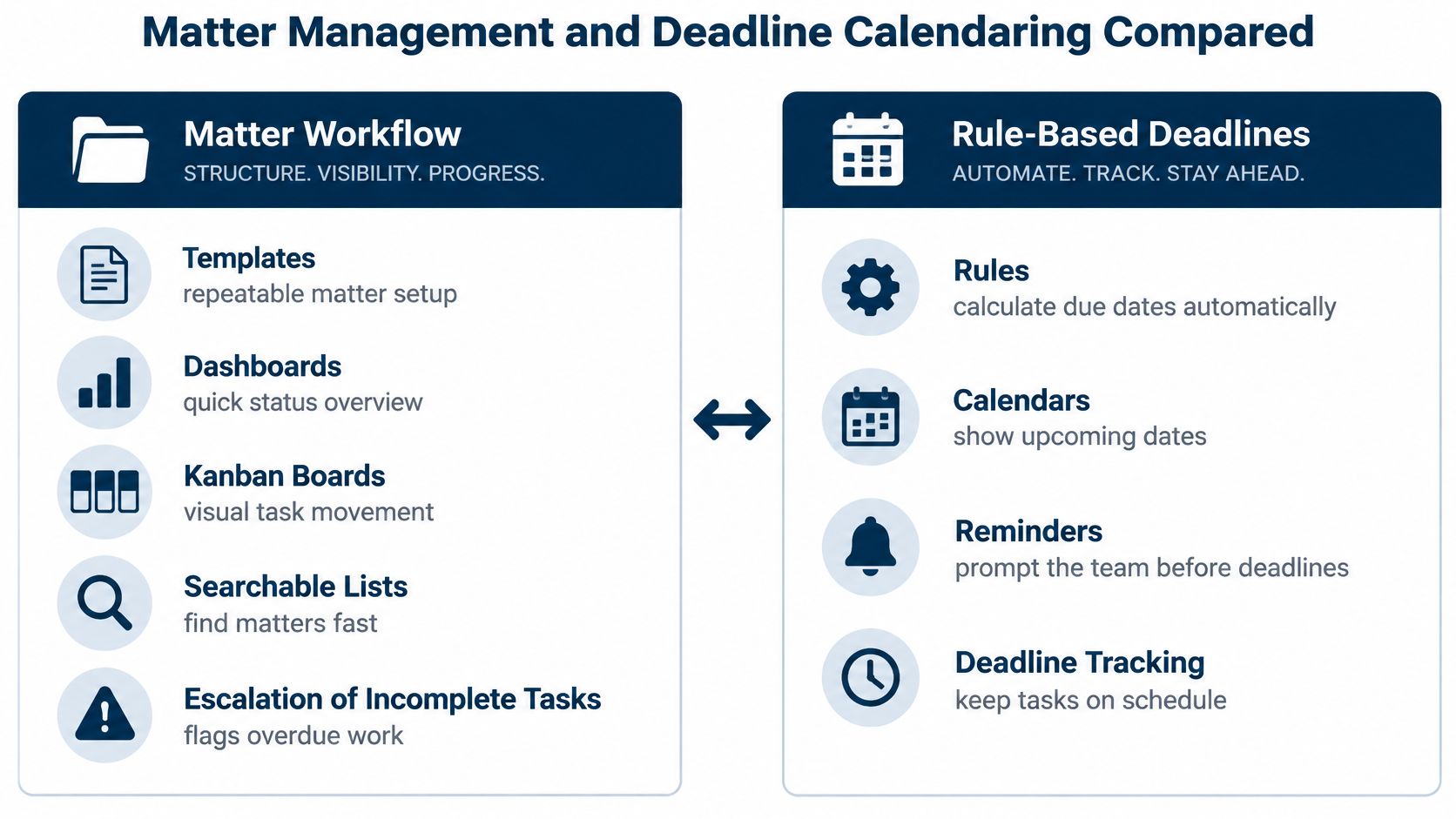
Matter Management and Deadline Calendaring Compared
Two engines sit inside almost every law firm platform, and vendors blur them because the second one is hard. One manages the matter. The other calculates dates. They fail differently, they're bought differently, and only one of them can end your week in a malpractice claim.
The split looks like this.
Matter workflow does the plumbing
Matter workflow is the administrative layer: templates, dashboards, Kanban boards, searchable lists, and escalation when something sits open past its date. Get the templates right and intake stops being a memory test. Litigation, IP, family law and client-specific templates should each generate their own tasks, events and documents from day one.
Dashboards and boards are the visible half. The useful half is search. Can you find every open matter for one attorney in one jurisdiction with a hearing in the next 30 days, without exporting anything? If that takes three spreadsheets, the dashboard is decoration.
Escalation keeps templates honest. When a template assigns a timekeeper to a task, that person should be notified the day it comes due and again when it stays open. Without escalation, templates generate work and then stop mattering.
Deadlines are a separate job
Federal docket monitoring is not calendaring, and confusing the two costs firms money. The United States Courts guide to PACER describes it as an internet-based service for locating appellate, district and bankruptcy case and docket information, and the docket interface displays pending deadlines and hearings for a case.
That's raw material. A docket entry tells you an order landed. It can't tell you what the order does to your calendar. Someone has to read it, find the trigger, apply the rule and hand the work to a named person.
From docket entry to assigned owner
- Monitor the docket for a new entry.
- Retrieve the document and read it.
- Identify the triggering event: service date, filing date, entry date.
- Calculate the deadline under the rule that applies.
- Assign an owner, set reminders, and keep the link back to the docket entry.
Stage five is where most breakdowns live. The notice arrived, someone read it, and nobody owned the date.
Say an order sets a response due 14 days after service and day 14 is a Saturday. The calendar must roll forward, show the adjustment, and record why the stored date differs from the arithmetic. A system that keeps the raw number without note is worse than a paper diary, because it looks authoritative.
Rule coverage and escalation
Our calendar engine runs on more than 2,200 court rule sets across the U.S. and Canada, calculates deadlines from trigger dates with weekend and holiday adjustments, and updates existing calendar events when a court amends its rules. Treat any count like that as a vendor claim and test it against your own courts before you rely on it.
Escalation follows the same logic. Named timekeepers get notified when a task is due and still incomplete, and the notification path stays visible to whoever supervises the docket.
The test that settles it: change a trigger date in a live matter and confirm every dependent deadline recalculates, carries the reason text, and lands in Outlook without anyone touching it.
Teams rebuilding matter structures from scratch each year should start with how the record is designed rather than how the dates are stored. These matter workflow examples from CasePulse show the structure before the dates.
If one deadline needs a manual nudge after a trigger change, you've found your weekly cost. Multiply it by the number of matters you open in a month.
Docket Retrieval Costs to Budget For
PACER billing looks simple and isn't. The PACER pricing FAQ sets the standard rate at $0.10 per page for access to federal case information and caps a single document or case-specific report at $3, which works out to 30 pages. The cap has exceptions, and the exceptions are where budgets slip.
| Charge | Amount | Rule |
|---|---|---|
| Standard page from a search or accessed record | $0.10 per page | Billed quarterly |
| Single document or case-specific report | Maximum $3 | Equal to 30 pages; cap does not apply to name searches, non-case reports or hearing transcripts |
| Audio file | $2.40 per file | Separate from page charges |
| Quarterly waiver | Charges of $30 or less waived | Applies per quarter |
| PACER registration | No fee | Access charges apply only when you retrieve billable information |
Three billable events in one matter
Retrieving a docket, opening the documents filed on it, and running a name search are three different billable events. The cap only helps on one of them. Name-search results, non-case-specific reports and hearing transcripts aren't capped at all, so a contested matter can produce a retrieval bill nothing like your estimate.
Quarterly billing softens this for small practices. Charges of $30 or less are waived for that quarter, so a light federal docket load can cost nothing. Budget on the assumption that a busy quarter won't stay under the threshold.
Four habits that keep retrieval predictable
- Set a retrieval budget per matter. A monthly figure reviewed with the docketing lead, not one firm-wide pot that hides which case is expensive.
- Log who pulls each document. The reviewer's name belongs next to the retrieved item, not buried in an email thread.
- Link every retrieved item to the docket event that triggered it. When a partner asks why the document was pulled, the answer should be one click away.
- Flag audio files separately. Audio doesn't price by the page: the PACER user manual lists a $2.40 charge per audio file. A hearing recording is a flat hit that page-count assumptions never catch, and it may need different storage and review than a PDF filing.
Where PACER stops and your other sources begin
PACER covers appellate, district and bankruptcy records. State dockets, county filings and Canadian courts sit outside it and need their own sources, each with its own access model and its own invoice. Firms monitoring filings across circuits tend to learn this one matter at a time; a walkthrough of circuit court dockets is a cheaper way to learn it.
MatterAlert connects to PACER and UniCourt for live dockets, and users can search by name, docket number, jurisdiction or date across all U.S. federal courts, 40-plus state courts and Canadian jurisdictions. UniCourt's fee terms are separate from PACER's and are not interchangeable. Get them in writing before you put a number in the budget.
Nobody's budget dies on registration. It dies on the quarter where three teams pulled the same 40-page exhibit.
Timekeeping, Billing and Per-User Licensing Costs
In a 2022 survey, 81% of firms used time-tracking software and 87% used legal billing software, according to the ABA Journal's summary of the survey results. The savings are real but unevenly spread. Among billing-software users, 26% saved 1 to 5 hours a month, 21% saved 6 to 10 hours, 9% saved 11 to 15 and 8% saved more than 15. Among time-tracking users, 9% captured more than 15 additional hours each month.
Run the arithmetic small. Ten billing users saving three hours a month each is 30 hours a month the firm can bill or reassign. That's the case for buying. The case against it arrives as an invoice with a seat count nobody questioned.
The seat definition is the price. Everything in the proposal is a line item.
Count seats, not attorneys
Licensing covers every user who accesses the platform or receives calendar synchronization: attorneys, law clerks, legal assistants and administrative staff. That's four categories where most firms count two.
Delegation changes the math in both directions. Assistants can manage an attorney's calendar and keep their own, create, modify and assign tasks, and enter time on the attorney's behalf. Those seats do real work, which is exactly why they appear on the bill.
A four-step seat count
- List every role that logs in.
- List every role that only receives events.
- Get the vendor's written answer on which group each role falls into.
- Multiply the total by the quoted seat price.
Only then compare per-seat prices between vendors. A cheaper seat with a broader definition isn't cheaper. Our pricing breakdown sets out what each level includes, and it's worth reading before you weigh anyone's per-user number, including ours.
Integrations and Data Ownership Rules That Prevent Missed Work
The 2025 Legal Industry Report published by the ABA found that 43% of respondents prioritized integration with trusted software when investing in legal-specific generative AI. Firms with 50 or fewer lawyers reported legal-AI implementation at roughly 20%, about half the rate of larger firms.
Read that as a buying signal rather than a lag. Smaller firms don't need the longest feature list. They need integration that holds, migration nobody has to babysit, and workflows staff can maintain in a busy month.
A connected stack still breaks. This is what the team looks like when it doesn't.

Name the owner of every record
For each data type, write down four things: the system of record, the sync direction, the expected delay, and the person who resolves a conflict. Matter, client, deadline, document, invoice, timekeeper. Six rows, six decisions, one owner each.
Then test the three edge cases that happen.
- Duplicate client records. Which system is authoritative, and who runs the merge?
- A deadline changed at the source but not in the calendar. Who notices, and how fast?
- A departed attorney's tasks. Who inherits them, and does the reassignment reach every subscriber calendar?
On the third one, bulk reassignment should move events, appointments and tasks across one or many matters in a few clicks, with the changes syncing everywhere. If it takes a spreadsheet, it'll happen late.
Integration isn't the same as sync
We import matter, client, timekeeper and ethical wall data from Thomson Reuters Elite 3E and Aderant on a nightly sync, with same-day search and import, and we connect to Microsoft 365, iManage and NetDocuments. Get the sync window and the conflict rules in writing regardless of who you buy from.
Then run the failure path before launch. Break a sync on purpose, confirm the alert reaches the right person, and check that rollback works. A sync that behaves on a good day proves nothing. Our integrations page lists what connects to what, which is the right starting point for building the ownership map.
Choose a Shortlist and Test It Before You Buy
Match the firm to a priority before you score a single feature.
| Firm profile | Top priority | Demo test |
|---|---|---|
| Solo or small firm | Repeatable templates, shared calendars and reminders without desktop software | Build one matter template and sync one calendar to Outlook |
| Litigation across several states or Canada | Rule coverage for each court and jurisdiction | Confirm each court and rule set during the demo |
| Multi-office firm | Centralized matter views, ethical walls and audit logs | Test ethical walls and export the audit log |
| Docketing team | Escalation of overdue tasks and workload reporting | Let a task go overdue and check the notification path |
| Operations and IT team | Integration with existing email, document and accounting systems | Count which roles need a license and whether passive calendar recipients count |
Score security with evidence
Cloud adoption is settled, and the split runs by firm size. The ABA's 2026 Legal Technology Survey, as published by ILTA, put adoption above 94% at firms of 50 to 99 lawyers against about 65% among solo practitioners.
Controls are a different story. The 2026 Future Ready Lawyer survey from Wolters Kluwer reported that only 55% of respondents used multifactor authentication, 49% ran regular security audits, and 58% said they need more cybersecurity training. A firm can be fully committed to the cloud and still buy a weak product. Score every vendor on MFA or SSO, role-based permissions, audit logging, encryption, backup and recovery commitments, breach notification, data retention and admin reporting. Ask for evidence rather than assurances.
The five-part demo test
- Run three real matters through the system with your own data.
- Change one deadline and confirm it reaches every calendar.
- Reassign tasks as if an attorney left that morning.
- Export the audit log yourself.
- Get the rollout plan, the license count and any per-docket retrieval fees in writing.
A demo shows what the vendor prepared. Use your own matter data wherever you're allowed to, and treat anything you can't run yourself as unverified. Typical rollout takes four to six weeks including validation, training and a pilot, so schedule that pilot before anyone signs.
Price the seats while you're in the room. Licensing can reach every attorney, clerk, assistant and administrator who touches the system, and docket retrieval charges can sit outside the subscription. A quote without those two numbers isn't a quote.
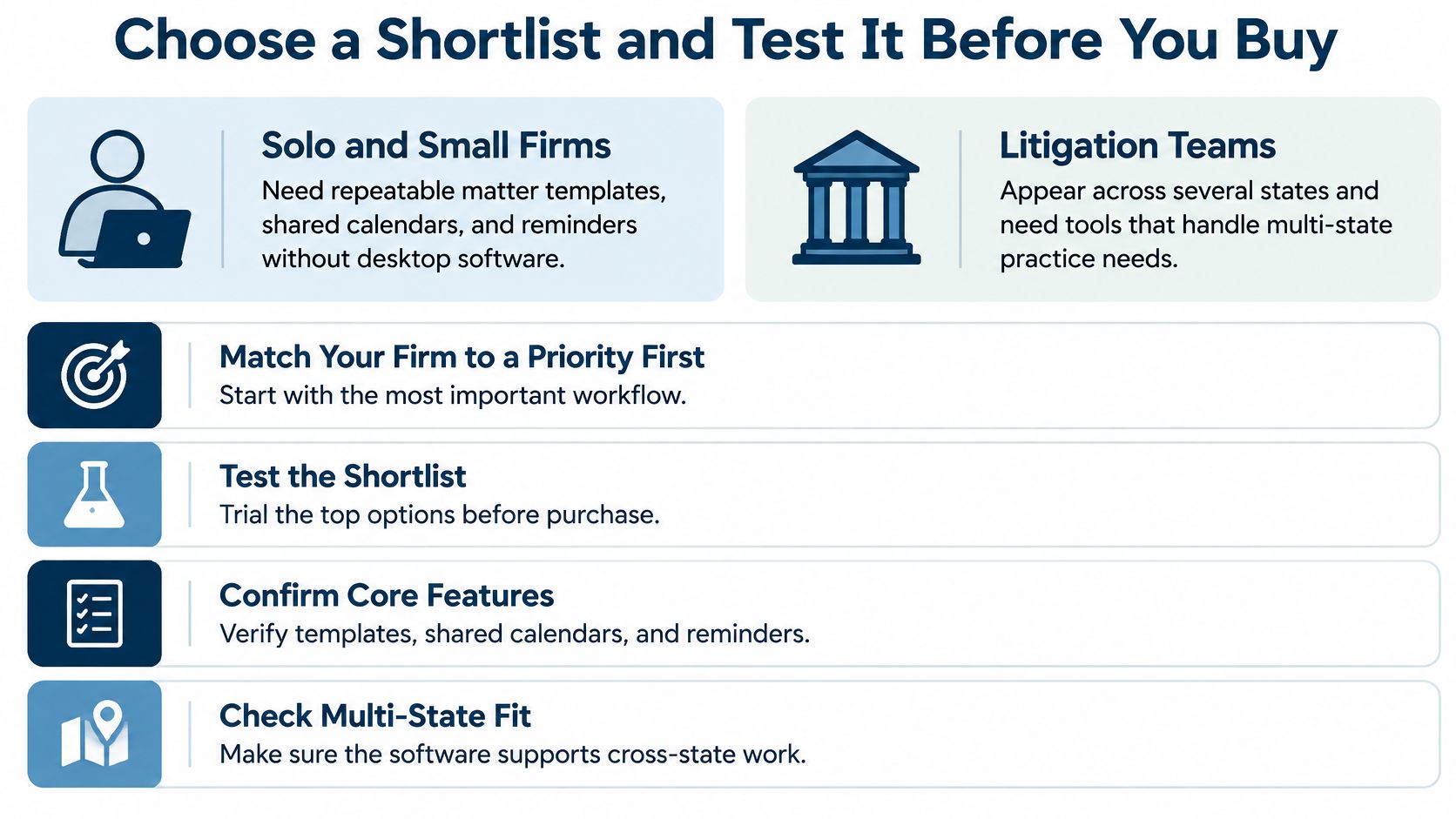
One last thing to pin down during the demo rather than after. Docket availability and rule coverage vary by court and jurisdiction, especially in Canada, so confirm the specific courts and rule sets you need while the vendor is still answering questions.
MatterAlert puts rule-based calendaring, PACER and UniCourt docket monitoring, matter templates, task escalation and Outlook sync in one web-based platform, so a date change moves once and reaches everyone who needs it. Bring three of your messiest matters to a demo and we'll run the deadline test on your own courts, including the ones where coverage needs confirming first. Start at MatterAlert and see what the calendar looks like ten minutes after the trigger changes.