

Administrative errors accounted for nearly one in five legal malpractice claims in an analysis of 38,570 claims, according to an analysis of malpractice claims by error type. That fact changes the conversation about benefits for lawyers. A strong package isn't only pay and leave. It's also the systems, staffing, and support that stop a missed date from becoming a claim. Count three results separately. Count time saved. Count risk reduced. Count work redistributed to another person.
Why Benefits for Lawyers Matter More Than Ever
A mid-sized litigation firm opens a new federal matter. One partner owns strategy. One associate owns drafting. A legal assistant owns the calendar. The assistant enters the response date in a personal calendar. The associate keeps a different date in email. The court then amends the schedule. Nobody updates both records, and nobody owns the correction. The firm learns about the conflict too late.
That sequence is ordinary and expensive: the firm must explain the miss to the client, decide whether relief is possible, and review notice duties and internal records. Lawyers lose billable time. Staff lose confidence. The client loses trust.
Two Different Calendar Failures
Failure to calendar properly accounted for 7.4% of the analyzed claims, and failure to know or ascertain a deadline accounted for 6.57%, in the same 38,570-claim analysis cited at the opening. Those are not the same failure. One means the team found the date and recorded it badly. The other means the team never found the date. A benefit package has to cover both points, because they fail for different reasons and get fixed by different controls.
A good system identifies the trigger, records the rule used, assigns an owner, and escalates an unfinished task. A personal reminder does none of that reliably; it stores a date for one person and leaves everyone else guessing.
Core framing: A lawyer's time is a high-value resource. Benefits should protect that time, reduce preventable risk, and keep responsibility visible.
Health cover still matters. Retirement support still matters. Lawyers also need workload visibility, shared matter records, backup when a colleague leaves, and tools that work across jurisdictions. The part most firms skip is measuring where the gains land. A docketing system that saves the partner an hour a week but adds forty minutes of duplicate entry to the docketing clerk is not a benefit. It is a cost transfer. Ask who gets the hours back, who absorbs the new tasks, and whether risk actually dropped or just moved desks.
Firms often call these items infrastructure. Lawyers should treat them as benefits. Good infrastructure returns productive hours, reduces weekend checking, makes delegation safer, and lets a lawyer go on leave without fear. Weak infrastructure taxes every workday and turns memory into the control system, which is a poor benefit no matter how strong the pay looks.
Ask a direct question in 2026. What does the firm give you to do the work safely? The answer shows the package.
Defining the Benefits Lawyers Actually Receive
Benefits sit in four tiers. Each tier solves a different problem. Don't judge all four by cash value alone. Judge each one by use and by risk removed.
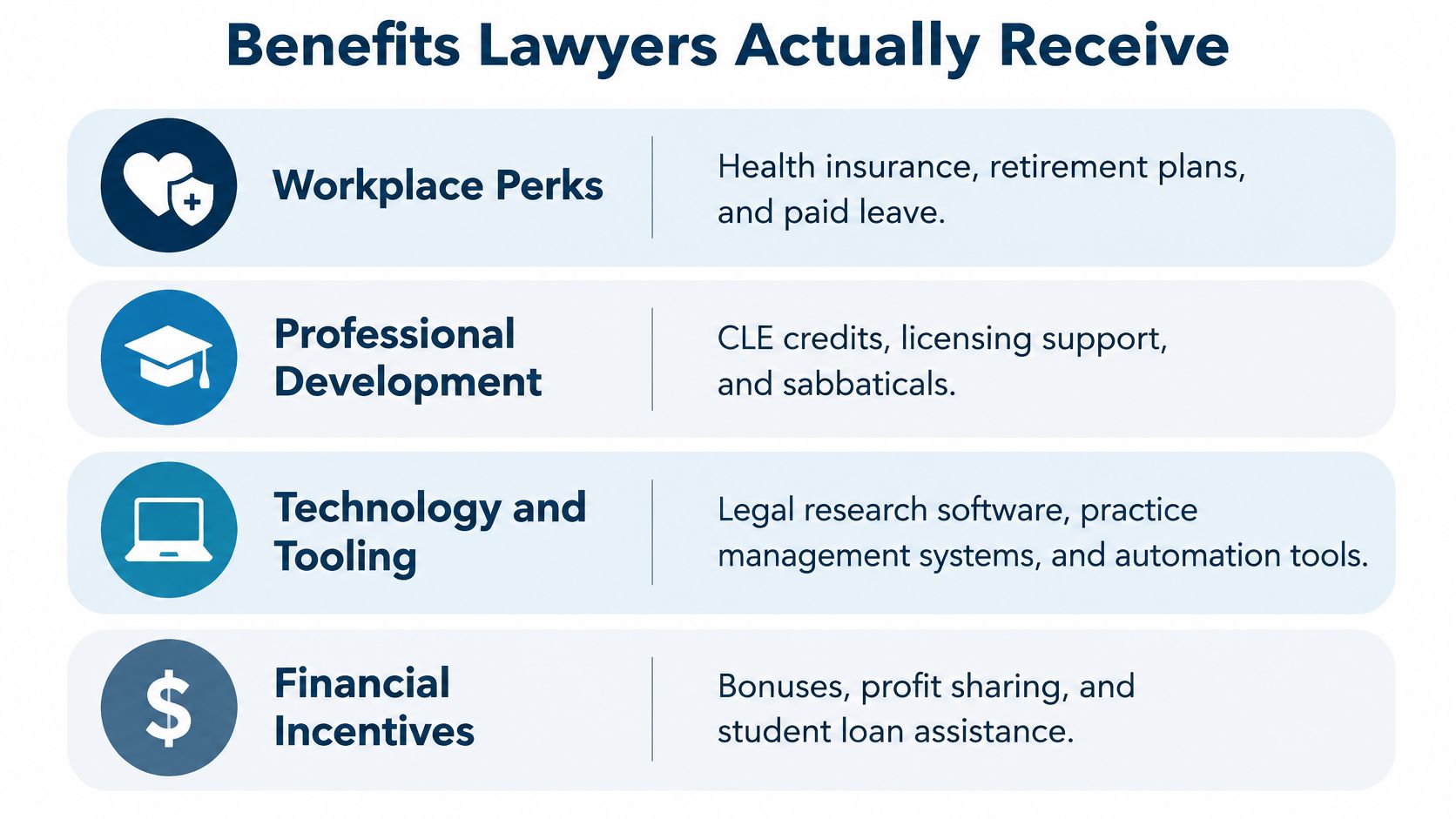
Workplace Perks
This tier covers health insurance, retirement plans, and paid leave. It protects income and recovery time. It also affects retention. A lawyer who can't take leave doesn't have a usable leave benefit. Coverage rules and staffing depth decide the value.
Professional Development
This tier covers CLE credits, licensing support, and sabbaticals. It also covers mentoring and coaching. The value is skill growth and long-term employability. A CLE budget has little value without time to attend. A sabbatical has little value if work waits untouched. Ask who covers your matters. Ask how the firm records credit deadlines.
Technology and Tooling
This tier covers legal research software. It covers practice management systems. It covers docketing and automation tools. Good tooling reduces repeated data entry. It gives the whole team one matter record. Bad tooling adds logins and duplicate work. Tool access alone isn't a benefit. Training and workflow design make it useful.
Financial Incentives and Operational Support
This tier covers bonuses and profit sharing. It may cover student loan assistance. It should also cover paralegals, docketing staff, and IT support. Those people protect lawyer capacity every day. A bonus doesn't fix a broken intake process. A trained docketing team can prevent repeated errors.
Scale matters here. Lawyers held approximately 863,700 jobs in 2025 and earned a median annual wage of $159,670, or $76.76 per hour, according to the U.S. Bureau of Labor Statistics occupational outlook for lawyers. At that hourly value, wasted coordination is costly. One hour spent hunting for a date is one hour not spent on analysis. It's also one hour not spent with a client.
Find your weak tier. A senior litigator may need stronger docketing support. A junior lawyer may need training and supervision. A solo lawyer may need backup coverage most. Benefits for lawyers work when the tier matches the actual constraint.
How Technology Benefits for Lawyers Actually Pay Off
Technology pays off when it changes a workflow. It doesn't pay off when it only adds a dashboard. Look for fewer handoffs. Look for clearer ownership. Look for an audit trail.
A 2024 survey of 1,028 U.S. legal professionals found 79% were using artificial intelligence in some capacity, compared with 19% in 2023, and estimated generative AI could automate 74% of hourly billable legal work, according to Clio's summary of its 2024 Legal Trends Report. Treat that estimate with care. It shows potential, not guaranteed savings. Your firm still must prove the gain in its own work.
The same report gives a useful operating signal. In 2023, legal professionals were handling more than 40% more cases and billing 70% more than in 2016, while collections were 72% higher, per the Clio summary linked above. Those figures support the business case. They don't prove that any single tool caused the gain. Measure your own baseline before you buy.
Why Rules-Based Calendaring Is Different
A digital calendar stores a date. A rules-based system calculates a date. That is a large difference. Federal Rule of Civil Procedure 6(a)(1) excludes the triggering day, counts every intermediate day, and moves a final weekend or holiday deadline to the next qualifying day, as set out in the text of Federal Rule of Civil Procedure 6. A simple day count can miss that adjustment. A court order can also override the standard result. Human review still matters.
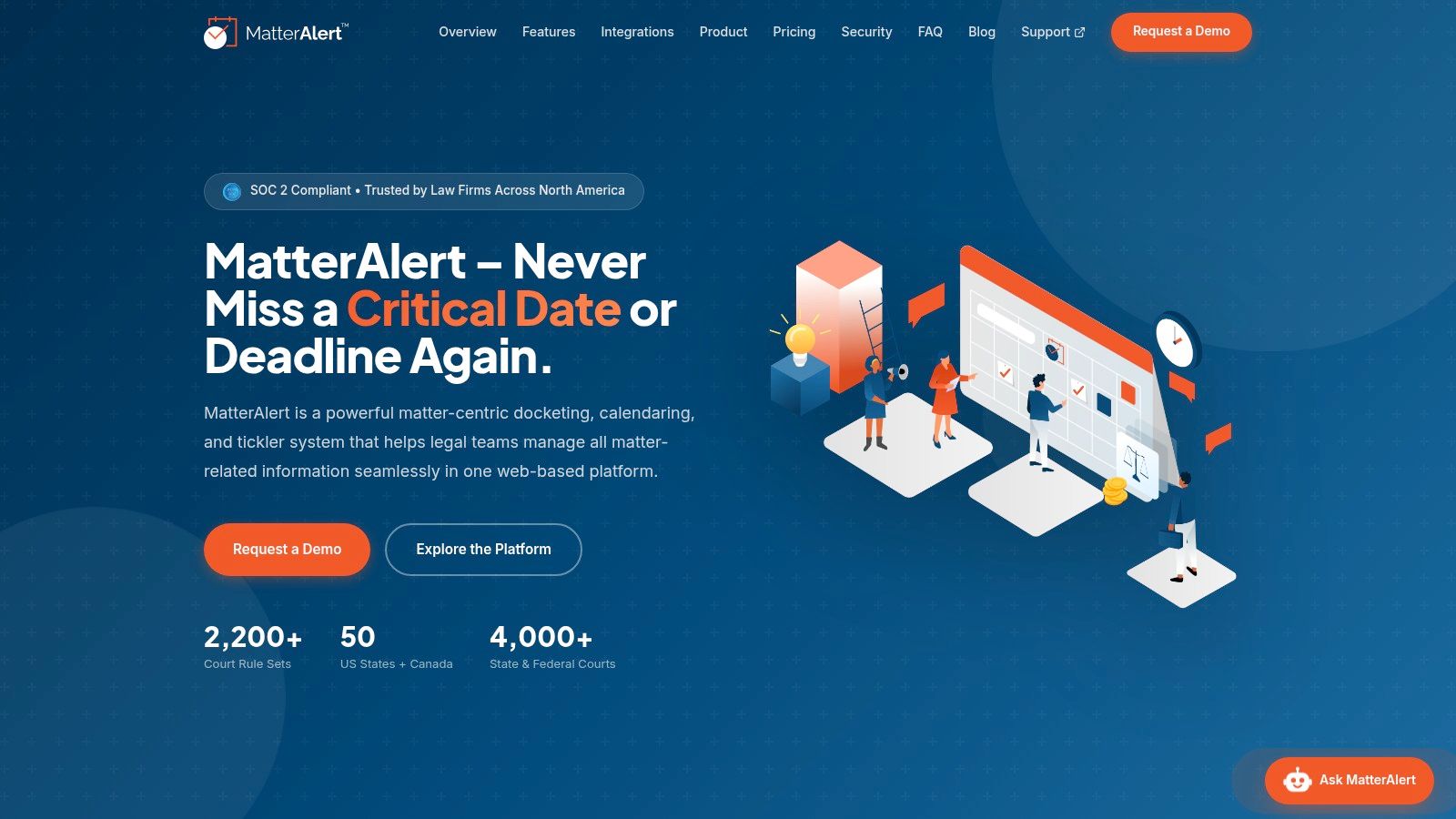
MatterAlert is one example of a docketing and calendaring platform. It centralizes matter information, deadlines, tasks, and documents for legal teams. Judge it the same way you'd judge any system. Test the trigger record. Test the rule audit log. Test the escalation path. Test bulk reassignment after a staff departure.
The malpractice link is direct. Manual systems rely on memory and scattered inboxes. They hide unfinished work until it's urgent. The risk case is laid out in this discussion of manual legal calendaring as a malpractice risk.
What to Measure
- Corrections: Track automated dates changed after lawyer review.
- Overdue tasks: Track tasks still open after the internal due time.
- Coordination time: Track hours spent chasing dates and owners.
- Handoff quality: Track matters reassigned without missing information.
These metrics separate infrastructure from hype. They also show where benefits for lawyers are real. Real benefit means less repair work. It means fewer urgent surprises. It means a team can audit how a date was created.
The Hidden Cost of Automating Lawyer Work
Automation often moves work. It doesn't always remove work. That distinction decides whether a benefit helps or harms. Firms often miss it during rollout.

Thomson Reuters surveyed more than 1,700 professionals across the United States, United Kingdom, and Canada in 2025. Document review, legal research, and summarization were the most common generative AI use cases at 74%, 73%, and 72% respectively, according to Thomson Reuters' executive summary for legal professionals. The leading perceived benefit was saving time and improving productivity. That is perception at the organization level. It is not proof that each lawyer's workload fell.
Other 2025 practice findings in the verified research reported most lawyers saw little or no change in workload after generative AI adoption. Only 37% reported an increase in automated processes and workflows. Read those results together. Use is common. Deep workflow change is less common. A lawyer may draft faster and still feel no relief.
Where the Saved Time Goes
Clients may ask for faster turnaround. Partners may assign more matters. Review duties may grow. Verification may replace drafting. Implementation work may fall on one assistant. Each shift can consume the saved hour.
Docketing shows the same pattern. Software can calculate the date. A person must still confirm the trigger. A person must review the court order. A person must resolve a conflict. A person must own the exception. If that person is always the assistant, the attorney gained convenience. The assistant inherited risk.
Practical rule: Report time saved, risk reduced, and work transferred as three separate results. Never merge them into one productivity number.
A Fair Measurement Method
Start before rollout. Record overdue task rates. Record time spent on calendar checks. Record corrections after human review. Record who handles each exception. Repeat the same count after rollout. Include paralegals and docketing staff in the review. Include junior lawyers too. They often absorb the checking work.
Also track turnaround time and realization. Track lawyer health and after-hours work. A system can raise capacity and still harm wellbeing. It can also reduce risk without saving much time. Both outcomes matter. They just aren't the same outcome.
Benefits for lawyers should not create invisible work for support teams. If the gain depends on hidden labor, price that labor. Staff it properly. Train for it. Then decide if the tool still pays.
Workplace and Professional Benefits Worth Negotiating
Negotiate for usable support, not long lists. A benefit has value when you can use it. It also has value when it protects your license. Rank items by your career stage.
An ABA and AffiniPay survey of more than 2,800 legal professionals found 31% personally used generative AI for work in 2024, while only 21% of firms reported firm-level AI use, according to the ABA summary of the 2025 legal industry report. The same survey reported videoconferencing at 79% and e-signatures at 78%. Individual adoption is running ahead of firm process. That gap is negotiable. Ask for governed tools, not personal workarounds.
Benefits by Career Stage
Junior lawyers need supervision and training time. They need CLE support and clear task ownership. They also need protection from silent overload. A visible task board helps a supervisor rebalance work early.
Mid-level lawyers need delegation support. They need parental leave with real coverage. They need retirement matching and predictable bonus rules. They also need docketing backup across matters.
Senior lawyers need succession and coverage depth. They may value sabbaticals and coaching. They need client and matter records that others can use. Institutional knowledge should not sit in one inbox.
Comparing Two Lawyer Benefit Packages
| Benefit Category | Mid-Sized Firm | Large Firm |
|---|---|---|
| Health and leave | Standard cover with partner-approved coverage | Broader cover with formal coverage teams |
| Professional growth | CLE budget and bar dues | CLE, coaching, and sabbatical options |
| Technology | Shared practice management access | Integrated research, docketing, and document systems |
| Operational support | Shared assistants and paralegals | Dedicated docketing and operations teams |
| Financial terms | Discretionary bonus | Structured bonus and profit sharing |
Don't read the table as a ranking. A smaller firm may give faster decisions. A larger firm may give deeper backup. Ask how each benefit works on a busy filing week. Ask who approves leave coverage. Ask who owns deadlines during absence.
Frame the request around retention and risk. Don't frame it as comfort. Paid bar dues protect active status. CLE time protects competence. Docketing support protects client matters. Those are firm interests too. Benefits for lawyers are strongest when both sides gain.
Evaluating Benefits Packages as a Lawyer
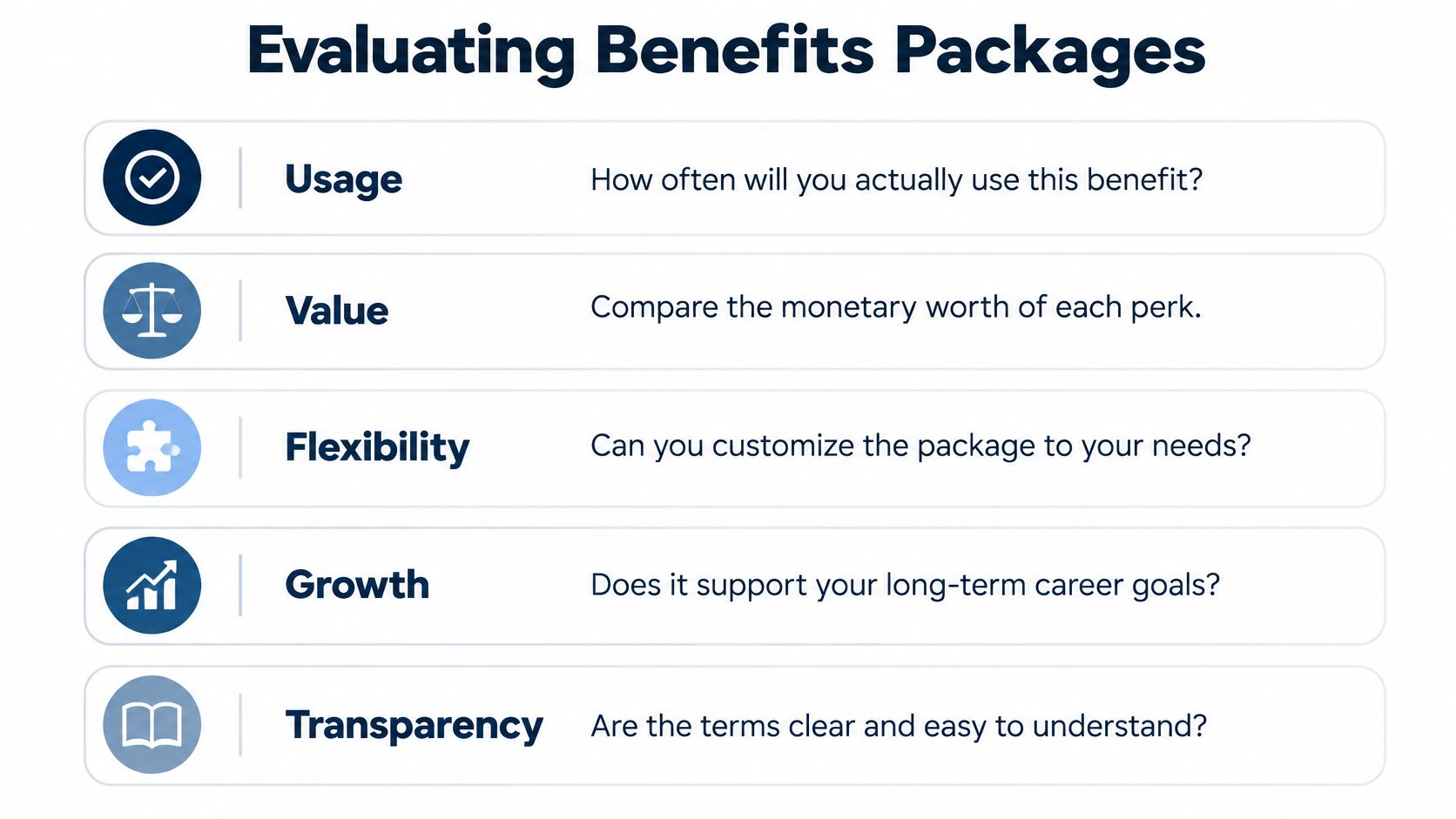
Score the package before you sign. Use five tests. Keep each test simple. Write down the evidence for each score.
The American Bar Association's 2024 Practice Management TechReport found 53% of surveyed firms made case or practice management software available, 65% reported budgeting for technology, and average annual technology spending was $13,991, according to the ABA 2024 Practice Management TechReport. Availability is only the first step. A firm can buy software and still run on spreadsheets. Ask for proof of daily use.
Five Evaluation Tests
- Usage probability: Ask how often lawyers use the benefit each month.
- Risk-reduction value: Ask which error, delay, or claim the benefit helps prevent.
- Workload redistribution: Ask who gains work and who loses work after adoption.
- Implementation support: Ask who trains, configures, audits, and maintains the process.
- Exit cost: Ask what records, credits, or support you lose if you leave.
Score each test from low to high. Don't accept a feature list as evidence. Request a workflow example. Open one closed matter during diligence if policy allows. Trace one deadline from trigger to completion. Check the owner field. Check the change history. Check the escalation record.
Questions That Reveal Weak Packages
- Who owns a deadline when the assistant is away? A named backup shows real coverage.
- Who can change a calculated date? A clear approval rule shows control.
- How are exceptions audited? A regular report shows active management.
- How much training time is protected? Scheduled time shows the benefit is usable.
A benefit you cannot use during a busy month is a line item, not support.
Watch for split incentives. The firm may count tool adoption. You may count fewer late nights. Support staff may count fewer unclear tasks. All three counts belong in the review. Benefits for lawyers fail when only one group reports success.
End with a short decision note. List the top two benefits. List the top two gaps. List the cost of each gap in time or risk. That note gives you a clean basis to accept, reject, or negotiate.
Choosing the Right Benefits for Your Practice
Choose by constraint, not by fashion. Your constraint may be time. It may be risk. It may be uneven workload. The right package attacks that constraint first.
Solo and small firm lawyers should protect coverage first. Pick shared calendaring with clear ownership. Pick matter templates for repeat work. Arrange backup for illness and leave. One missed date can define the practice. Visibility matters more than a long perk list.
Associates and counsel should protect development and delegation. Pick CLE time with matter coverage. Pick transparent task assignment. Pick supervision that reviews exceptions early. Those benefits build skill without hiding overload. They also make your work easier to hand over.
In-house and legal operations leaders should protect audit quality. Pick central matter records. Pick workload reporting by team and office. Pick clear escalation rules for incomplete tasks. The operating model matters as much as the software. That link is explored in this guide to legal operations management.
Use one decision rule for every offer. Name the benefit. Name the user. Name the work removed. Name the work created. Name the risk reduced. Name the metric you'll check later. If you can't complete those six points, wait. You don't yet understand the benefit.
Start with two or three priorities. Don't try to fix every tier at once. Fix deadline ownership if risk is high. Fix training time if junior lawyers are stuck. Fix coverage if leave is unusable. Then measure again after rollout.
The best benefits for lawyers are boring in the right way. They work on busy days. They survive staff changes. They leave a clear record. They give time back without hiding the cost. Choose those benefits first.
MatterAlert gives litigation teams rules-based docketing, synchronized calendaring, task escalation, and central matter records in one web-based platform. If deadline ownership and workload visibility are the benefits your team needs most, visit MatterAlert to review how the platform supports attorneys, legal assistants, and docketing staff across jurisdictions.